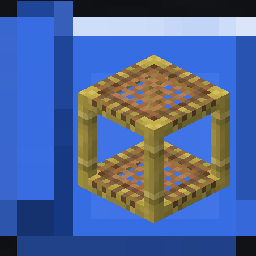



📖 What's this mod?
This mod add 1 item: The Scaffolding Blueprint. Used to quickly copy or retract a scaffolding structure and quickly deploy it elsewhere
How to use:
- Right click a scaffolding structure with the empty blueprint will copy it. Shift-right click to retract it.
- Right click with a filled blueprint onto a block will place the preview of the structure there. Shift-right click to confirm and place the structure or place it directly at the aim location if you haven't set the preview (You will need to have enough scaffolding block in survival mode). Right click in the air to clear the preview.
There are 2 config options available:
- max_scaffolding_blocks: Control the maximum number of scaffolding blocks the blueprint can hold (Default: 128).
- consume_blueprint_after_placing: Whether the blueprint will become empty after using or will it hold the design to be placed again (Default: true).
🖼️ Screenshots
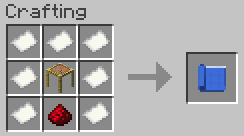
Blueprint crafting recipe
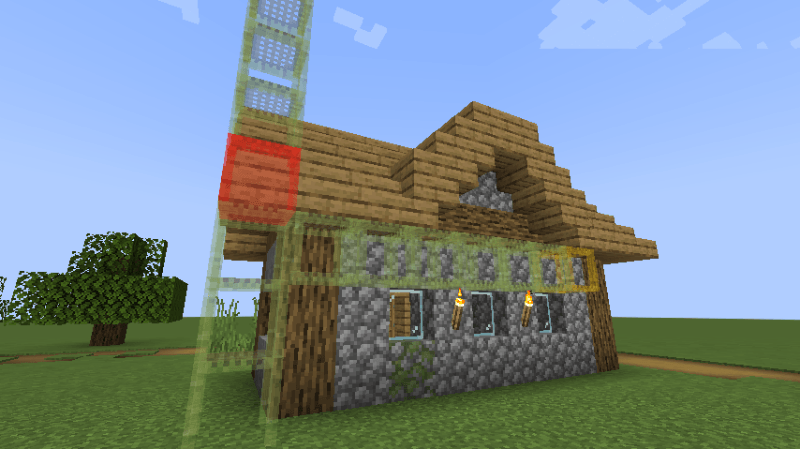
Scaffolding structure preview
Red means there is a block obstructing the structure, yellow means the scaffolding block doesn't have proper support and might fall after placing.
Quick facts
- Edition: Minecraft Java
- File type: .jar
- Minecraft version listed: 1.21.1
- How to install: Install the matching mod loader (Forge, Fabric or NeoForge) for your Minecraft version. → Download the .jar. → Put it in the .minecraft/mods folder and launch that loader profile.
- Where to get it: Opens on Modrinth — not every file is mirrored on our own servers.
Install steps are the general flow for this file type — How to install Minecraft Java mods & modpacks walks through it step by step.
Verified by MCModsHub
- Ships as scaffoldblueprint-neoforge-1.0.0.jar — drop this file into the mods folder
- Download size: 56 KB
- Download link checked 24 Aug 2026 — working
These come from our own check of the pack file, not from the source page.