HomeJavaModsFinal Tinted Touch (FTT)
Final Tinted Touch (FTT)
ModsJava

Final Tinted Touch (FTT)

by Nosam08 · on Modrinth

Which Minecraft do you have?

Every version of the game needs its own build. Pick yours, then download — the wrong build installs fine and then does nothing in the game. This mod is built for Fabric only.

⬇ Download for 26.1–26.1.2⬇ Download for 1.21.11⬇ Download for 1.21.10⬇ Download for 1.21.9⬇ Download for 1.21.8⬇ Download for 1.21.7⬇ Download for 1.21.6⬇ Download for 1.21.5⬇ Download for 1.21.4
I don't know my version or loader
Open the Minecraft launcher and look at the profile you play on — it names both, like fabric-loader-1.21.4. The version also shows in the bottom-right corner of the game's main menu.
No loader in the profile name? Then it's plain Minecraft, and these mods won't run — you need Fabric or NeoForge installed first.
Final Tinted Touch (FTT) — screenshot 1Final Tinted Touch (FTT) — screenshot 2Final Tinted Touch (FTT) — screenshot 3Final Tinted Touch (FTT) — screenshot 4Final Tinted Touch (FTT) — screenshot 5Final Tinted Touch (FTT) — screenshot 6Final Tinted Touch (FTT) — screenshot 7

Final Tinted Touch

FTT helps you fully max out the enchantments on your gear. It is even compatible with mods that add new or modify existing enchantments!

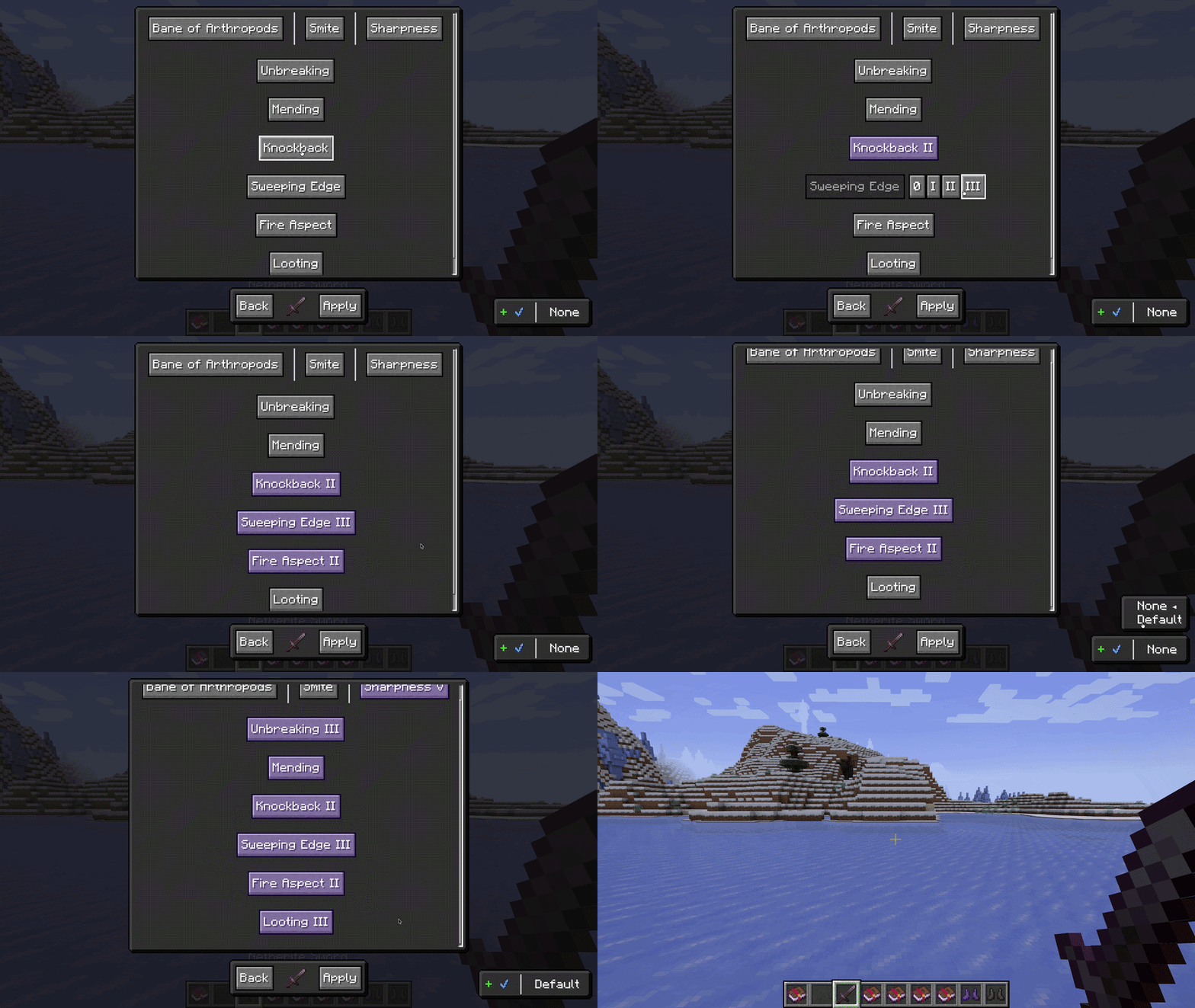
To start, hover over an item and press X to open up a menu to that lets you choose which enchantments should be present in your maxed out items. The menu features the list of all enchantments in the game, with the bars indicating incompatible paths. (ex. Sharpness | Bane of Arthropods | Smite; Loyalty, Channeling | Riptide) It will let you choose certain profiles to save and configure. If you have default profiles on, what is regarded as the best build will be automatically configured - note that this does not consider modded enchants.

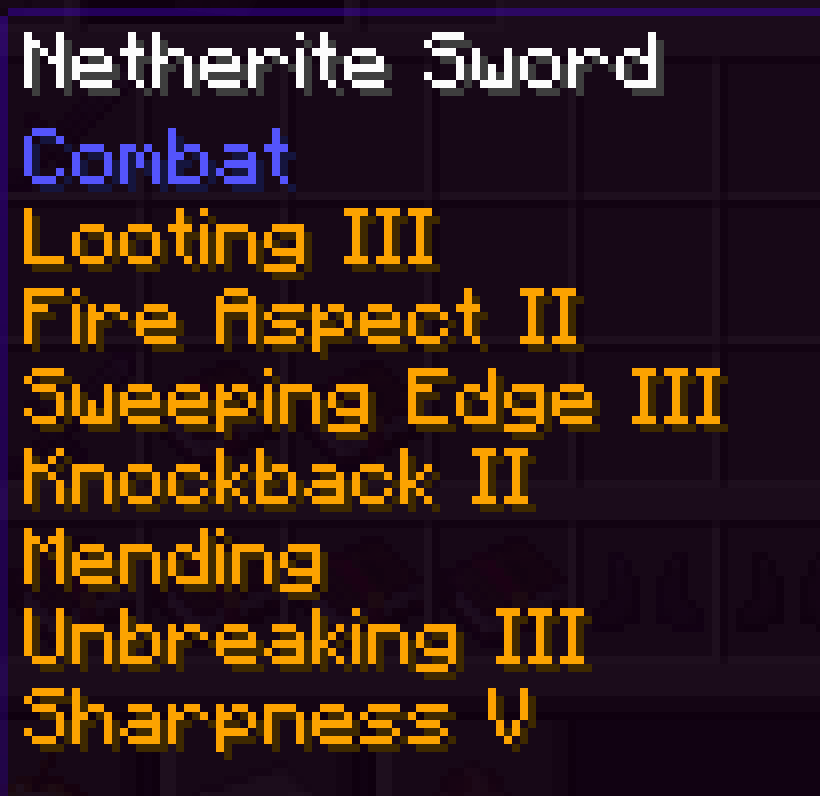
Hovering over an item that is configured will list in orange the enchantments that need to be applied to the item to max it out. You can choose which items to show this menu on, including modded ones.

Profiles

A Profile is a remembered loadout; the exact set of enchantments and levels you want, saved once and ready to pour onto any item you press X over.

Open the menu and look to the bottom right. That little bar is the whole system: [ + ✔ | None ]. Click anywhere on it and a dropdown climbs upward, listing None at the top, then Default, then every Profile you have made glowing green below.

The green ones are yours. Press + to make a new one; it grabs whatever you have selected on screen right then and lets you name it. Press the blue to save over the active Profile after you tweak it. Press the red to delete one you are done with.

None and Default are White Profiles. They are read-only; you cannot rename them, save over them, or delete them.

Default is the best build (community standard) there is for that item, maxed all the way out and already curated so nothing fights anything else. Every item carries its own Default; a sword's is not a pickaxe's. It ships inside the mod, so it reads the same on every world you join. Modded items usually have none, and that is fine; they simply fall back to None.

Flip on defaultX and the menu steps out of the way completely. Press X over a piece of gear and its Default lands instantly. If there is no Default to find, the regular menu opens like always.

You build the loadout once. The gear remembers.

The Hover Guide

Hover an item you have configured and the enchantments it still needs glow orange right under its name. It is the running checklist for that piece of gear, and you decide which items get one, modded gear included.

The list is alive. Apply an enchantment at the anvil and it crosses itself off; the orange shrinks every time you do real work. Grind the item back down and the whole task lets go with it. You never have to remember where you left off. The item remembers for you.

Cheapest Anvil Order

Anvils keep score. Every combine raises the prior work penalty, and a clumsy order makes the levels balloon, sometimes all the way to "Too Expensive!" before the build is even done.

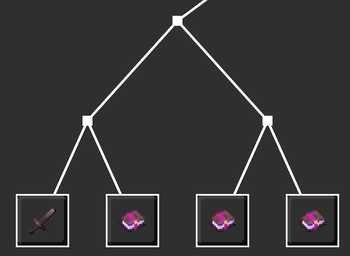
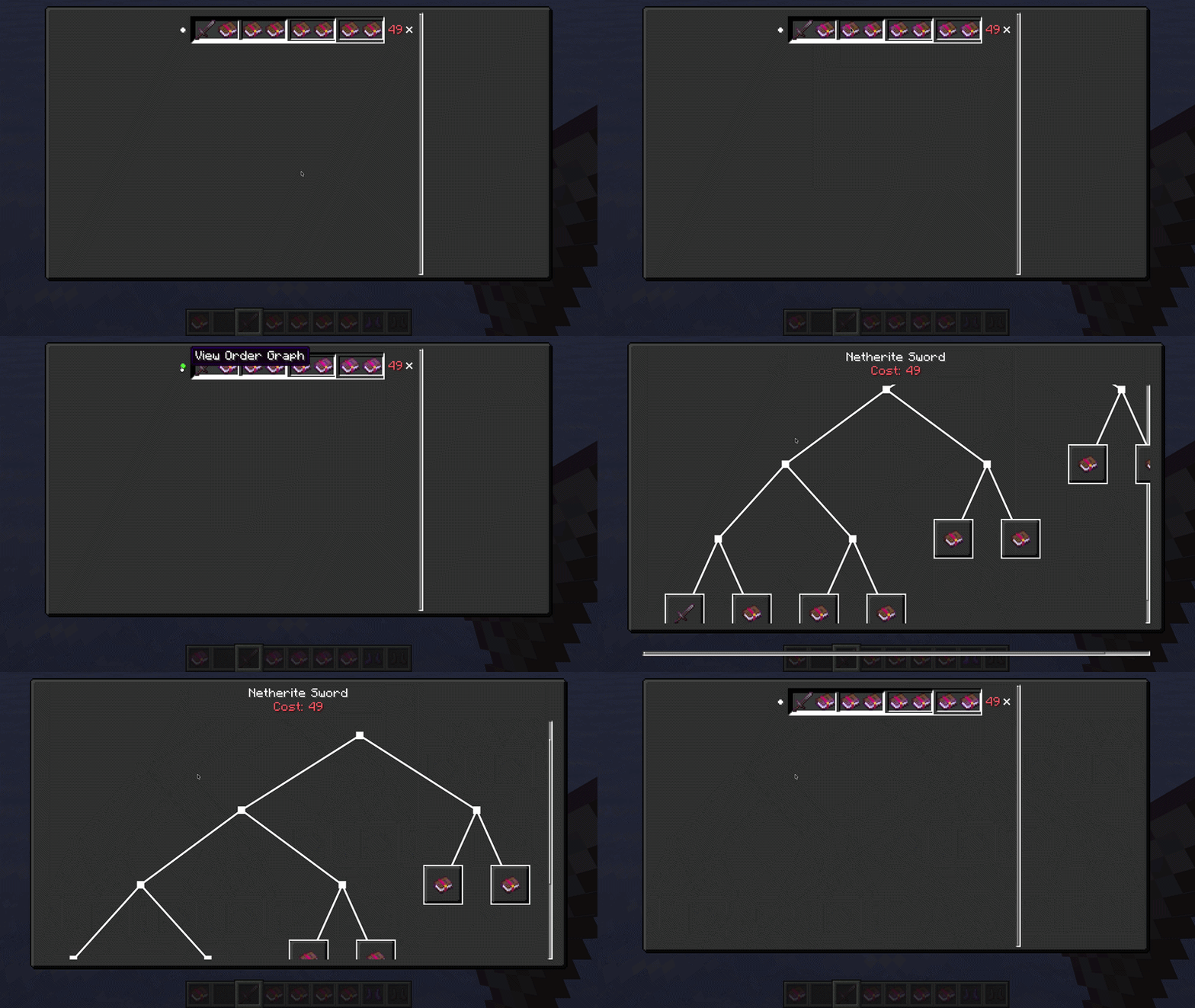
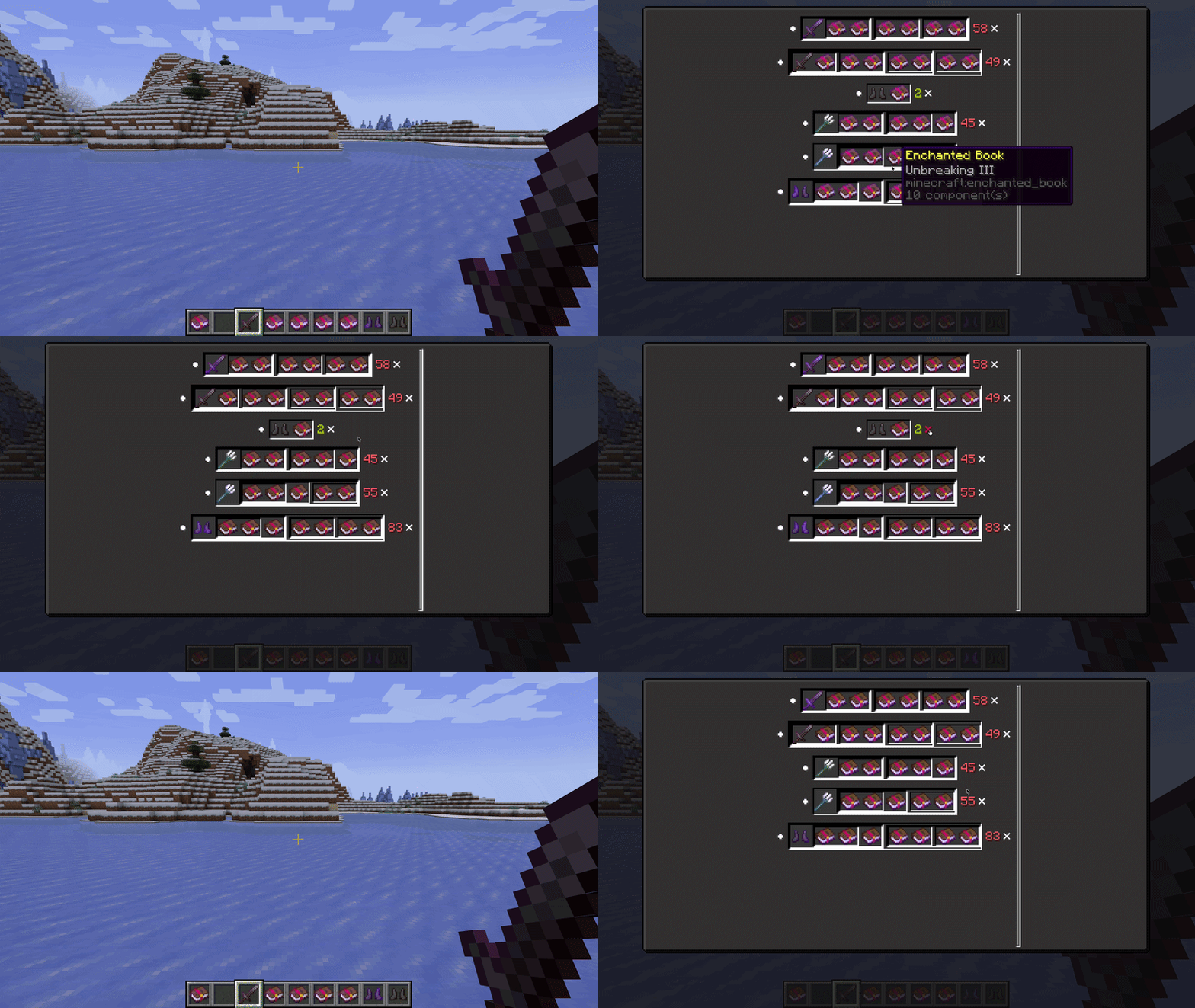
FTT runs the math so you do not have to. Press Y and it hands you the cheapest order to fuse your books and gear together, plus exactly what that order will cost. Bind a key in Controls and you can pull the same plan up as a graph for whatever item you are hovering, a little tree of what marries what and when.

The solver thinks on its own thread, so even a monster build never stalls your game. You will see a quiet "Calculating..." while it works, then the answer drops in the moment it is ready. It remembers what it solved, so you only pay for the thinking once.

Particularities

To open the maxing menu, you can press X while:

Autofusing is a special mechanism to make the UI of the Enchantment Modification Menu a lot better by fusing options together across different paths. Toggle UI is a different implementation of the selecting of Enchantments during the Enchantment Modification Menu.

You can press Y to open a menu of current tasks that are assigned. You can click the circle next to a task to see the graph of which order it should combine in, or you can also see it inlay. You can also assign a button to open the enchantmax graph of something naturally.

Config

This mod is compatible with ModMenu. The complete list of Config material is listed in src/main/net/nosam08/enchantmaxxing/config/EnchantifyConfig.java. It's formatted in json5 if you want to edit the file in config directly.

Everything this mod remembers lives under config, in plain readable files you can open, back up, or hand to a friend:

Version Nomenclature

The nomenclature follows (MAJOR).(MINOR).(MINISCULE)

In a standardized UPDATE model to be specified with CHANGELOG, it is presented as the following:

Type Repo Pattern Description
Major Milestone Large Update
Minor Issue New Feature
Miniscule Commit Bug Fix, Dependency Bump, etc.

Releases typically follow the (MILESTONE).(ISSUE).(COMMIT) pattern. Version 1.0.0 is essentially an MVP.

Dependency Guide

The following table represents a guide for the dependencies used in what versions.

Starting with Minecraft 26.1, the game is unobfuscated: there are no Yarn mappings to download, the build uses the non-remapping net.fabricmc.fabric-loom plugin, and Java 25+ is required to run and to build.

FTT Fabric Loader Config Lib¹ Owo Lib Mod Menu (optional)
2.1.0+26.1.x 0.19.3 1.0.11+26.1 0.13.0+26.1 18.0.0-beta.1
2.0.0+1.21.11 0.19.3 21.11.153 0.13.0+1.21.11 17.0.0
2.0.0+1.21.10 0.19.3 20.0.149 0.12.24+1.21.9 16.0.1
2.0.0+1.21.9 0.19.3 20.0.149 0.12.24+1.21.9 16.0.1
2.0.0+1.21.8 0.19.3 19.0.147 0.12.23+1.21.8 15.0.2
2.0.0+1.21.7 0.19.3 19.0.147 0.12.23+1.21.8 15.0.2
2.0.0+1.21.6 0.19.3 19.0.147 0.12.21+1.21.6 15.0.2
2.0.0+1.21.5 0.19.3 18.0.145 0.12.21+1.21.5 14.0.2
2.0.0+1.21.4 0.19.3 17.0.144 0.12.20+1.21.4 13.0.3

¹ Config Lib: from 2.1.0+26.1.x onward FTT uses WalksyLib for its config screen and persistence (the value shown is the WalksyLib version). Releases 2.0.0 and earlier used Cloth Config instead.

Quick facts

Install steps are the general flow for this file type — How to install Minecraft Java mods & modpacks walks through it step by step.

Verified by MCModsHub

These come from our own check of the pack file, not from the source page.

Explore more