
About the Datapack
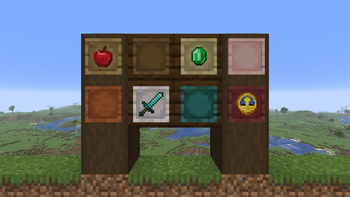
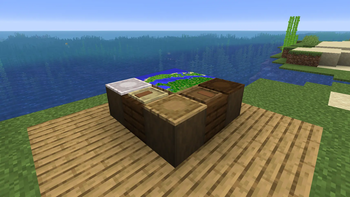
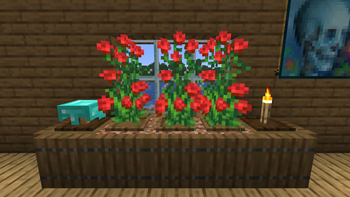
Wooden Item Frames is a datapack that adds 12 variants of the Item Frame made from all of the various wood types you can find in Minecraft.
They can be crafted by combining an Item Frame with Wooden Planks of your choosing in a Crafting Table, and can be used for decoration, item management, and more.
Wooden Item Frames is available in 22 languages. You can find them in the list below.
Supported Languages- English (US and UK)
- Spanish (Spain and Mexico)
- Portuguese (Portugal and Brazil)
- French
- Chinese (Traditional and Simplified)
- Hindi
- Arabic
- Filipino
- Russian
- Korean
- German
- Polish
- Italian
- Ukrainian
Plus 4 Joke Languages:
- Upside Down English
- Pirate Speak
- Shakespearean English
- LOLCAT

FAQ
Q: How can I disable the "Loaded succesfully!" message?
A: Add the No HFD Load Popups datapack to your datapack/mod folder.
Q: The pack doesn't work! / I don't see the "datapack loaded succesfully!" message!
A: You're on a Minecraft version that doesn't support the pack. Check the versions tab for compatible Minecraft versions.
Q: The Item Frames have missing textures / models!
A: You don't have the resourcepack installed. You can find it in specific versions in the versions tab.
Q: Will you backport the datapack to an older version such as 1.XX?
A: I can not reliably backport the datapack to versions lower than 1.20.5 because it uses the components field in recipe outputs, which was added in 1.20.5.
Q: I have multiple Item Frames of the same material that won't stack together!
A: You have used the pack on an older version of the game, and then changed your Minecraft version. You can place all Item Frames down and break them again to update their data.
Additional Info
This datapack is licensed under the CC BY-NC-SA 4.0 License.
See the LICENSE file for more details.
Using this pack in a video or modpack is fine as long as proper credit is given.
If you wish to contact me you can do so via Gmail (happyfiedyt@gmail.com), Discord (@happyfied), or the happyfied Modrinth Feedback Form.
Bugs wanted.
- Edition: Minecraft Java
- File type: .jar
- Minecraft version listed: 26.2
- How to install: Install the matching mod loader (Forge, Fabric or NeoForge) for your Minecraft version. → Download the .jar. → Put it in the .minecraft/mods folder and launch that loader profile.
- Where to get it: Opens on Modrinth — not every file is mirrored on our own servers.
Install steps are the general flow for this file type — How to install Minecraft Java mods & modpacks walks through it step by step.
- Ships as wif-1.0.jar — drop this file into the mods folder
- Download size: 210 KB
- Download link checked 9 Sept 2026 — working
These come from our own check of the pack file, not from the source page.