
UI Timer Lib
Java mod listed for Minecraft 1.21. Downloads from the MC Java Mods app on Android.
⬇ Download on Modrinth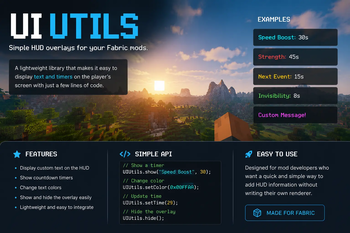
UI Utils
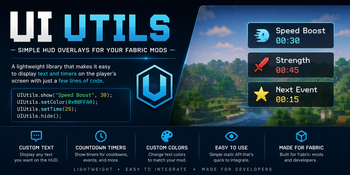
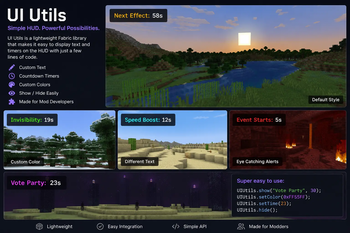
UI Utils is a small Fabric library that makes it easy to display simple HUD elements without having to write your own renderer.
It is designed for mod developers who want a quick and lightweight way to show text and timers on the player's screen.
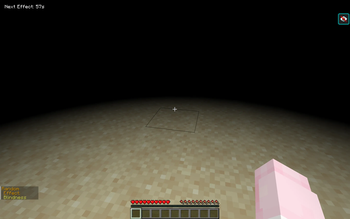
Here is an example of this library in use.

Features
- Display custom text on the HUD
- Show live countdown timers
- Change text and background colors easily
- Show and hide the overlay
- Lightweight and easy to integrate into other mods
Setting it up
Download the latest
ui-utils-<version>.jarfrom the Versions tab.Add the JAR to your project dependencies.
Add UI Utils as a dependency in your mod.
fabric.mod.json
{
  "depends": {
    "fabricloader": "*",
    "minecraft": "1.21.6",
    "ui-utils": "*"
  }
}
Import within your Java file.
Main.java
import com.uitutils.UIUtils;
Usage
- Show a labeled timer
UIUtils.show(String label, int seconds);
- Hide timer
UIUtils.hide();
- Set timer value
UIUtils.setTime(int seconds);
- Set timer color (24-bit RGB hexadecimal integer)
UIUtils.setColor(int rgb);
- Set background color (24-bit RGB hexadecimal integer)
UIUtils.setBackground(int rgb);
Internal fields
These fields exist for direct access but are not required for normal usage.
- Query current HUD text string
UIUtils.text;
- Query countdown value in seconds
UIUtils.secondsRemaining;
- Query HUD visibility
UIUtils.visible;
- Query HUD text color
UIUtils.color;
- Query background color
UIUtils.background;
- Edition: Minecraft Java
- File type: .jar
- Minecraft versions listed: 1.21.6, 1.21.7, 1.21.8
- How to install: Install the matching mod loader (Forge, Fabric or NeoForge) for your Minecraft version. → Download the .jar. → Put it in the .minecraft/mods folder and launch that loader profile.
- Where to get it: Opens on Modrinth — not every file is mirrored on our own servers.
Install steps are the general flow for this file type — How to install Minecraft Java mods & modpacks walks through it step by step.
- Ships as ui-utils-1.0.0.jar — drop this file into the mods folder
- Download size: 14 KB
- Download link checked 24 Oct 2026 — working
These come from our own check of the pack file, not from the source page.