
ModsJava
Better Hide Hotbar
HideHotbar is a lightweight Fabric mod for Minecraft 1.21.x that allows you to hide the HUD, including the hotbar and XP bar, for better immersion or…
I don't know my version or loader
Open the Minecraft launcher and look at the profile you play on — it names both, like fabric-loader-1.21.4. The version also shows in the bottom-right corner of the game's main menu.
No loader in the profile name? Then it's plain Minecraft, and these mods won't run — you need Fabric or NeoForge installed first.
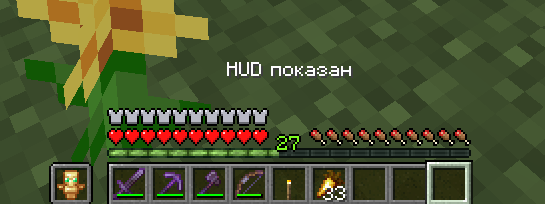
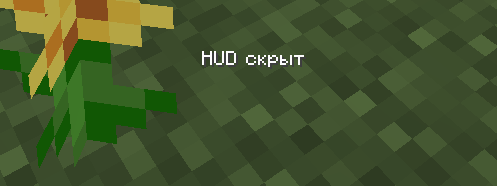
HideHotbar is a minimalist and lightweight Fabric mod for Minecraft 1.21.x that allows you to clear your game screen of UI elements. It is perfect for creating cinematic screenshots, recording videos, or for those who want maximum immersion in the gameplay without extra graphics in front of their eyes.
Features
- Hide Hotbar: Completely removes the hotbar (item slots) from the screen.
- Hide XP Bar and status Bar: The main texture of the XP/status bars disappear.
- ⚡Lightweight and Optimized: The mod is written using Mixin, runs as fast as possible, and does not affect FPS.
- Indication: When hidden, a neat text notification "HUD hidden" appears in the center of the screen. (For a few seconds)
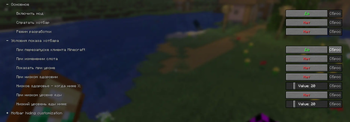
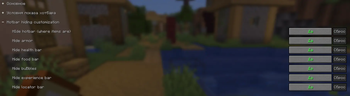
- Configuration: Available through mod menu and only works when Cloth config API installed
- Unhides hotbar on damage (disabled by default)
⚠️ Known Issues
None!
Installation
- Install Fabric Loader.
- Download and place the required Fabric API and Cloth config API in your mods folder.
- (Optional) Download
mod menufor configuring this mod and place in your mods folder. - Place the mod file in the
.minecraft/modsfolder.
Compatibility
- Game Version: Minecraft 1.21.x
- Dependencies: Fabric API, Cloth config API
- Client-side only: works on the client, no need to install on the server side.
Quick facts
- Edition: Minecraft Java
- File type: .jar
- Minecraft versions listed: 1.21.9, 1.21.10, 1.21.11
- How to install: Install the matching mod loader (Forge, Fabric or NeoForge) for your Minecraft version. → Download the .jar. → Put it in the .minecraft/mods folder and launch that loader profile.
- Where to get it: Opens on Modrinth — not every file is mirrored on our own servers.
Install steps are the general flow for this file type — How to install Minecraft Java mods & modpacks walks through it step by step.
Verified by MCModsHub
- Ships as mc1_21_11-1.0.8+1.21.11.jar — drop this file into the mods folder
- Download size: 1.4 MB
- Download link checked 10 Sept 2026 — working
These come from our own check of the pack file, not from the source page.