
Village Terrain Filter
Java mod listed for Minecraft 1.21. Downloads from the MC Java Mods app on Android.
⬇ Download on Modrinth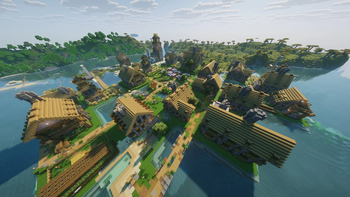
Village Terrain Filter
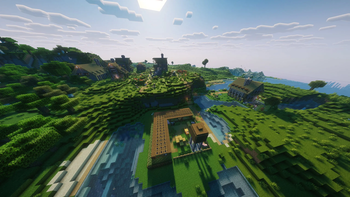
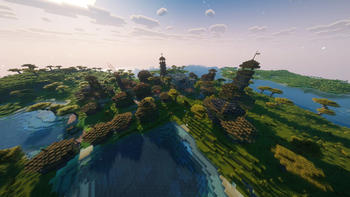
Village Terrain Filter prevents villages from spawning on steep, rugged, or uneven terrain by applying a height-deviation check around each village center before placement.
Instead of generating villages on hillsides, cliffs, or highly irregular terrain, the datapack ensures that only sufficiently flat areas are considered valid locations. This results in more natural-looking villages and reduces terrain-related generation issues.
Features
- Prevents villages from spawning on unsuitable terrain
- Improves village placement quality without changing village structures
- Separate terrain filters for different village types
- Individually tuned settings for vanilla and compatibility villages
- Works seamlessly alongside Better Villages & Luki's Grand Capitals Compatibility
How It Works
Standard Villages
(Vanilla Villages & Luki's Grand Capitals)
- Maximum allowed height deviation: ±10 blocks
- Sampling grid: 16-block spacing
- Check radius: 64 blocks
Compatibility Villages
(Better Villages Compatibility)
- Maximum allowed height deviation: ±4 blocks
- Sampling grid: 8-block spacing
- Check radius: 48 blocks
Both filters operate independently, allowing each village type to use terrain checks specifically tuned to its generation style.
Requirements
- Minecraft 1.21.1
- Fabric Loader
- Lithostitched
Recommended Companion Mod
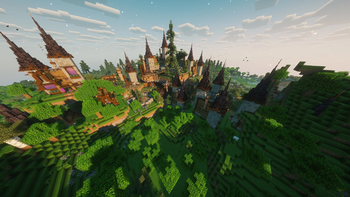
For the best results, use Village Terrain Filter together with Better Villages & Luki's Grand Capitals Compatibility. The compatibility villages use their own stricter terrain filter, helping them generate in locations better suited to their larger and more detailed layouts.
Credits
Inspired by Improved Village Placement by Apollo.
A huge thank you for the excellent work and for providing an open datapack structure that made this project possible.
- Edition: Minecraft Java
- File type: .jar
- Minecraft version listed: 1.21.11
- How to install: Install the matching mod loader (Forge, Fabric or NeoForge) for your Minecraft version. → Download the .jar. → Put it in the .minecraft/mods folder and launch that loader profile.
- Where to get it: Opens on Modrinth — not every file is mirrored on our own servers.
Install steps are the general flow for this file type — How to install Minecraft Java mods & modpacks walks through it step by step.
- Ships as village_terrain_filter.jar — drop this file into the mods folder
- Download size: 2 KB
- Download link checked 22 Oct 2026 — working
These come from our own check of the pack file, not from the source page.