Create Aeronautics: Rope Fix
This mod fixes the problem where structures containing ropes lose their physical ropes after being copied by a Structure Block — or loaded from an NBT…
⬇ Download on Modrinth


RopeFix is a small companion mod that repairs a critical bug affecting airships and any structure containing rope_connector and rope blocks from Create Aeronautics.
The Problem
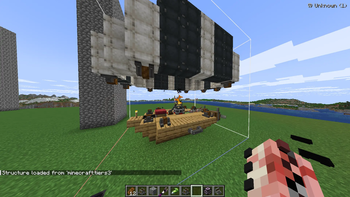
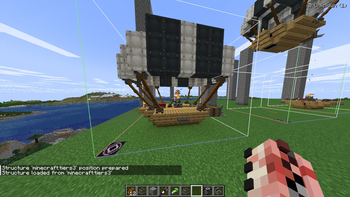
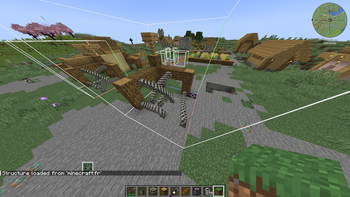
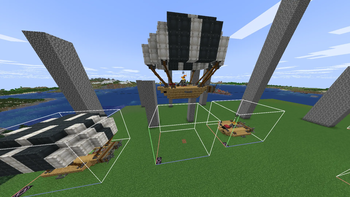
When you copy a structure that contains ropes — for example an airship whose balloon is connected to the hull by ropes — and paste it using a Structure Block, a Create schematic, an NBT file loaded by another mod, or any template system, here's what happens:
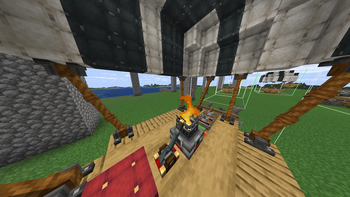
The rope looks intact (the knot texture and attachment points are visible)
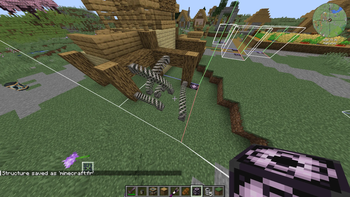
But the rope doesn't physically exist — you can't grab it, it doesn't swing, it has no physics This happens because Create: Aeronautics saves rope strand data using absolute world coordinates.
When the structure is pasted at a new location, those coordinates still point to the original build — the rope engine destroys the strand immediately, but the visual knot survives, giving the illusion of a working rope.
The Fix
RopeFix intercepts the rope data at load time, detects that the connector was relocated (its saved anchor no longer matches its real position), strips the broken strand before the rope engine ever sees it, and automatically re-creates the rope at the correct position on the next server tick. Physics assembly (Sable sub-levels) is fully handled: the mod recognises world↔plot coordinate transfers and leaves them untouched, so assembled airships keep their ropes through physics simulation.
Issues
please, report any bugs or else here, I will fix it as fast as possible
Requirements
Notes:
Structures pasted before installing RopeFix can't be auto-repaired — re-paste them once with the mod installed.
- Edition: Minecraft Java
- File type: .jar
- Minecraft version listed: 1.21.1
- How to install: Install the matching mod loader (Forge, Fabric or NeoForge) for your Minecraft version. → Download the .jar. → Put it in the .minecraft/mods folder and launch that loader profile.
- Where to get it: Opens on Modrinth — not every file is mirrored on our own servers.
Install steps are the general flow for this file type — How to install Minecraft Java mods & modpacks walks through it step by step.
- Ships as ropefix-1.5.0.jar — drop this file into the mods folder
- Download size: 17 KB
- Download link checked 31 Aug 2026 — working
These come from our own check of the pack file, not from the source page.