
Create: Sound of Steam: Ultimine Tuning
Java mod listed for Minecraft 1.21. Downloads from the MC Java Mods app on Android.
An automation addon that integrates Tuning Wrench with the FTB Ultimine API to mass-configure redstone networks in a single click.
⬇ Download on Modrinth
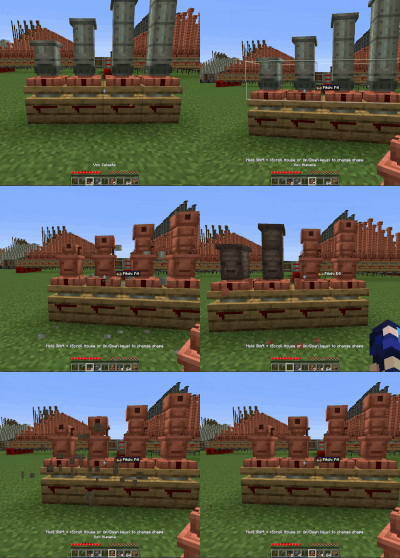
UltimineTuning
An automation addon for NeoForge 1.21.1 that integrates Tuning Wrench with the FTB Ultimine API to mass-configure redstone networks in a single click.
🔍 The Problem & Solution
- The Problem: In Create: Sound of Steam, setting up complex redstone links manually is incredibly tedious. The Tuning Wrench mod solved this by letting you configure individual links in a single click. However, if you have a massive network of interconnected pipes, you still have to manually run down the line and click every single block one-by-one.
- The Solution: UltimineTuning bridges the gap. By leveraging the FTB Ultimine API, you can now hold your Ultimine key, click a single pipe block with your Tuning Wrench, and instantly tune the entire chain at once.
🛠️ Requirements & Dependencies
This mod functions as an extension and requires the following mods to be installed:
- NeoForge (1.21.1)
- Create
- Create: Sound of Steam
- Create: Sound of Steam: Tuning Wrench
- FTB Ultimine
🚀 Features
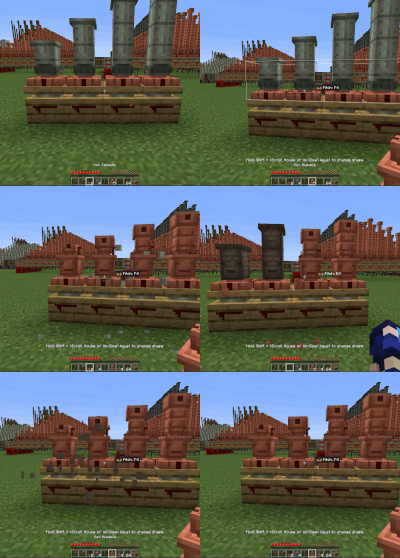
- Chain-Tuning: Holds the FTB Ultimine shape/chain key to apply wrench frequencies across all connected compatible blocks instantly.
- Chain-Modification: Hold your FTB Ultimine shape/chain key while holding a different pipe variant to swap the pipe type for the entire connected network at once.
- Time Saver: Cuts down the setup time for massive steam or piping networks from minutes to a single second.
- Smart Filtering: Utilizes FTB Ultimine's logical block matching to ensure you only tune the relevant blocks you intend to configure.

📜 Credits & License
- Code & Concept: Developed by trungpro200.
- License: This mod's source code is distributed under the MIT License.
Disclaimer: This is an unofficial third-party addon extension and is not directly affiliated with the official Create, FTB, or Sound of Steam development teams.
- Edition: Minecraft Java
- File type: .jar
- Minecraft version listed: 1.21.1
- How to install: Install the matching mod loader (Forge, Fabric or NeoForge) for your Minecraft version. → Download the .jar. → Put it in the .minecraft/mods folder and launch that loader profile.
- Where to get it: Opens on Modrinth — not every file is mirrored on our own servers.
Install steps are the general flow for this file type — How to install Minecraft Java mods & modpacks walks through it step by step.
- Ships as ultiminetuning-1.0.1.jar — drop this file into the mods folder
- Download size: 20 KB
- Download link checked 19 Oct 2026 — working
These come from our own check of the pack file, not from the source page.