NoLeaks is a mod to protect you from leak any information about your location
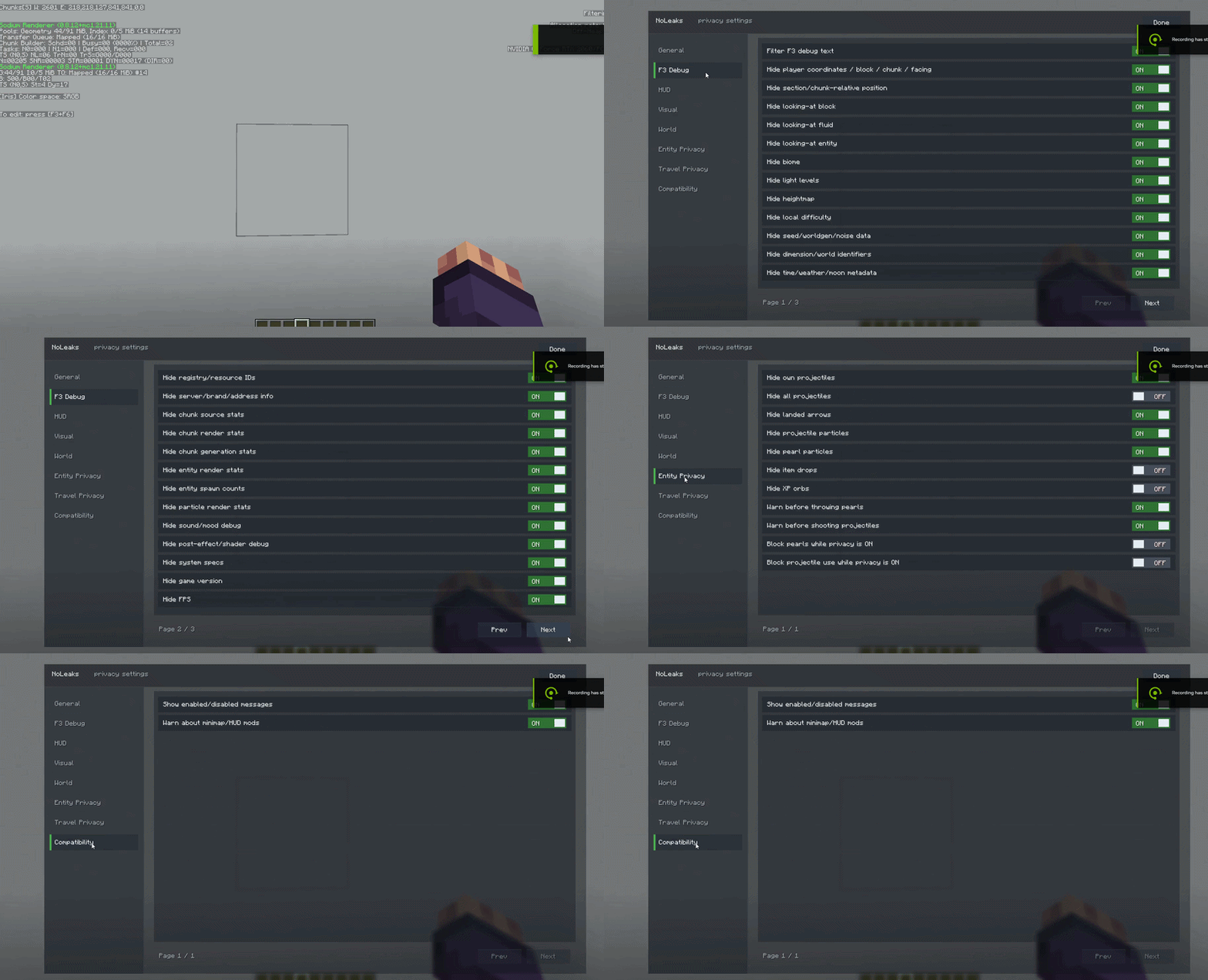
It is made to reduce accidental location leaks in screenshots, videos, and streams. The mod can hide coordinates, chunk/block position, facing, biome, seed/worldgen data, scoreboard, chat, TAB list, bossbar, actionbar, subtitles, sky elements, weather/biome particles, projectiles, item drops, XP orbs, and portal effects.
It also adds a transparent settings screen that can be opened in-game or from the main menu before joining a world/server.
Features:
Hide risky F3/debug lines
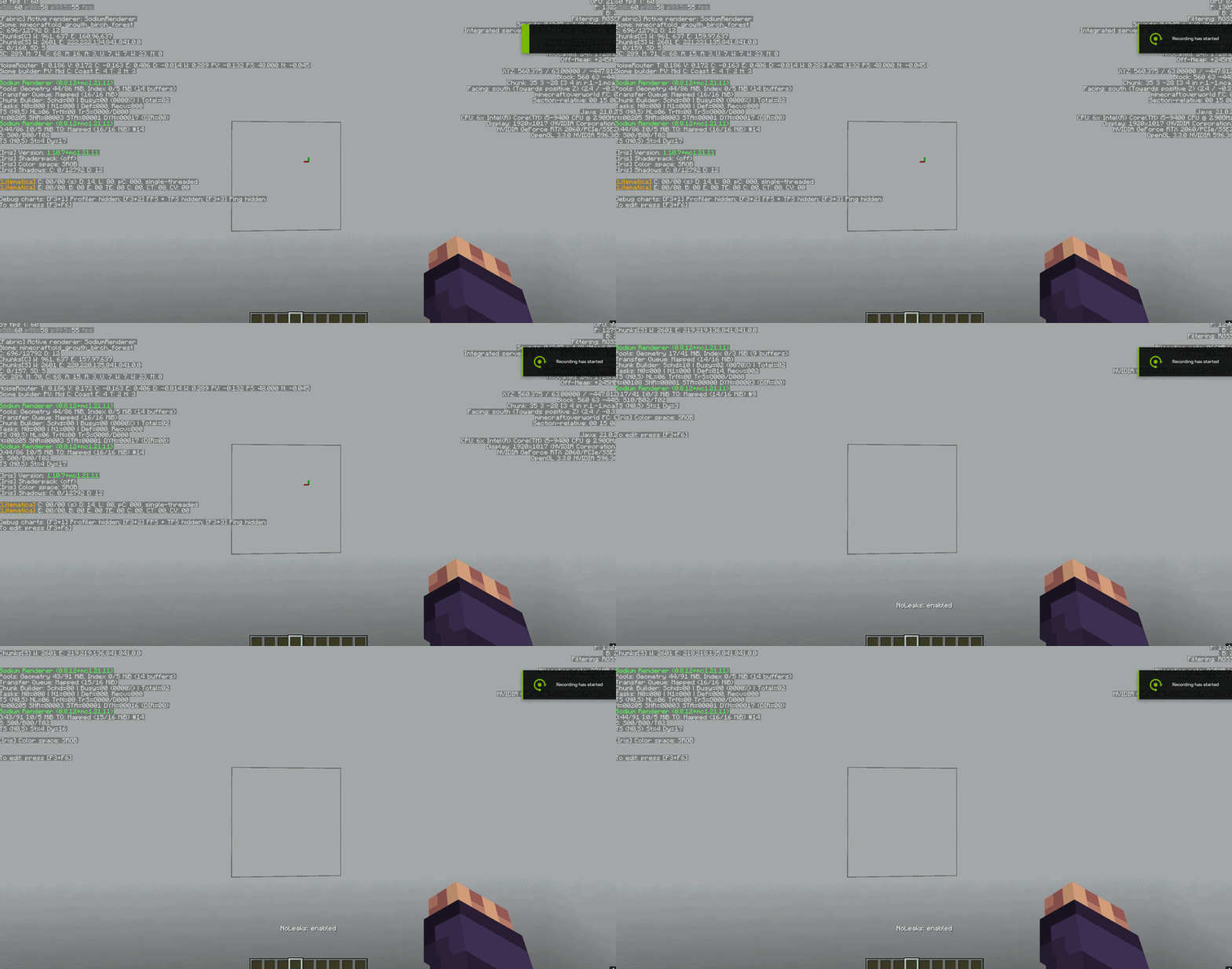
Hide coordinates, chunk/block position, facing, biome, and seed/worldgen metadata
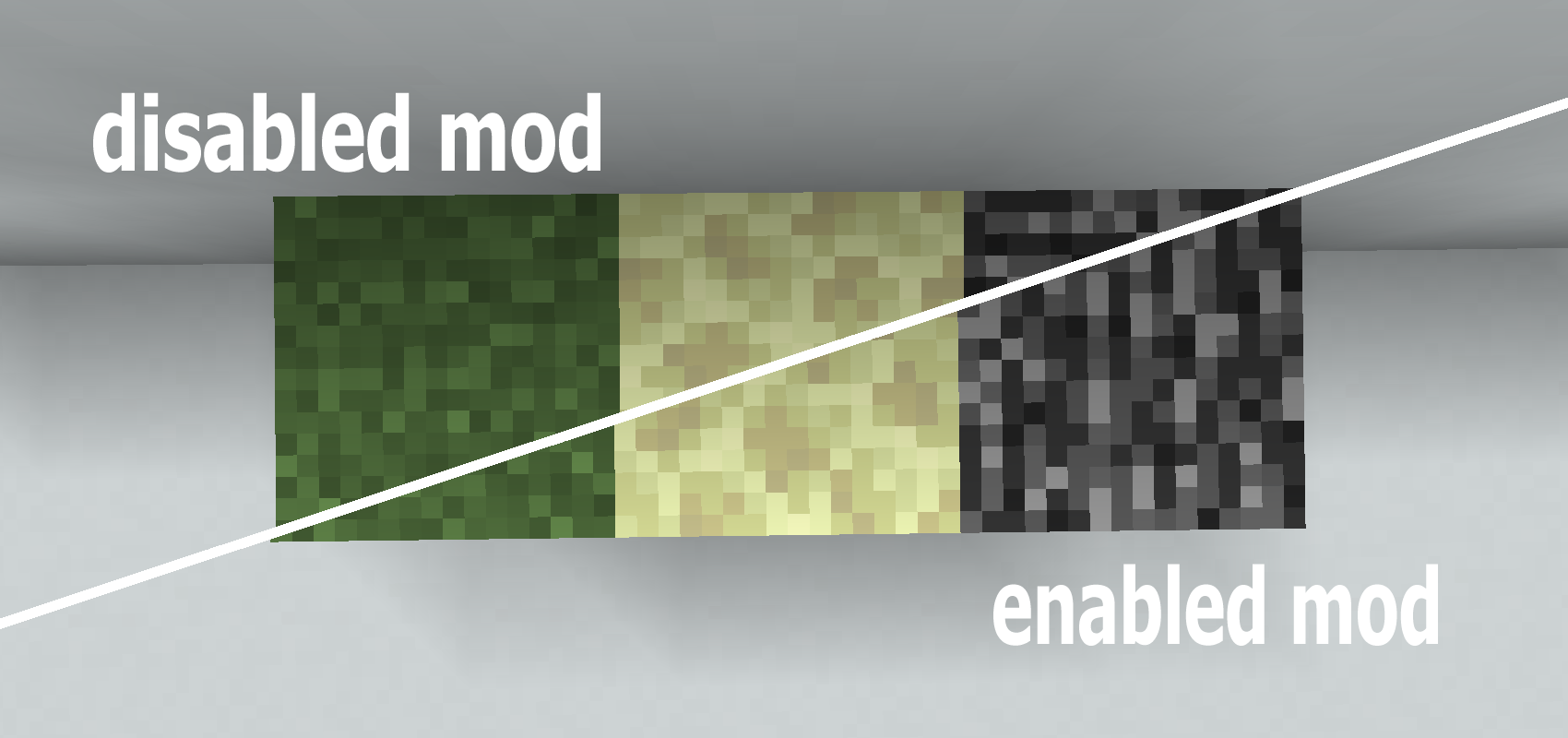
Meta-block rotation applies when NoLeaks and “Rotate meta-blocks” are enabled and the client rebuilds chunks; it rotates only the top texture of grass blocks and only the top/bottom faces of end stone and bedrock.
Hide chat, scoreboard, TAB list, bossbar, actionbar, subtitles, and selected HUD elements
Normalize grass, foliage, water, Nether fog, and End fog colors
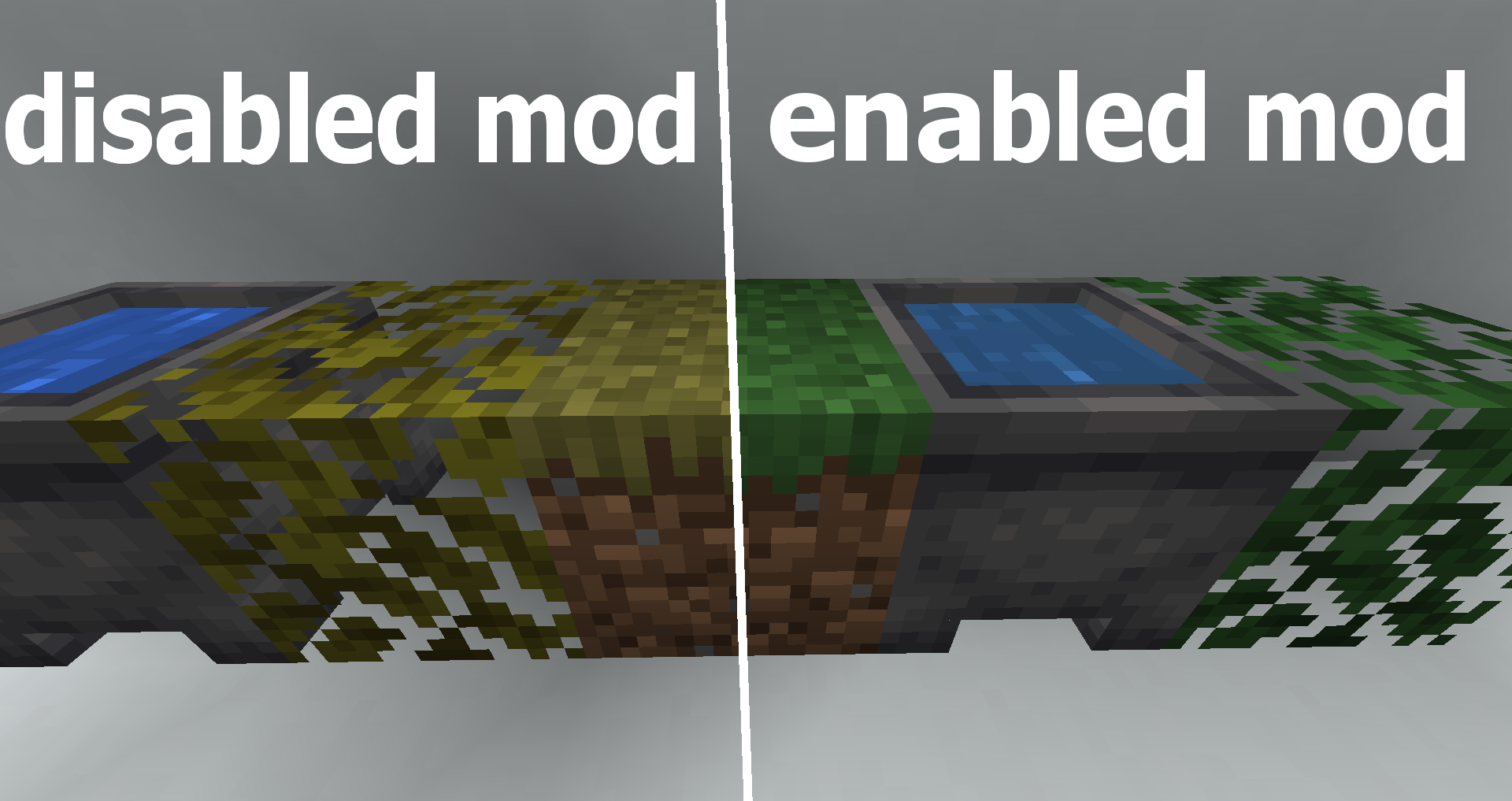
Hide clouds, stars, sun, moon, weather particles, and biome particles
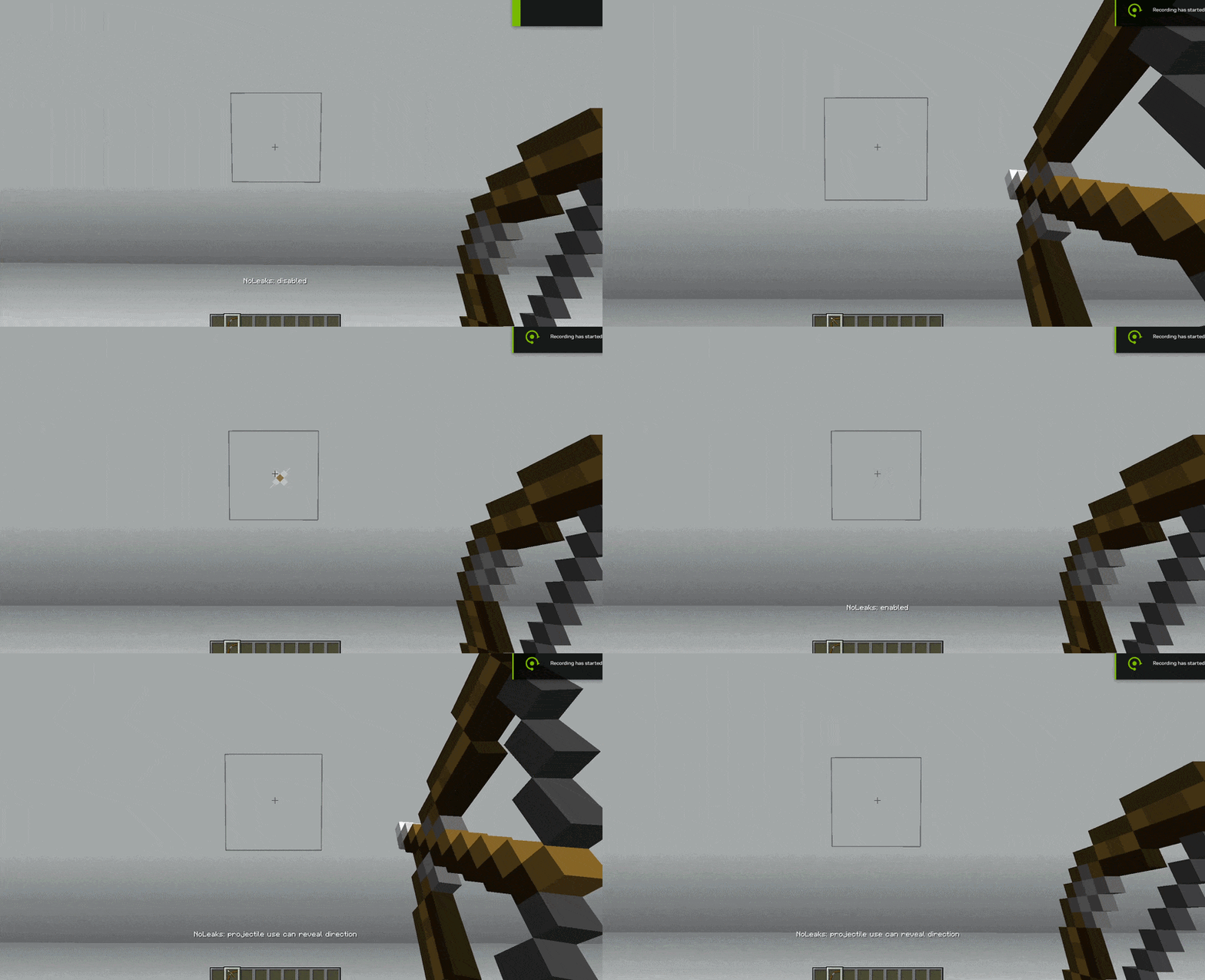
Hide projectiles, ender pearls, item drops, XP orbs, and portal effects
Optional warnings/blocking for pearls and projectiles
Mod port on another versions will be later
- Edition: Minecraft Java
- File type: .jar
- Minecraft version listed: 1.21.11
- How to install: Install the matching mod loader (Forge, Fabric or NeoForge) for your Minecraft version. → Download the .jar. → Put it in the .minecraft/mods folder and launch that loader profile.
- Where to get it: Opens on Modrinth — not every file is mirrored on our own servers.
Install steps are the general flow for this file type — How to install Minecraft Java mods & modpacks walks through it step by step.
- Ships as noleaks-0.0.19.jar — drop this file into the mods folder
- Download size: 83 KB
- Download link checked 22 Aug 2026 — working
These come from our own check of the pack file, not from the source page.