HomeJavaModsUpdate Advancement Quests
Update Advancement Quests
ModsJava

Update Advancement Quests

by A5ho9999 · on Modrinth

A datapack/mod that adds new advancements to complete for the new content of Minecraft Updates [Updated for 26.2]

Which build do you need?

This mod ships a separate file for every mod loader and every version of the game. Pick both, then download — the wrong build installs fine and then does nothing in the game.

Mod loader

Minecraft version

⬇ Download for 26.2 · Data pack⬇ Download for 26.2 · Fabric
I don't know my version or loader
Open the Minecraft launcher and look at the profile you play on — it names both, like fabric-loader-1.21.4. The version also shows in the bottom-right corner of the game's main menu.
No loader in the profile name? Then it's plain Minecraft, and these mods won't run — you need Fabric or NeoForge installed first.
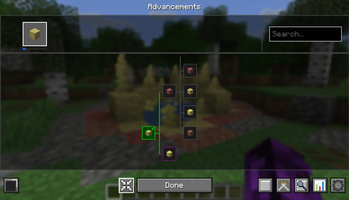
Update Advancement Quests — screenshot 1

Adds guided quest-style advancements for new Minecraft Java Edition updates.

Minecraft adds new content but rarely commits to more advancements. This fills that empty knowledge gap and achieving thirst with a quest-like tree designed to walk you through new content in-game.

Rather than stumbling across things by accident or reaching for the wiki, each advancement acts as a guide and objective from various new biomes, blocks, crafting and even little notable changes


How It Works

A new tab appears in your Advancements screen for each supported update. Advancements are ordered to form a path based on discovery. Completely vanilla friendly, no rewards or gameplay changes.


Currently covered content

May Contain spoilers

26.2 - Chaos Cubed

Recommended

Use with Modern Advancements Screen for a much better and more clear experience. Full-screen layout, zoom controls, search, tracking with popups and other useful functions.

Modern Advancements Screen includes a guide feature on the Advancements with useful information to unlock it


Installation

Two versions are available, pick whichever suits your setup

Datapack (.zip) - no mod loader required

  1. Place the .zip in your world's datapacks folder (saves/<world name>/datapacks/)
  2. Run /reload in-game, or re-load into the world
  3. Open your Advancements screen (L) - a new tab will appear

Mod (.jar) - requires Fabric

  1. Place the .jar in your mods folder
  2. Launch the game as normal
  3. Advancements are applied globally across all worlds automatically

It is recommended for clients to have the mod if the server is using it as the mod contains translation files unlike the datapack of raw text

Quick facts

Install steps are the general flow for this file type — How to install Minecraft Java mods & modpacks walks through it step by step.

Verified by MCModsHub

These come from our own check of the pack file, not from the source page.

Explore more