ModsJava
Threat Radar
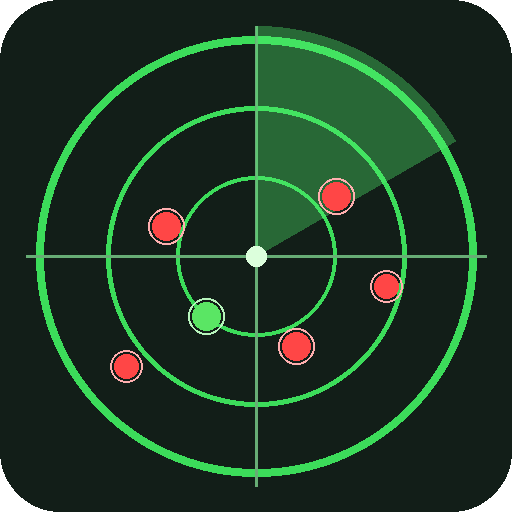
Top-right HUD mini-radar showing hostile mobs within 32 blocks. Facing-up minimap-style with distance to the nearest threat and a creeper counter. Toggle…
⬇ Download on ModrinthThreat Radar is a tiny client-side HUD that warns you about danger before it reaches you.
- 80x80 px mini-radar in the top-right corner.
- Shows hostile mobs within 32 blocks as colored blips: red for hostiles, bright green for creepers.
- Facing-up rotation - the radar always points where you are looking, like a minimap.
- A line under the radar shows
Hostiles: N (Xm)whereXis the distance to the nearest threat. Color goes orange under 16 m and red under 8 m. - A second line shows a dedicated Creepers: N count when any are nearby (the one mob you really want to see coming).
- Toggle the radar with R (configurable in source).
- Client-side only, no server install needed. Respects F1 (HUD-hidden).
- No mixins, no world rendering - uses only the stable
World.getOtherEntities+ FabricHudRenderCallbackpaths so the same JAR loads on Minecraft 1.21.8 through 1.21.11.
Use it in caves, on adventure maps, or anywhere you want to spot a skeleton before the skeleton spots you.
Compatibility
- Minecraft Java: 1.21.8, 1.21.9, 1.21.10, 1.21.11
- Mod loader: Fabric Loader >= 0.16.0
- Java: 21+
- Required mods: Fabric API
License
MIT - do whatever you want, no warranty.
Quick facts
- Edition: Minecraft Java
- File type: .jar
- Minecraft versions listed: 1.21.8, 1.21.9, 1.21.10
- How to install: Install the matching mod loader (Forge, Fabric or NeoForge) for your Minecraft version. → Download the .jar. → Put it in the .minecraft/mods folder and launch that loader profile.
- Where to get it: Opens on Modrinth — not every file is mirrored on our own servers.
Install steps are the general flow for this file type — How to install Minecraft Java mods & modpacks walks through it step by step.
Verified by MCModsHub
- Ships as mobradar-1.0.0.jar — drop this file into the mods folder
- Download size: 7 KB
- Download link checked 22 Aug 2026 — working
These come from our own check of the pack file, not from the source page.