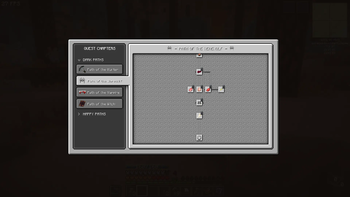
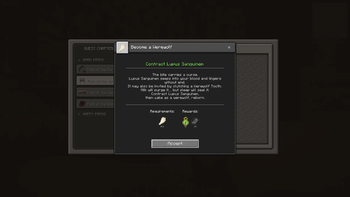
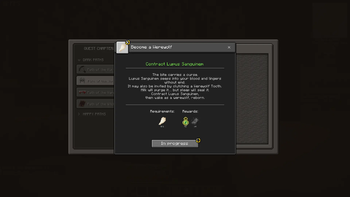
FTB Quests UI Overhaul is a client-side visual addon for FTB Quests that gives the quest system a more vanilla, RPG game-like experience, while keeping the underlying quest logic and progression intact.
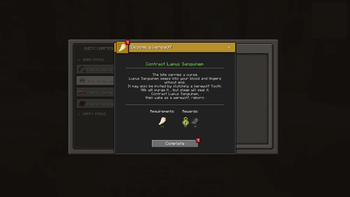
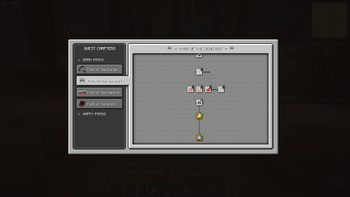
Instead of changing how quests work, this mod focuses on how they feel to use. It replaces the standard quest screen with a custom interface designed to be smoother to navigate, easier to read, vanilla-friendly, and more immersive for players used to RPG video games.
ℹ️ Click the gallery section for tutorial slides! ℹ️
Features
- Simpler, more intuitive interface.
- Vanilla-like textures.
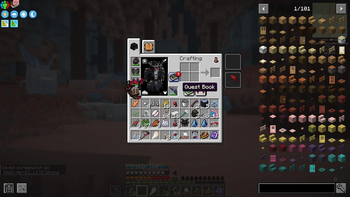
- Quest Book shortcut button in inventory - with red notifications for completable quests.
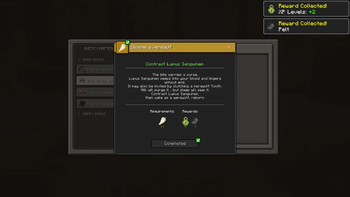
- UI tweaks that simplify starting, tracking, and completing quests.
- Creative mode activated customisation options.
- Ability to customise questline background.
- Options if questline panning scrolls in a fixed path like Advancements or is free-pan.
- Simple UI making it easy to create your own custom UI resource packs!
Icons
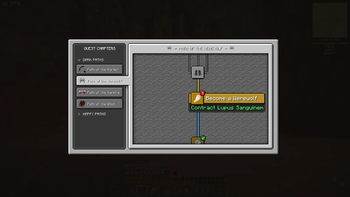
Lockpad means quest isn't unlocked yet.
Red '!' Means a quest can be completed.- 🟡 Yellow wheel means a quest is in progress and is being tracked on your FPV screen.
Green checkbox means quest is completed.
Hotkeys & Buttons
- F7 To cancel all active quests.
- F8 to just toggle visibility of active quests on the FPV.
- In creative mode: Press Editing Mode button to switch to default FTB quests, good for quest building.
- In creative mode: Press Clean UI mode to switch back to the overhaul UI again.
- In creative mode: Toggle free-pan or railroad pan with Free-pan button.
- In creative mode: Change the Quest tree tile background with Change Tile button.
- Press Quest Book button in your inventory to check quests quickly. Directly opens completable quests with a red "!".
If you love quests and want FTB Quests to feel more integrated into Minecraft as an RPG system, then this is the mod for you.
Dependencies
Minecraft 1.20.1 Forge. (No ports for now)
FTB Quests.
FTB Library.
FTB Teamchitectury.
Credits
Coding: R2bEEaton
Game Design/UI: richcareylol
- Edition: Minecraft Java
- File type: .jar
- Minecraft version listed: 1.20.1
- How to install: Install the matching mod loader (Forge, Fabric or NeoForge) for your Minecraft version. → Download the .jar. → Put it in the .minecraft/mods folder and launch that loader profile.
- Where to get it: Opens on Modrinth — not every file is mirrored on our own servers.
Install steps are the general flow for this file type — see the MC Java Mods guides for the full walkthrough.
- Ships as ftb-quests-ui-overhaul-forge-1.20.1-1.0.2.jar — drop this file into the mods folder
- Download size: 184 KB
- Download link checked 8 Sept 2026 — working
These come from our own check of the pack file, not from the source page.