
Biome Painter
Java mod listed for Minecraft 1.20. Downloads from the MC Java Mods app on Android.
Biome Painter enables dynamic biome editing without requiring world regeneration. Modify biomes directly in existing worlds, manage biome regions, perform…
⬇ Download on Modrinth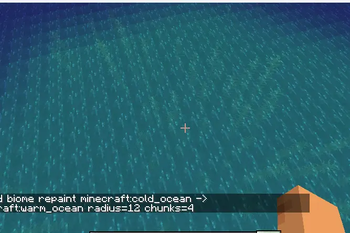
BiomePainter is a runtime biome editing tool that lets you change biomes in existing worlds without regenerating terrain.
It allows you to replace biomes in an area, store those changes as persistent regions, and reapply them later if needed. Regions are saved automatically and survive restarts, making it easier to manage large-scale biome projects without having to repeat the same work.
The mod includes commands for painting, converting, inspecting, deleting, and restoring biome regions, along with undo support because people make mistakes and sometimes turn half the world into a desert by accident.
Changes are synchronized between the server and connected players, and a lightweight API is available for developers who want to build on top of BiomePainter.
Commands
Paint a biome region
Replace one biome with another around your current position and save it as a persistent region.
/biomepaint start <from> <to> <radius>
Example:
/biomepaint start minecraft:plains minecraft:desert 128
List available biomes
Displays all registered biome IDs.
/biomepaint list
View nearby biome information
Shows biome samples around your current position.
/biomepaint nearby
View current region
Displays information about the biome region you are currently inside.
/biomepaint current
Repaint all regions
Reapplies every saved biome region.
/biomepaint repaintall
Convert all regions
Converts all saved regions to a new biome.
/biomepaint convertall <to> <radius>
Undo changes
Undo the most recently created region.
/biomepaint undo
Undo a specific region.
/biomepaint undo <id>
Delete regions
Delete the region you are currently standing in.
/biomepaint delete here
List all saved regions with clickable delete actions.
/biomepaint delete list
Delete a specific region.
/biomepaint delete id <id>
Help
Display the built-in help menu.
/biomepaint help
- Edition: Minecraft Java
- File type: .jar
- Minecraft version listed: 1.20.1
- How to install: Install the matching mod loader (Forge, Fabric or NeoForge) for your Minecraft version. → Download the .jar. → Put it in the .minecraft/mods folder and launch that loader profile.
- Where to get it: Opens on Modrinth — not every file is mirrored on our own servers.
Install steps are the general flow for this file type — How to install Minecraft Java mods & modpacks walks through it step by step.
- Ships as biomepainter-1.1.0.jar — drop this file into the mods folder
- Download size: 63 KB
- Download link checked 23 Oct 2026 — working
These come from our own check of the pack file, not from the source page.