Camera Traveling
Java mod listed for Minecraft 1.20. Downloads from the MC Java Mods app on Android.
⬇ Download on Modrinth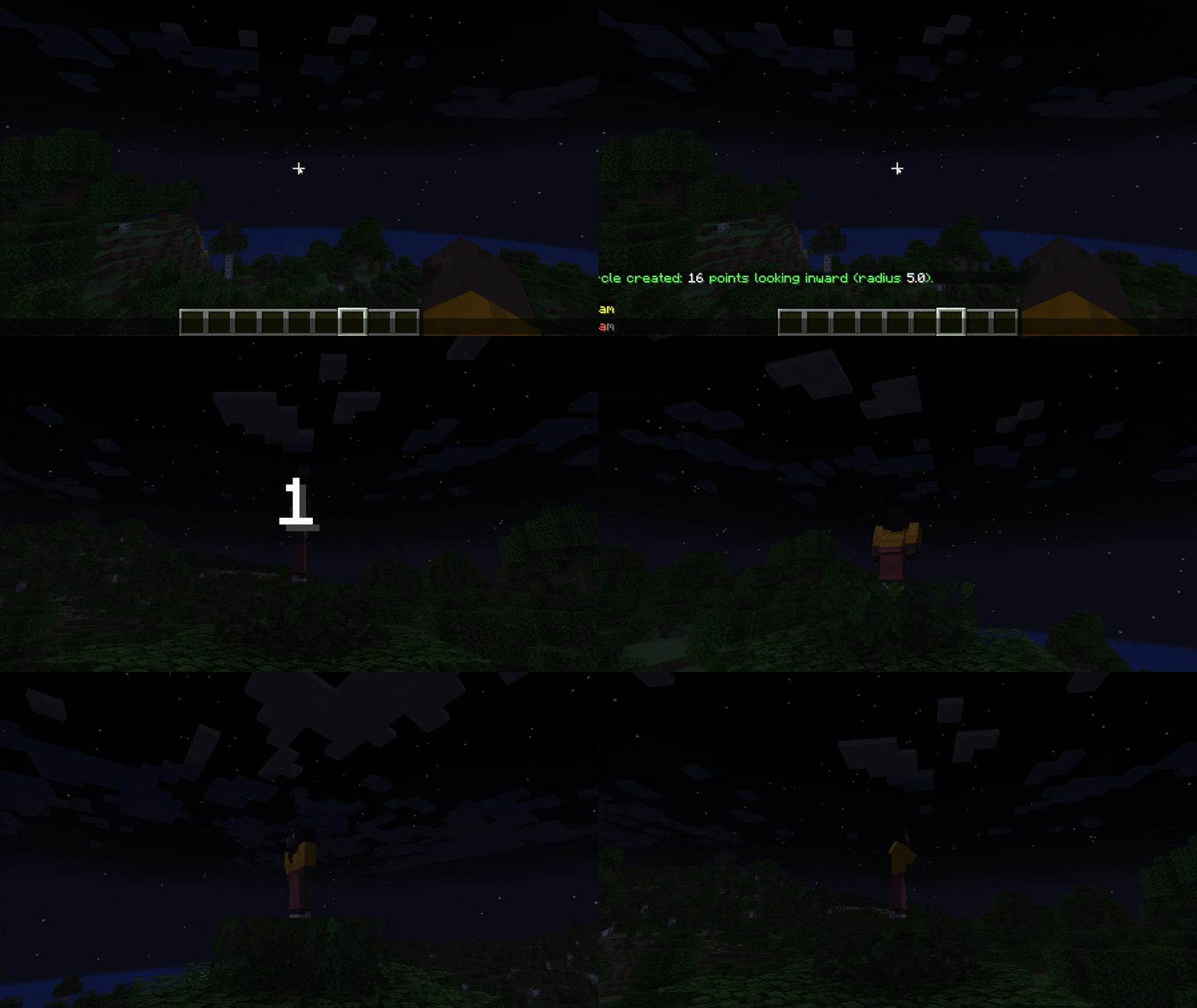
Camera Traveling




Turn your Minecraft world into a movie set. Camera Traveling lets you record waypoints and play them back as a smooth, cinematic flight, perfect for trailers, build showcases, server intros and adventure map cutscenes.
Highlights
- Independent virtual camera — the cinematic flies a decoupled render camera, not your character. Your player stays exactly where it is and remains fully controllable in the background while the shot plays.
- Constant velocity — arc-length parameterization drives the camera at a fixed meters-per-second across the whole path, so short and long segments are crossed with identical fluidity. No more speed-ups on tight curves.
- Smooth cinematic motion — your camera glides through your waypoints using a Catmull-Rom spline that respects both position and look angles, so transitions never feel jerky.
- One-command workflow — record, tweak, and play back your shot without ever leaving the game.
- Orbit in one command —
/cam circle [radius]lays down a full ring of waypoints that always look inward at you, for instant turntable shots. - Immersive F1 playback — the HUD and hand hide the moment the countdown starts (F1 view), and a large centered 3 · 2 · 1 · GO! countdown is drawn on screen before the camera moves.
- Stop on a dime — press Escape at any moment to instantly drop the virtual camera and return to your player.
- No server install required — runs entirely on the client. Friends and servers do not need the mod.
Pro features
- Decoupled camera (freecam style) — playback hooks the rendering engine and moves the view alone. The real player entity never leaves its starting position, stays physics-driven, and keeps responding to your input behind the scenes.
- Uniform speed (arc-length parameterization) — the total path distance is measured up front and divided by the travel time to derive a single constant speed. The camera then advances by distance rather than by segment index, guaranteeing a steady visual pace. On
/cam startthe computed path length and speed are reported to you.
Quick Start
All commands require operator (OP level 2) permissions on your current world or server.
| Command | What it does |
|---|---|
/cam add |
Records your current position and look direction. |
/cam remove |
Deletes the last recorded waypoint. |
/cam clear |
Wipes the entire shot. |
/cam circle [r] |
Generates a full ring of waypoints (radius r, default 10) around you, each auto-aimed inward at your position. |
/cam time <sec> |
Sets the total travel duration (default: 10s). |
/cam start |
Plays the cinematic on an independent camera (your player stays put). |
/cam entity |
Target an entity to follow. |
/cam fix |
Fix the camera to the precise location relative to the entity. |
Recording your first shot
- Stand where you want the camera to start, face the right direction, and run
/cam add. - Walk or fly to the next angle, run
/cam addagain. Repeat for each waypoint. - (Optional) Set a custom duration with
/cam time 20. - Run
/cam start. - A 3-second countdown plays, the HUD hides into F1 view, then an independent camera glides smoothly through every waypoint at constant speed.
When the travel ends, the HUD comes back automatically and the view snaps back to your player — who never moved — ready to hit record again or set up your next shot.
Tips
- Add more waypoints for tighter, more controlled curves. Two points give you a straight line; three or more unlock the full smooth-spline behavior.
- Match your look angles. Since the mod interpolates pitch and yaw, panning is included in the cinematic. Plan your gaze, not just your path.
- Press Escape if you need to bail. Everything resets cleanly.
Installation
- Install the Fabric Loader for Minecraft 1.20.6.
- Download the Fabric API and drop it into your
modsfolder. - Drop the Camera Traveling
.jarinto the samemodsfolder. - Launch the game and you're ready to film.
- Edition: Minecraft Java
- File type: .jar
- Minecraft version listed: 1.20.6
- How to install: Install the matching mod loader (Forge, Fabric or NeoForge) for your Minecraft version. → Download the .jar. → Put it in the .minecraft/mods folder and launch that loader profile.
- Where to get it: Opens on Modrinth — not every file is mirrored on our own servers.
Install steps are the general flow for this file type — How to install Minecraft Java mods & modpacks walks through it step by step.
- Ships as camera-traveling-1.0.2.jar — drop this file into the mods folder
- Download size: 33 KB
- Download link checked 24 Oct 2026 — working
These come from our own check of the pack file, not from the source page.