
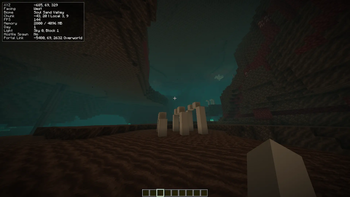
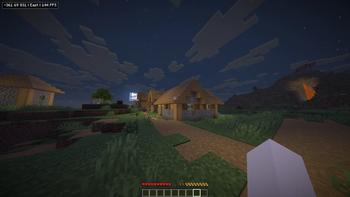
 TinyDebug is a lightweight client-side Fabric mod that gives you the useful parts of the F3 debug screen without covering your entire display.
It provides clean, debug information for casual players (like me!). You can view coordinates, facing direction, biome, FPS, memory usage, light level, target block info, Nether/Overworld coordinate conversion, and your last death position.
Controls:
F8: Toggle overlay
F9: Cycle preset
F10: Copy coordinates
Hold F7: Expanded overlay
TinyDebug is client-side only and works on vanilla servers.
Quick facts
- Edition: Minecraft Java
- File type: .jar
- Minecraft version listed: 26.2
- How to install: Install the matching mod loader (Forge, Fabric or NeoForge) for your Minecraft version. → Download the .jar. → Put it in the .minecraft/mods folder and launch that loader profile.
- Where to get it: Opens on Modrinth — not every file is mirrored on our own servers.
Install steps are the general flow for this file type — How to install Minecraft Java mods & modpacks walks through it step by step.
Verified by MCModsHub
- Ships as tinydebug-1.0.1.jar — drop this file into the mods folder
- Download size: 35 KB
- Download link checked 12 Sept 2026 — working
These come from our own check of the pack file, not from the source page.