
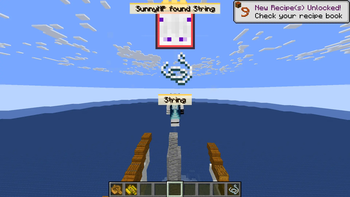
LootRush — A Fast Minecraft Item Hunt Minigame
Race against the timer and be the first player to obtain the selected item.
Gameplay
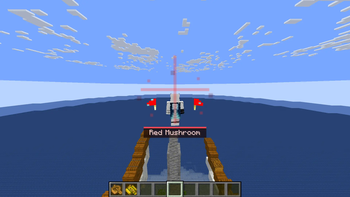
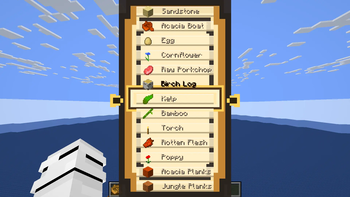
A spinning roulette selects a random obtainable item.
Once the roulette stops, the countdown begins and players must find the target item before time runs out.
Controls
º → Start with default settings
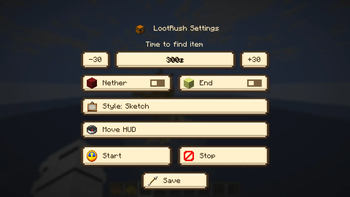
N → Open Config Menu
⚙️ Commands
/lootrush start
/lootrush start @a 10s
/lootrush start @a 1m
/lootrush stop
/lootrush config show
/lootrush config time <10s|1m|300>
/lootrush config nether <true|false>
/lootrush config end <true|false>
Permissions
Server commands require OP permissions.
Singleplayer works normally without additional permissions.
🔌 Plugin Support
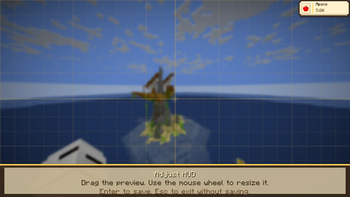
LootRush includes a Paper/Spigot plugin version that allows servers to control the minigame while players with the mod receive the roulette, HUD, timers and animations.
💻 Credits
Created and maintained by @SunnyAim_
© All Rights Reserved.
- Edition: Minecraft Java
- File type: .jar
- Minecraft version listed: 1.21.11
- How to install: Install the matching mod loader (Forge, Fabric or NeoForge) for your Minecraft version. → Download the .jar. → Put it in the .minecraft/mods folder and launch that loader profile.
- Where to get it: Opens on Modrinth — not every file is mirrored on our own servers.
Install steps are the general flow for this file type — How to install Minecraft Java mods & modpacks walks through it step by step.
- Ships as [LR]LootRush-1.0-fabric-1.21.11.jar — drop this file into the mods folder
- Download size: 157 KB
- Download link checked 11 Sept 2026 — working
These come from our own check of the pack file, not from the source page.