Vital
Java mod listed for Minecraft 1.21. Downloads from the MC Java Mods app on Android.
A mod which adds clean, minimal, but readable SHADER COMPATIBLE health bars to each mob in the game (optionally replacing boss bars with colour coded bars…
⬇ Download on Modrinth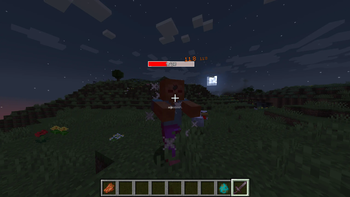
Vital
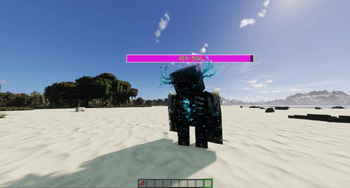
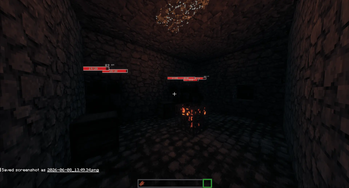
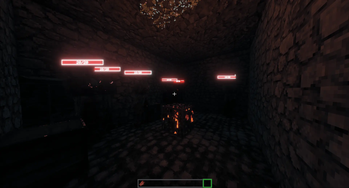
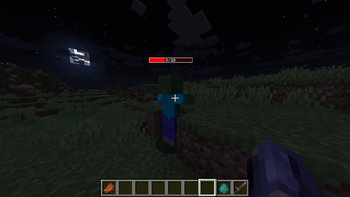
Small, clean health bars above every mob, and unlike most health bar mods, they don't break the moment you turn on a shaderpack.
Vital stays minimal and readable while still telling you what matters in a fight: how much HP something has, how hard you're hitting it, and which enemies are the scary ones. It's client-side, so it runs fine on any server.
- A tidy bar above each mob showing its current and max HP
- Tougher mobs get a wider, differently coloured bar (four tiers), so a boss looks nothing like a chicken
- A white "ghost" trail shows the health a mob just lost, so you can watch your hits land
- A green trail shows the health a mob just gained/healed
- Floating damage numbers that shift from white to red the harder you hit
- Alternatively can be set to floating damage indicators with two modes (Float up vs Fling out)
- Bars show up when you hit or look at a mob, fade out with distance, and hide with F1
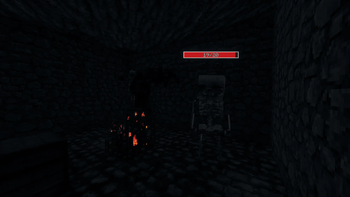
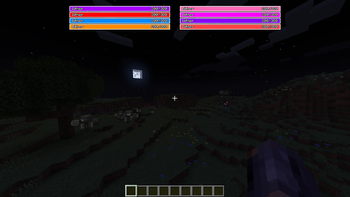
- They dim in the dark instead of glowing in caves
- Bars show absoprtion in gold (configurable)
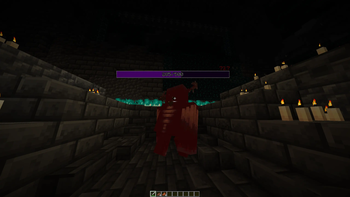
Want clean boss bars too? Vital can optionally swap the vanilla boss bar for colour-coded ones, one per boss. Off by default.
Nearly everything is adjustable in-game: which mobs show bars, when they appear, the tier colours, scale, dimming, boss bars, and so on.
Works with
- Fabric, NeoForge, and Forge (1.20.1)
- Minecraft 1.20.1 and 1.21 through 1.21.11
- Client-side only.
- On Fabric, grab Fabric API and Cloth Config (plus Mod Menu for the settings button)
- On both Fabric and (Neo)Forge, grab Architectury API
- Edition: Minecraft Java
- File type: .jar
- Minecraft version listed: 1.21.11
- How to install: Install the matching mod loader (Forge, Fabric or NeoForge) for your Minecraft version. → Download the .jar. → Put it in the .minecraft/mods folder and launch that loader profile.
- Where to get it: Opens on Modrinth — not every file is mirrored on our own servers.
Install steps are the general flow for this file type — How to install Minecraft Java mods & modpacks walks through it step by step.
- Ships as vital-neoforge-1.1+mc1.21.11.jar — drop this file into the mods folder
- Download size: 70 KB
- Download link checked 16 Oct 2026 — working
These come from our own check of the pack file, not from the source page.