
VoxelDash
Java mod listed for Minecraft 1.20. Downloads from the MC Java Mods app on Android.
⬇ Download on Modrinth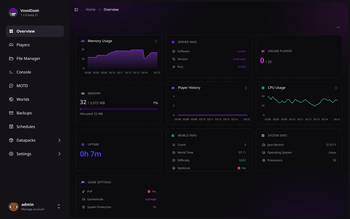
 VoxelDash
A modern, beautiful web dashboard for managing your Minecraft server (formerly MCDash)





📖 Documentation · 🐛 Report Bug · ✨ Request Feature
Features
VoxelDash provides everything you need to manage your Minecraft server from a sleek, modern web interface:
| Feature | Description |
|---|---|
| Dashboard | Real-time status with customizable widgets for TPS, memory, CPU, players, and more |
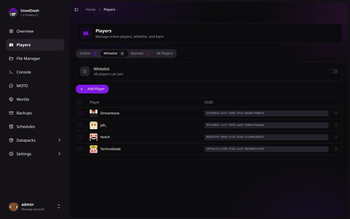
| Players | See who's online, manage the whitelist, bans, and operators, and edit inventories or profiles |
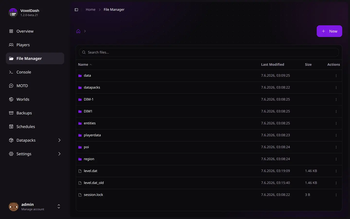
| File Manager | Browse, edit, upload, and download server files right in your browser |
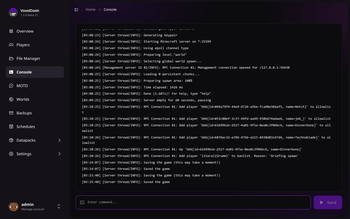
| Console | Live console output and command execution, with optional SSH access |
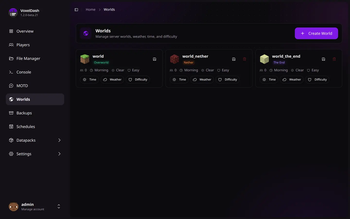
| Worlds | Manage every world's time, weather, and difficulty, or create and delete worlds |
| Plugins & Mods | Install and update plugins and mods from Modrinth, SpigotMC, and CurseForge |
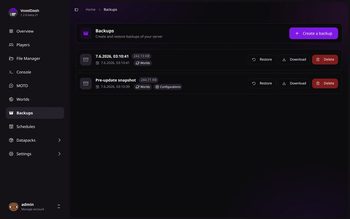
| Backups | Create, restore, and download backups, manually or on a schedule |
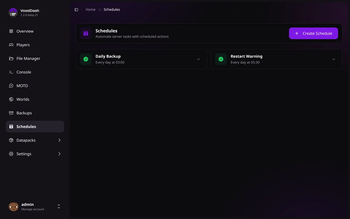
| Schedules | Automate commands, broadcasts, backups, and restarts |
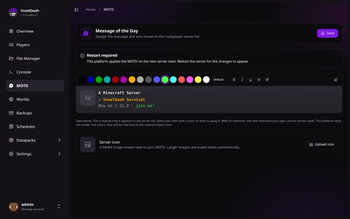
| MOTD Editor | Design the message and icon shown in the multiplayer server list |
| Profiling | Track live performance metrics and find out what's making your server lag |
| Game Rules | Tweak the game's rules from a searchable list, applied to the running server |
| Server Settings | Edit server.properties through a clean, categorized editor |
VoxelDash runs as a plugin or mod on Spigot, Paper, Fabric, and Forge, or as a standalone app for vanilla servers. You can also run it in front of multiple servers at once with VoxelDash One.
Quick Start
Requirements
- Java 17 or higher
- A Minecraft server (Spigot, Paper, Fabric, or Vanilla)
Installation
Download the latest release from the releases page
Install the plugin/mod on your server:
- Spigot/Paper: Place the
.jarfile in thepluginsfolder - Fabric/Forge: Place the
.jarfile in themodsfolder - Vanilla: Run the standalone
.jarfile
- Spigot/Paper: Place the
Start your server and access the dashboard at
http://localhost:7867Login with the credentials shown in the console on first start
For detailed installation instructions, check out our documentation.
Tech Stack
- Frontend: React, TypeScript, Vite, Tailwind CSS, shadcn/ui
- Backend: Java, integrated with Minecraft server APIs
- Supported Platforms: Spigot, Paper, Fabric, Forge, Vanilla
License
This project is licensed under the MIT License - see the LICENSE file for details.
- Edition: Minecraft Java
- File type: .jar
- Minecraft version listed: 1.20.1
- How to install: Install the matching mod loader (Forge, Fabric or NeoForge) for your Minecraft version. → Download the .jar. → Put it in the .minecraft/mods folder and launch that loader profile.
- Where to get it: Opens on Modrinth — not every file is mirrored on our own servers.
Install steps are the general flow for this file type — How to install Minecraft Java mods & modpacks walks through it step by step.
- Ships as voxeldash-fabric20-1.2.1.jar — drop this file into the mods folder
- Download size: 30.2 MB
- Download link checked 6 Nov 2026 — working
These come from our own check of the pack file, not from the source page.