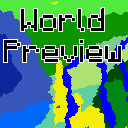
World Preview NH
A Minecraft 1.7.10 mod for previewing world biomes before creation. This is a backport of World Preview to 1.7.10, with structure preview removed
⬇ Download on Modrinth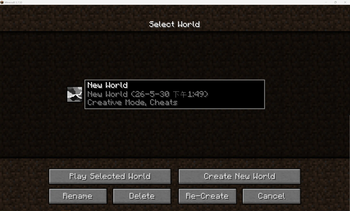
World Preview NH
A Minecraft 1.7.10 mod for previewing world biomes before creation. This is a backport of World Preview to 1.7.10 , with structure preview removed.
Features
- Biome Map Preview — Full-screen interactive biome map generated from the world seed before world creation
- Heightmap View — Toggle a colorized heightmap overlay
- Y-Layer Intersection — View block layers at specific Y levels
- Cave Mode — Toggle cave biome display
- Zoom & Pan — Scroll to zoom (1–2048 blocks/pixel), drag to pan across the map
- Coordinate Goto — Jump to specific X/Z coordinates
- Biome Search — Filter and highlight biomes by name
- Seed Library — Save and load up to 50 favorite seeds
- In-Game Preview — Open the preview from the single-player world selection screen
- Mod Compatibility — Works with modded world generators including Biomes O' Plenty and Realistic World Gen (RWG/RTG)
Usage
From Create World Screen
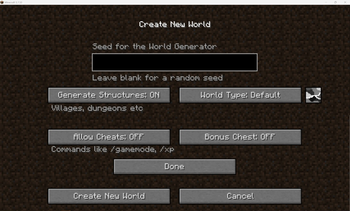
A small preview button (16×16 icon) appears next to the World Type button on the Create World screen. Clicking it opens the full biome preview using the current seed and world settings.
From Single-Player Menu
A "World Preview" button is available on the world selection screen to preview existing worlds.
Preview Controls
| Control | Action |
|---|---|
| Drag | Pan the map |
| Scroll | Zoom in/out |
| Top-left toolbar | Settings, toggle heightmap, cave mode, Y-intersection |
| Seeds tab | Save, load, or delete seeds |
- Edition: Minecraft Java
- File type: .jar
- Minecraft version listed: 1.7.10
- How to install: Install the matching mod loader (Forge, Fabric or NeoForge) for your Minecraft version. → Download the .jar. → Put it in the .minecraft/mods folder and launch that loader profile.
- Where to get it: Opens on Modrinth — not every file is mirrored on our own servers.
Install steps are the general flow for this file type — How to install Minecraft Java mods & modpacks walks through it step by step.
- Ships as worldpreview-1.0.3.jar — drop this file into the mods folder
- Download size: 113 KB
- Download link checked 21 Aug 2026 — working
These come from our own check of the pack file, not from the source page.