
Colorly
Java mod listed for Minecraft 1.21. Downloads from the MC Java Mods app on Android.
⬇ Download on Modrinth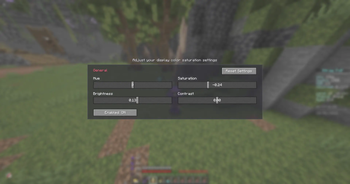
Colorly
Colorly gives you a clean, real-time color-grading panel for Minecraft — adjust the look of the entire game on the fly, the same way you would in a video editor.
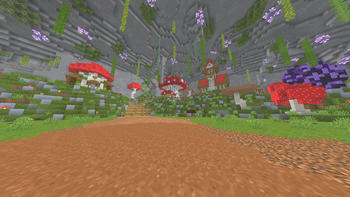
Tweak Hue, Saturation, Brightness and Contrast and watch the whole screen update instantly. Warm up your world, cool it down, crank the saturation for a vivid look, or pull it back for a cinematic, washed-out feel — it's all up to you.
✨ Features
- 🎨 Four live sliders — Hue, Saturation, Brightness, Contrast
- ⚡ Instant preview — every change is applied to the screen in real time
- 🖥️ Whole-game grading — affects the world, not just one element
- 🪶 Lightweight & client-side — a single full-screen shader pass, no performance baggage
- 🔄 One-click reset — back to neutral whenever you want
- 💾 Saved automatically — your look is remembered between sessions
🎛️ How to use
Open the settings panel through Mod Menu, or bind a key in Options → Controls → Colormatic. Drag the sliders, enjoy the live preview, and hit Reset Settings to start over.
📦 Requirements
- Fabric Loader + Fabric API
- Mod Menu (optional, recommended — adds a config button)
Client-side only — safe to use on any server.
Made with ♥ by x1eqn.
- Edition: Minecraft Java
- File type: .jar
- Minecraft version listed: 1.21.4
- How to install: Install the matching mod loader (Forge, Fabric or NeoForge) for your Minecraft version. → Download the .jar. → Put it in the .minecraft/mods folder and launch that loader profile.
- Where to get it: Opens on Modrinth — not every file is mirrored on our own servers.
Install steps are the general flow for this file type — How to install Minecraft Java mods & modpacks walks through it step by step.
- Ships as colorly-1.0.0+1.21.4.jar — drop this file into the mods folder
- Download size: 75 KB
- Download link checked 10 Oct 2026 — working
These come from our own check of the pack file, not from the source page.