
ModsJava
Better Beta Servers
Minecraft Java mod. Downloads from the MC Java Mods app on Android.
⬇ Download on ModrinthBrings a proper server list to Minecraft Beta 1.7.3 multiplayer. No more typing IPs from memory every time.
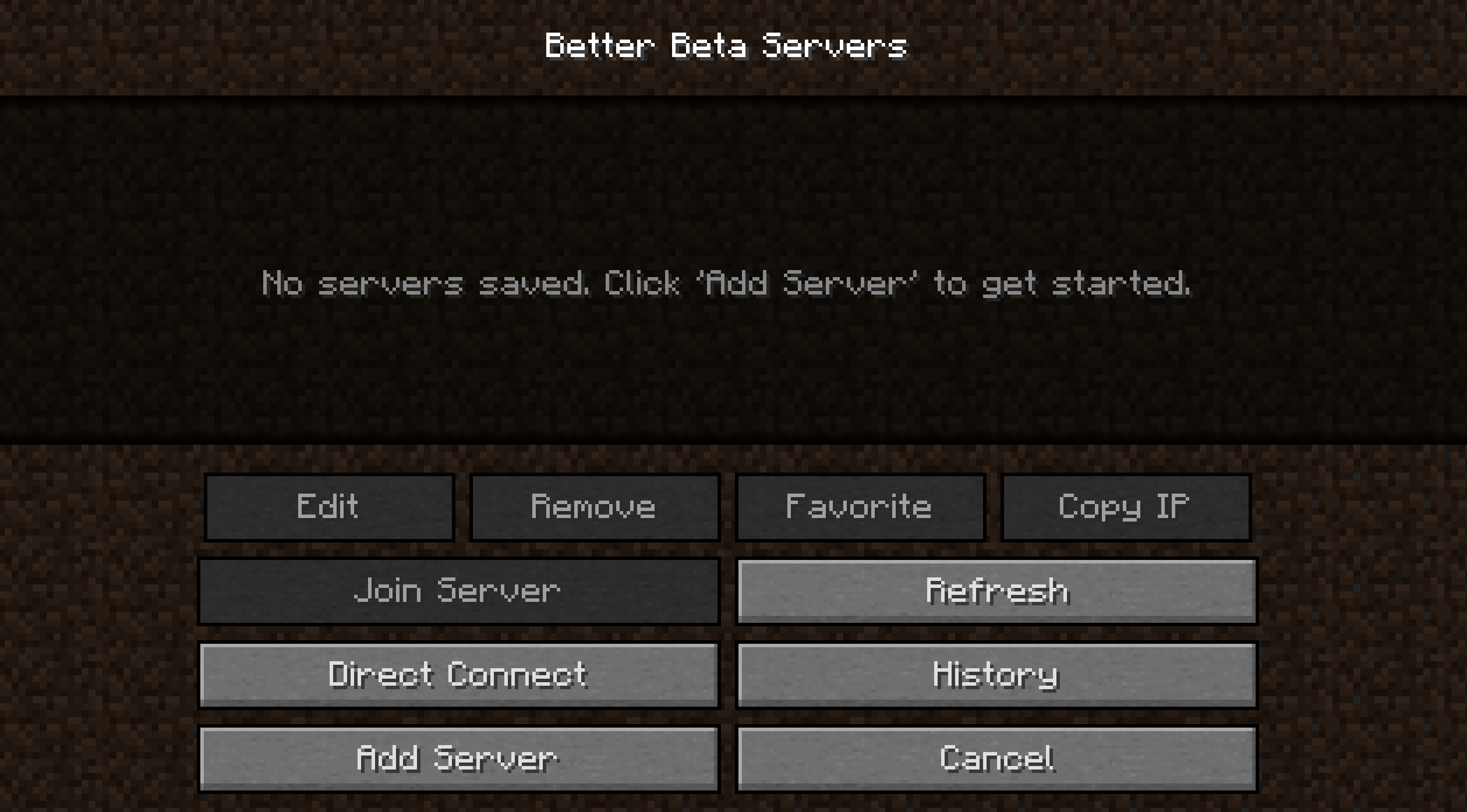
Features
- Server list — save servers with custom names, join with one click
- Ping display — live latency per server in green / yellow / red
- Player count — shows current / max players directly in the list
- MOTD — the server's message of the day shown inline
- Favorites — star any server to mark it
- Edit / Remove — full control over your saved servers
- Direct Connect — classic IP input, now with history
- Direct Connect History — last 10 addresses auto-saved and re-selectable
- Copy IP — copies any server address to clipboard instantly
- Refresh — re-ping all servers on demand
Installation
MultiMC / Prism Launcher
- Right-click your Beta 1.7.3 instance and select Edit Instance
- Go to the jar mods tab
- Click Add to Minecraft.jar and select the downloaded
.zip - Launch the game
Manual
- Locate your
minecraft.jar(.minecraft/bin/minecraft.jar) - Open it with any archive tool (e.g. 7-Zip or WinRAR)
- Delete the META-INF folder inside the jar
- Drag and drop the mod files into the jar
- Save and launch the game
Quick facts
- Edition: Minecraft Java
- File type: .jar
- Minecraft version listed: b1.7.3
- How to install: Install the matching mod loader (Forge, Fabric or NeoForge) for your Minecraft version. → Download the .jar. → Put it in the .minecraft/mods folder and launch that loader profile.
- Where to get it: Opens on Modrinth — not every file is mirrored on our own servers.
Install steps are the general flow for this file type — How to install Minecraft Java mods & modpacks walks through it step by step.
File checked by MCModsHub
- Downloads as Better Beta Servers.zip
- Download size: 21 KB
- Download link checked 4 Oct 2026 — working
These come from our own check of the pack file, not from the source page.