
SimpleQoL
Java mod listed for Minecraft 26.x. Downloads from the MC Java Mods app on Android.
One mod that adds multiple, configurable, quality of life features such as Zoom, Freelook, Borderless Fullscreen, Full bright, and Custom Crosshairs!
⬇ Download on Modrinth
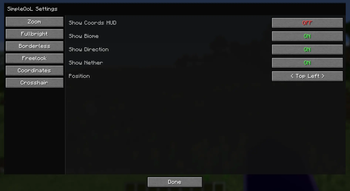
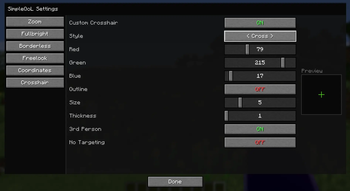
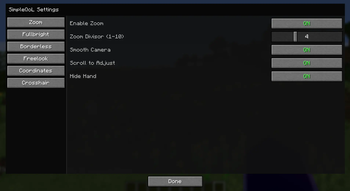
SimpleQoL
One mod. Six features. Zero bloat.
SimpleQoL bundles the quality-of-life features you'd normally need five separate mods for — all in one lightweight client-side package with a clean in-game config screen.
✨ Features
🔍 Zoom
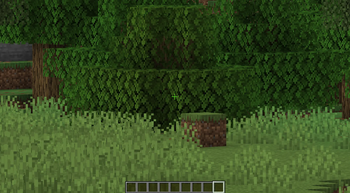
Hold C to zoom in, just like OptiFine.
- Scroll wheel adjusts zoom level while held
- Smooth FOV interpolation in and out
- Optional smooth camera mode while zooming
- Hides your hand while zoomed for a cleaner view
- Fully configurable: divisor, scroll toggle, smooth camera toggle
🌟 Fullbright
Press B to toggle maximum brightness instantly.
- Saves your previous gamma setting and restores it on disable
- Never writes the high gamma value to
options.txt— your settings stay clean - One keypress on, one keypress off
🖥️ Borderless Fullscreen
Press F11 to toggle true borderless windowed mode.
- Uses GLFW directly — no hacks, no flicker
- Saves and restores your previous window position and size
- Alt-tab friendly
👁️ Freelook
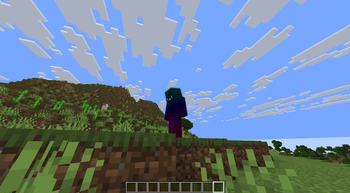
Hold V to look around freely without rotating your player body.
- Camera snaps back to your movement direction when released
- Great for scouting, building, and parkour
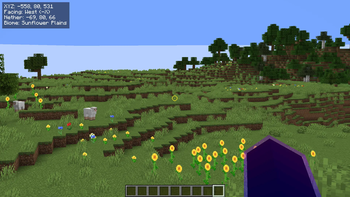
📍 Coordinates HUD
A clean, always-visible overlay showing where you are.
- Displays XYZ position, facing direction, biome name
- Shows your Nether/Overworld coordinate equivalent automatically
- Choose from 4 screen corners (Top Left, Top Right, Bottom Left, Bottom Right)
- Hides automatically when F3 is open
- Toggle via keybind or config screen
➕ Crosshair Customizer
Replace the vanilla crosshair with something that's actually yours.
- 5 styles: Default, Cross, Dot, Circle, Circle + Dot
- Full RGB color picker with opacity control
- Adjustable size and thickness
- Optional black outline for visibility on any background
- Hide in third person view
- Hide when not targeting a block or entity
⚙️ Config
All settings are accessible in-game via the Mod Menu gear icon — no need to edit any files. Config is saved to <gamedir>/config/simpleqol.json and persists across sessions.
Every keybind is rebindable in the standard Controls menu.
📦 Dependencies
| Mod | Required |
|---|---|
| Fabric Loader 0.16.14+ | ✅ |
| Fabric API | ✅ |
| Mod Menu | ✅ |
More features on the way! If you have any issues or suggestions, let me know in my discord!
- Edition: Minecraft Java
- File type: .jar
- Minecraft versions listed: 26.1, 26.1.1, 26.1.2
- How to install: Install the matching mod loader (Forge, Fabric or NeoForge) for your Minecraft version. → Download the .jar. → Put it in the .minecraft/mods folder and launch that loader profile.
- Where to get it: Opens on Modrinth — not every file is mirrored on our own servers.
Install steps are the general flow for this file type — How to install Minecraft Java mods & modpacks walks through it step by step.
- Ships as simpleqol-1.0.0.jar — drop this file into the mods folder
- Download size: 53 KB
- Download link checked 21 Oct 2026 — working
These come from our own check of the pack file, not from the source page.