
Continuance
Java mod listed for Minecraft 26.x. Downloads from the MC Java Mods app on Android.
⬇ Download on Modrinth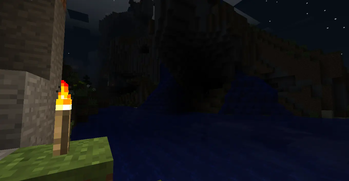
WARNING: This mod overhauls the entire game, don't be surprised if it isn't compatible with some of your mods. For help and news on the mod, check the community server.
Continuance
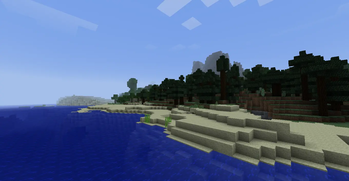
Continuance is an alternate vision of Minecraft's future.
Rather than recreating an older version of the game, Continuance explores a different timeline where Minecraft continued to evolve under a design philosophy inspired by the spirit of the game's earlier years.
The goal is not to remove modern features or turn Minecraft into a beta clone. Instead, Continuance reimagines how modern Minecraft might have developed if its focus remained on exploration, mystery, survival, progression, and emergent gameplay.
Features
- New biomes, structures, and world generation
- Expanded progression and exploration
- Dangerous and rewarding adventures
- Reimagined mechanics inspired by classic Minecraft design
- New creatures, items, blocks, and discoveries
- Modern Minecraft compatibility and features
- A cohesive vision for long term gameplay
Design Philosophy
Continuance asks a simple question:
What if Minecraft never changed direction?
Every addition aims to feel like a natural continuation of the game's evolution. Features are designed to be discoverable, interconnected, and meaningful to survival gameplay.
The mod draws inspiration from the atmosphere and creativity of Minecraft's early years while embracing the possibilities of the modern game.
What Continuance Is Not
- A beta recreation
- A nostalgia mod
- A complete replacement for modern Minecraft
- A downgrade to older mechanics
Continuance is an alternate future, not a return to the past.
Current Status
Continuance is currently in active development.
Expect frequent changes, experimental content, and ongoing iteration as the project grows.
Credits
Created by bagglebrain.
- Edition: Minecraft Java
- File type: .jar
- Minecraft version listed: 26.1.2
- How to install: Install the matching mod loader (Forge, Fabric or NeoForge) for your Minecraft version. → Download the .jar. → Put it in the .minecraft/mods folder and launch that loader profile.
- Where to get it: Opens on Modrinth — not every file is mirrored on our own servers.
Install steps are the general flow for this file type — How to install Minecraft Java mods & modpacks walks through it step by step.
- Ships as continuance-1.7.10.jar — drop this file into the mods folder
- Download size: 58.5 MB
- Download link checked 24 Oct 2026 — working
These come from our own check of the pack file, not from the source page.