
TPS Overlay
This project adds a lightweight, configurable HUD overlay for monitoring server TPS, MSPT and ping. Also optional metrics graph as a primary overlay widget
⬇ Download on Modrinth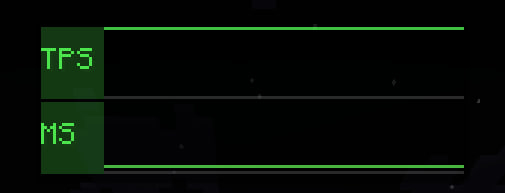
TPS Overlay shows server and client performance on screen without opening the F3 debug overlay. You get TPS, MSPT, ping, and FPS in a small HUD that you can move around and tune to your liking.
The text line uses a custom format with placeholders - show only what you care about. There's also an optional graph that scrolls over time; turn individual metrics on or off if the panel feels crowded.
On servers with the mod installed, TPS and MSPT are measured properly and sent to clients. On a vanilla server you'll still see ping and FPS; server metrics simply won't appear. Use /tpso help for client commands and /tpsc when you want numbers in chat.
Config is in YACL (Mod Menu button if you have it). Position both widgets with /tpso edit.
- Edition: Minecraft Java
- File type: .jar
- Minecraft version listed: 26.1.2
- How to install: Install the matching mod loader (Forge, Fabric or NeoForge) for your Minecraft version. → Download the .jar. → Put it in the .minecraft/mods folder and launch that loader profile.
- Where to get it: Opens on Modrinth — not every file is mirrored on our own servers.
Install steps are the general flow for this file type — How to install Minecraft Java mods & modpacks walks through it step by step.
- Ships as tps-overlay-1.0.0.jar — drop this file into the mods folder
- Download size: 301 KB
- Download link checked 8 Sept 2026 — working
These come from our own check of the pack file, not from the source page.