
ModsJava
LaTeX NH
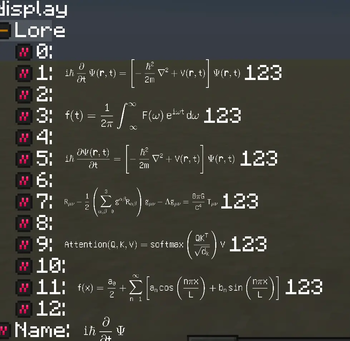
A Minecraft 1.7.10 mod that renders LaTeX formulas and Markdown formatting in all text-rendering locations in the game
⬇ Download on Modrinth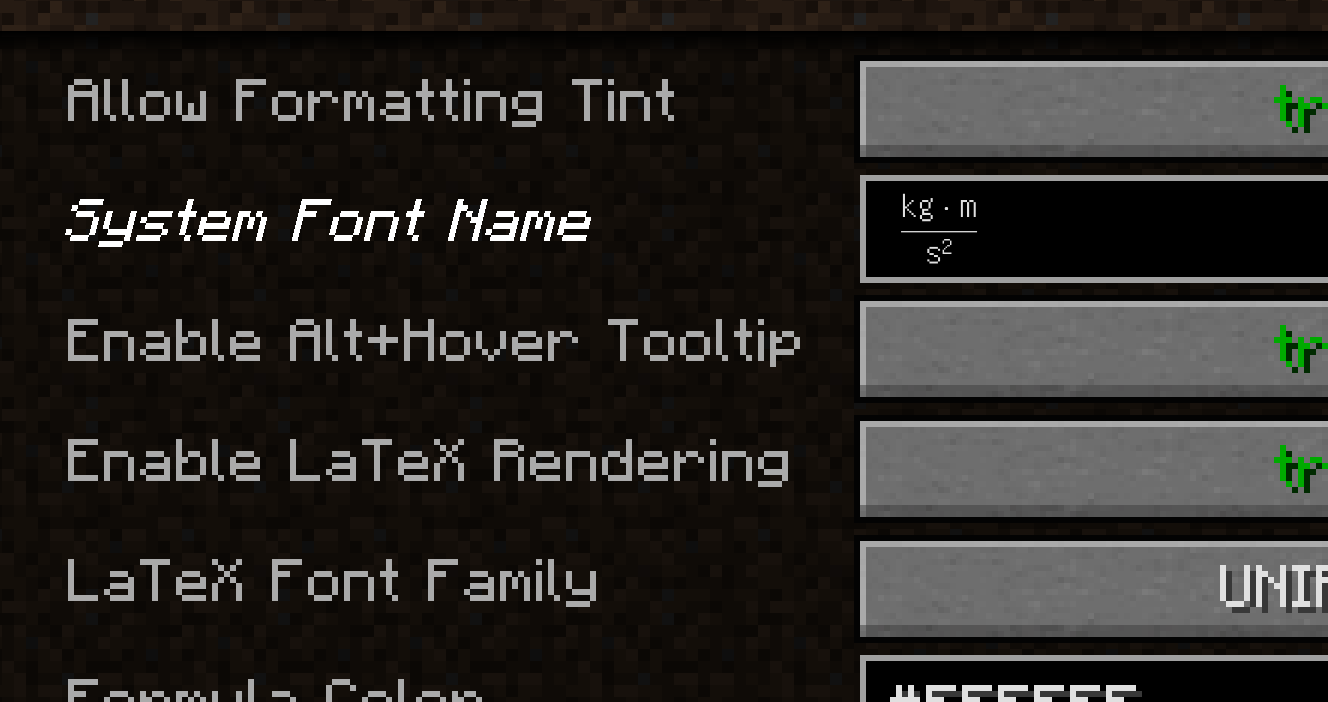
LaTeXNH
A Minecraft 1.7.10 mod that renders LaTeX formulas and Markdown formatting in all text-rendering locations in the game.
Features
- Inline LaTeX rendering — wrap any formula with
$* formula *$and it will be rendered as a GL-textured image inline with the surrounding text. - Block LaTeX rendering — wrap multi-line formulas with
$$* formula *$$for a larger display. - Markdown support —
**bold**,*italic*,~~strikethrough~~,`code` - Alt+hover tooltip — hold Alt while hovering over a rendered formula to see its raw LaTeX source in a tooltip.
- Parse-error tooltip — invalid formulas are shown in red; Alt+hover reveals the exact parse-error message with a column indicator.
- Live text-field preview — when typing in any
GuiTextField, a rendered preview or error description appears automatically while your cursor is inside a formula. - Configurable chat limit — the chat input length cap can be raised (default 256, up to 4096) to accommodate long formulas.
- § colour-code compatibility — Minecraft formatting codes in plain-text segments pass through unaffected.
Syntax
| Input | Effect |
|---|---|
$* E=mc^2 *$ |
Inline LaTeX |
$$* \hat{H} = -\frac{\hbar^2}{2m}\nabla^2 + V *$$ |
Block LaTeX |
**bold** |
Bold |
*italic* |
Italic |
~~strike~~ |
Strikethrough |
`code` |
Monospace |
Configuration
Open Mods → LaTeXNH → Config in-game to adjust:
| Option | Default | Description |
|---|---|---|
| Enable LaTeX Rendering | true |
Master switch |
| Enable Alt+Hover Tooltip | true |
Raw source / error tooltip |
| Tooltip Scale | 1.0 |
Preview image scale factor |
| Inline Formula Height | 16 |
GUI units; ~2× font height |
| Chat Input Max Length | 256 |
Maximum chat characters |
Quick facts
- Edition: Minecraft Java
- File type: .jar
- Minecraft version listed: 1.7.10
- How to install: Install the matching mod loader (Forge, Fabric or NeoForge) for your Minecraft version. → Download the .jar. → Put it in the .minecraft/mods folder and launch that loader profile.
- Where to get it: Opens on Modrinth — not every file is mirrored on our own servers.
Install steps are the general flow for this file type — How to install Minecraft Java mods & modpacks walks through it step by step.
Verified by MCModsHub
- Ships as latexnh-1.2.1.jar — drop this file into the mods folder
- Download size: 2.4 MB
- Download link checked 24 Aug 2026 — working
These come from our own check of the pack file, not from the source page.