Eclectic Trove (Legendary Tooltips)
I don't know my version or loader
This resource pack requires the mod Legendary Tooltips. Download it here:
https://modrinth.com/mod/legendary-tooltips
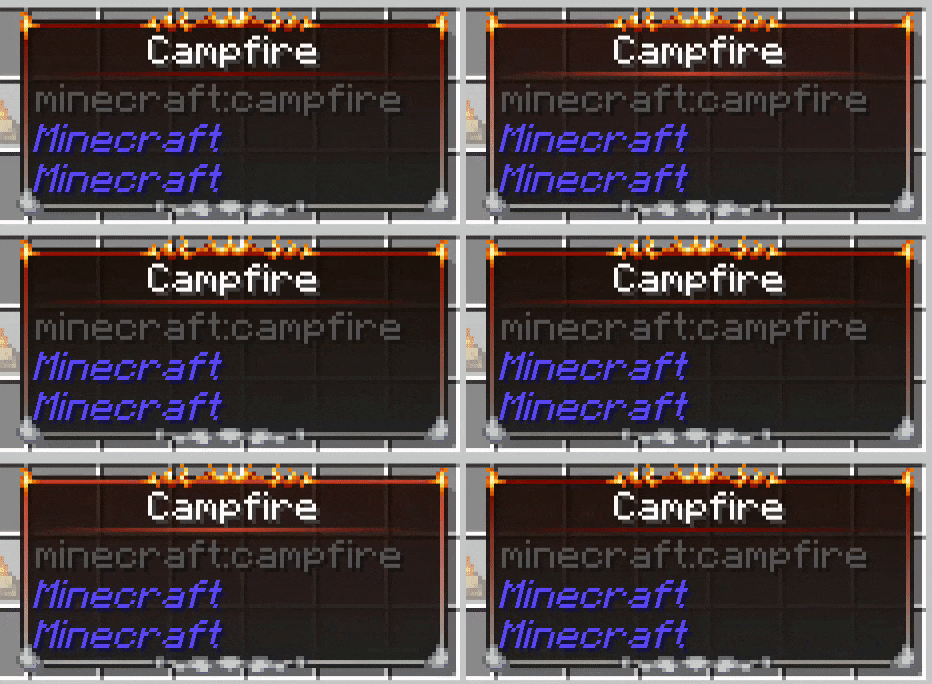
This resource pack replaces the default "level 0" border built into Legendary Tooltips, and provides 9 additional custom borders for use as you see fit for your game/modpack. If you would like to use this resource pack without worrying about configuration, download the "noconfig" version of the pack. This version contains a built-in configuration that works well for vanilla and some mods.
If you would like more granular control over what items show what borders, please note that you will need to configure Legendary Tooltips yourself. Documentation can be found here, please read that first.
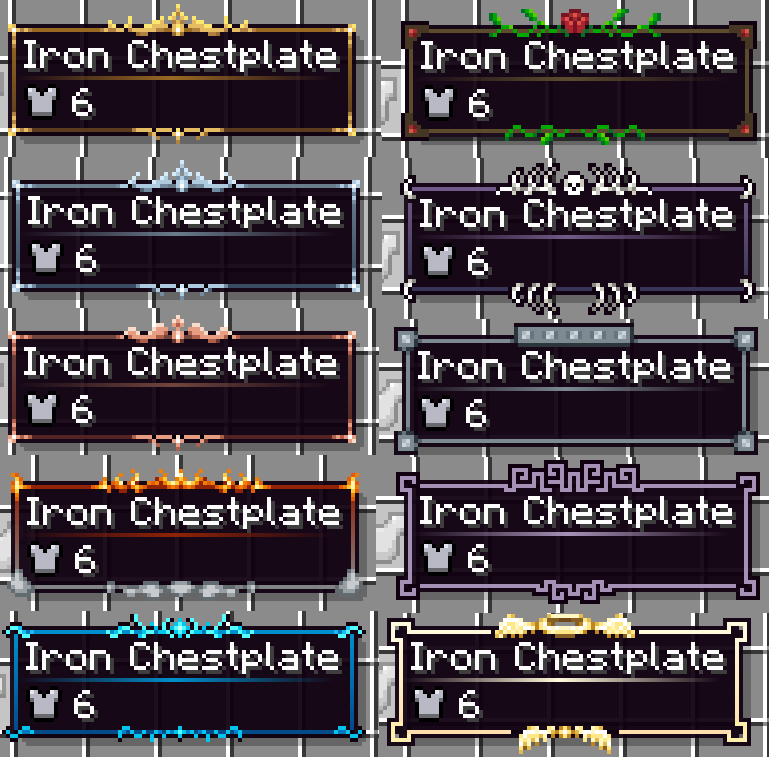
The borders in this pack are quite varied (see images). Here are all of the borders included, with their associated configuration numbers:
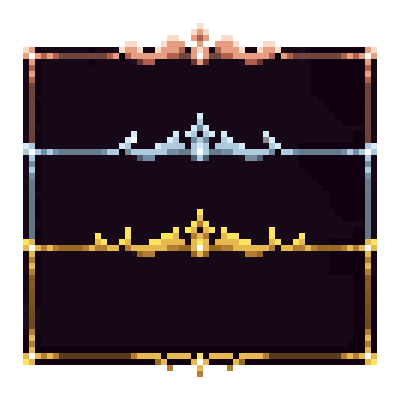
0. Gold frame
1. Silver frame
2.
Copper frame
3. Smoke and flames
4. Water / Ice
5. Rose and vines
6. Bones / death
7. Iron plating / machinery
8. Purple geometric motif
9. Holy (halo / wings)
The suggested border colors are as follows. I highly suggest these are used--copy / paste this section into the border colors section of Legendary Tooltips' configuration file.
FORGE Legendary Tooltips version 1.3 and later
level0_colors =
["20_#FF996922_#FF996922_#FF996922_#FF996922_#FF996922_#FF996922_#FF996922_#FF996922_#FF996922_#FF996922_#FF996922_#FF996922_#FF996922+v64-s32_#FF996922",
"20_#FF5A3A1D_#FF5A3A1D_#FF5A3A1D_#FF5A3A1D_#FF5A3A1D_#FF5A3A1D_#FF5A3A1D_#FF5A3A1D_#FF5A3A1D_#FF5A3A1D_#FF5A3A1D_#FF5A3A1D_#FF5A3A1D_#FF996922+v64-s32",
"#D0996922-v155", "#F45A3A1D-v55"]
level1_colors =
["20_#FF697C8C_#FF697C8C_#FF697C8C_#FF697C8C_#FF697C8C_#FF697C8C_#FF697C8C_#FF697C8C_#FF697C8C_#FF697C8C_#FF697C8C_#FF697C8C_#FF697C8C+v48-s16_#FF697C8C",
"20_#FF3A4C61_#FF3A4C61_#FF3A4C61_#FF3A4C61_#FF3A4C61_#FF3A4C61_#FF3A4C61_#FF3A4C61_#FF3A4C61_#FF3A4C61_#FF3A4C61_#FF3A4C61_#FF3A4C61_#FF3A4C61+v48-s16",
"#D0697C8C-v155", "#F43A4C61-v65"]
level2_colors =
["20_#FF70453D_#FF70453D_#FF70453D_#FF70453D_#FF70453D_#FF70453D_#FF70453D_#FF70453D_#FF70453D_#FF70453D_#FF70453D_#FF70453D_#FF70453D+v64-s32_#FF70453D",
"20_#FF542323_#FF542323_#FF542323_#FF542323_#FF542323_#FF542323_#FF542323_#FF542323_#FF542323_#FF542323_#FF542323_#FF542323_#FF542323_#FF542323+v64-s32",
"#D070453D-v155", "#F4542323-v60"]
level3_colors =
["30_#FF912307_orangered-s45-v25_#FF912307+v50_#FF912307+r25+s50-v55",
"30_#FF818385-v15_#FF818385+r5+g5+v45_#FF818385-v45_#FF818385+r25+g25", "30_#FF912307-v105-a36_#F0120A00",
"#F8818385-v100"]
level4_colors = ["24_#FF008FCC-v25_#FF008FCC+s25+v85",
"24_#FF044B8A-v30_#FF044B8A+s25+v55", "#D0008FCC-v160", "#F8044B8A-v75"]
level5_colors =
["#FF5C4C2D", "#FF5C4C2D", "#F0160A00", "#F0160A00"]
level6_colors = ["#FF705A87",
"#FF705A87-v70+s15", "#E8705A87-v85+s15", "#F4705A87-v120+s35"]
level7_colors =
["#FF7D8A91", "#FF7D8A91", "#F07D8A91-v125+s35", "#F47D8A91-v100+s55"]
level8_colors =
["#FFA591B6", "#FFA591B6", "#E4A591B6-v155+s35", "#F4A591B6-v145+s35"]
level9_colors =
["15_#FFFFFADB-v20+s35_#FFFFFADB+v30-s20", "15_#FFFFDFAD-v20+s35_#FFFFDFAD+v30-s20", "#D8FFFADB-v245",
"#F4FFDFAD-v210+s90"]
"startColors": [ 4288244002, 4285103244, 4285547837, 4287701767, 4278226892, 4284238893, 4285553287, 4286417553, 4289040822, 4294965979, 4288244002, 4288244002, 4288244002, 4288244002, 4288244002, 4288244002 ], "endColors": [ 4284168989, 4282010721, 4283704099, 4286677893, 4278471562, 4284238893, 4281939286, 4286417553, 4289040822, 4294959021, 4284103197, 4284103197, 4284103197, 4284103197, 4284103197, 4284103197 ],
You are free to use this resource pack in modpacks.

Problems, feature request, something else? Join us on Discord!
- Edition: Minecraft Java
- File type: .zip (resource pack)
- Minecraft versions listed: 1.20, 1.20.1
- How to install: Download the .zip resource pack — do not unzip it. → Put it in .minecraft/resourcepacks. → Enable it in Options → Resource Packs.
- Where to get it: Opens on Modrinth — not every file is mirrored on our own servers.
Install steps are the general flow for this file type — How to install Minecraft Java resource packs walks through it step by step.
- Downloads as EclecticTrove-noconfig-1.20.1-1.3.0.zip
- Download size: 13 KB
- Download link checked 15 Sept 2026 — working
These come from our own check of the pack file, not from the source page.