
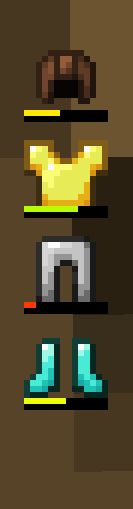
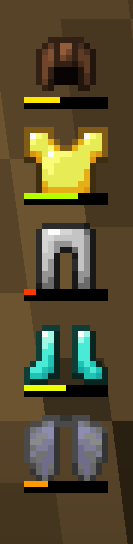
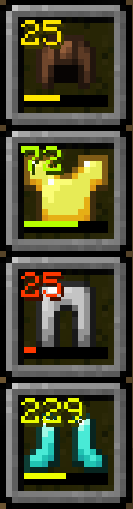
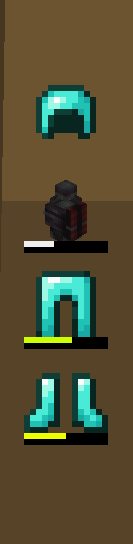
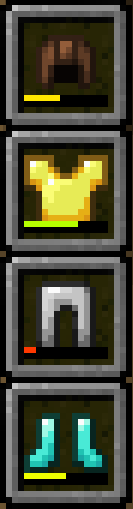
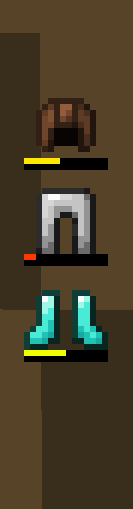
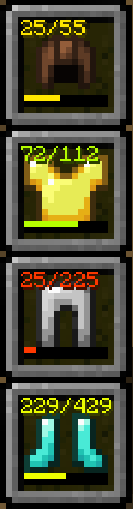
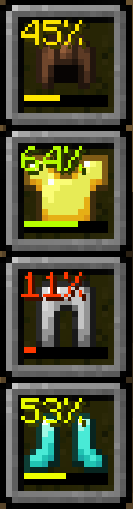
Displays your armor status on the HUD
Highly customizable through the mod settings
- Change the position of the hud
- Toggle if the armor is displayed vertically or horizontally
- Change the vertical and horizontal anchor position of the hud
- Change the scale of the hud
- Change the spacing between each armor pieces
- Toggle if the hotbar slots are shown
- Toggle if the durability bar is shown
- Switch the durability number between NUMBER_AND_MAX, NUMBER_ONLY, PERCENTAGE, and OFF
- Change the color of the durability number to be BLACK, WHITE, AUTO, and MATCH_DURABILITY_BAR
- Change what you consider low durability (when visibility is set to LOW_DURABILITY armor peices will only show on hud when they are below the threshold)
- Change Armor hud visibility to ALWAYS, LOW_DURABILITY, and NEVER
Compatibility with curios slots and create backtank
Quick facts
- Edition: Minecraft Java
- File type: .jar
- Minecraft version listed: 1.21.1
- How to install: Install the matching mod loader (Forge, Fabric or NeoForge) for your Minecraft version. → Download the .jar. → Put it in the .minecraft/mods folder and launch that loader profile.
- Where to get it: Opens on Modrinth — not every file is mirrored on our own servers.
Install steps are the general flow for this file type — How to install Minecraft Java mods & modpacks walks through it step by step.
Verified by MCModsHub
- Ships as armorhud-1.1.0.jar — drop this file into the mods folder
- Download size: 26 KB
- Download link checked 20 Aug 2026 — working
These come from our own check of the pack file, not from the source page.