
Create: Schematic Void
Java mod listed for Minecraft 1.21. Downloads from the MC Java Mods app on Android.
A block for the Create mod that allows the Schematicannon to print empty spaces without temporary filler blocks.
⬇ Download on Modrinth
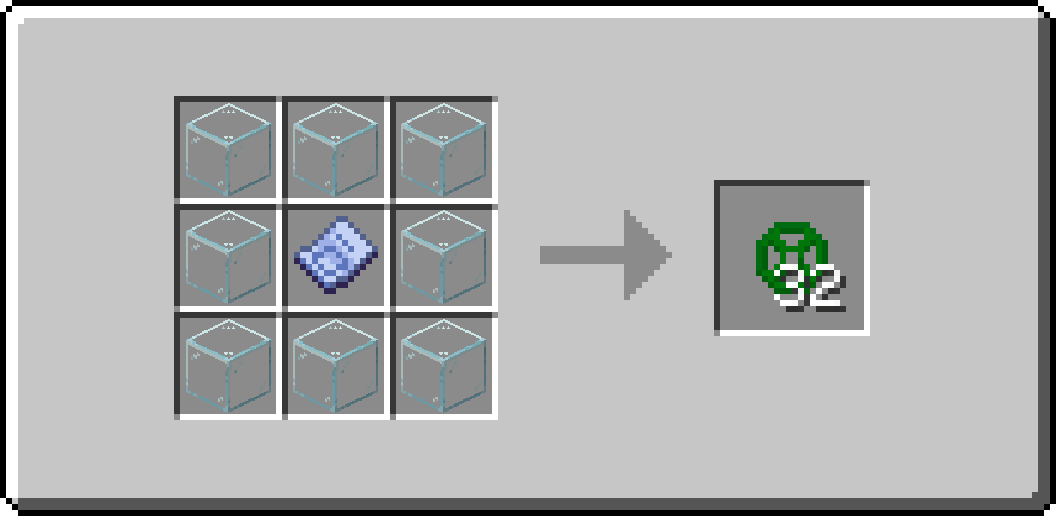

Have you ever tried to use the Schematicannon to print a schematic containing a lot of air blocks (such as an underground base or a custom cave), only to have to go back and dig out all of the temporary blocks you've placed?
Create: Schematic Void solves these issues by allowing you to craft a technical block that causes the Schematicannon to print Air exactly where you want it.
Features
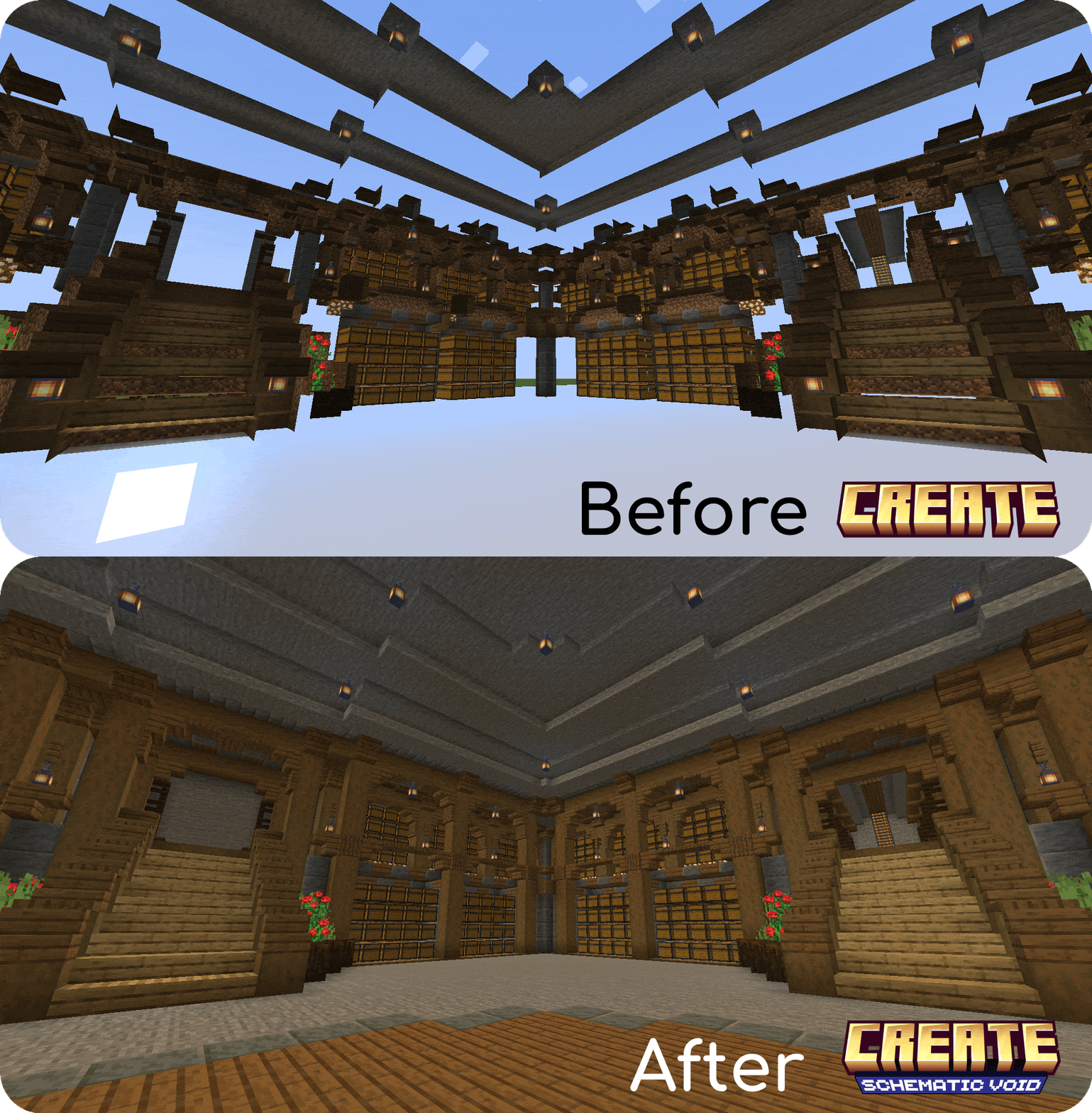
Hollow Structures: It allows you to print hollow structures or underground spaces directly, without needing to use temporary blocks that you have to break later.
Multi-language Support: Create: Schematic Void has been translated into English (en_us) and Spanish (es_es).
Automatic Air Replacement: The Schematicannon will replace Schematic Voids with clean air automatically.
Smart Material Requirements: The Schematicannon won't ask you to put Schematic Voids inside its inventory to build the schematic.
Barrier-like Appearance: To keep your schematics clean, Schematic Voids are invisible and will only show their texture when you hold one in your hand.
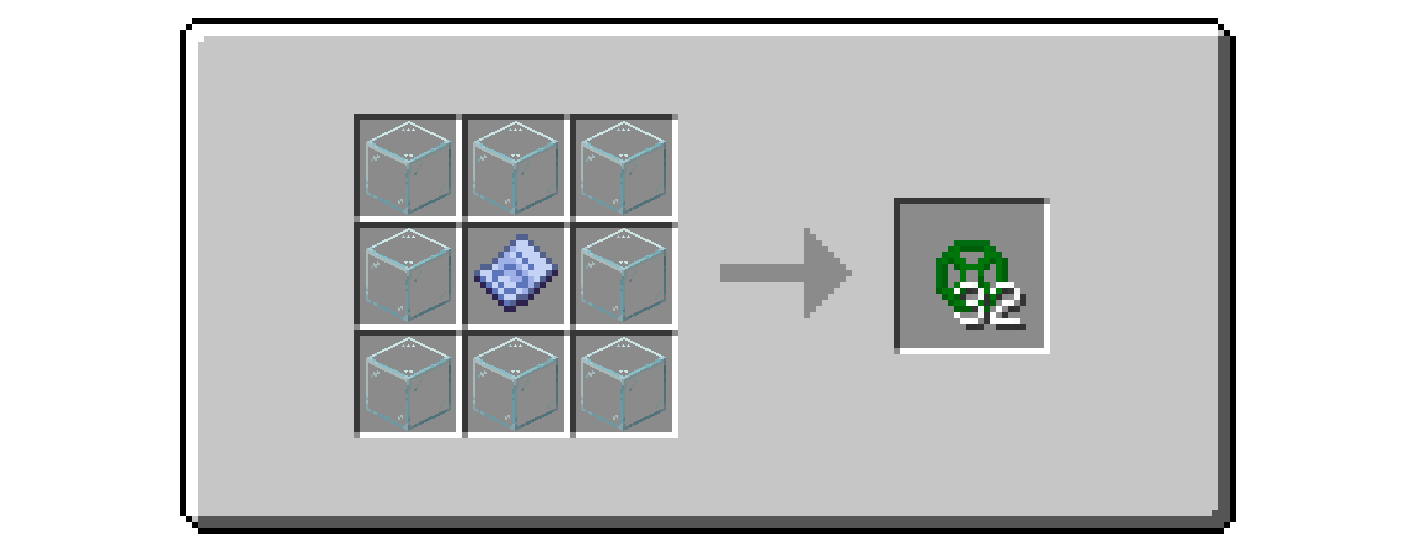
Survival Friendly: The block is fully craftable in survival mode with this recipe:
How to Use
Design your build and place the Schematic Void blocks in the areas you want to keep as Air.
Save your Schematic.
Place the Schematicannon and ensure that you change the mode to "Replace Solid Blocks With Any":
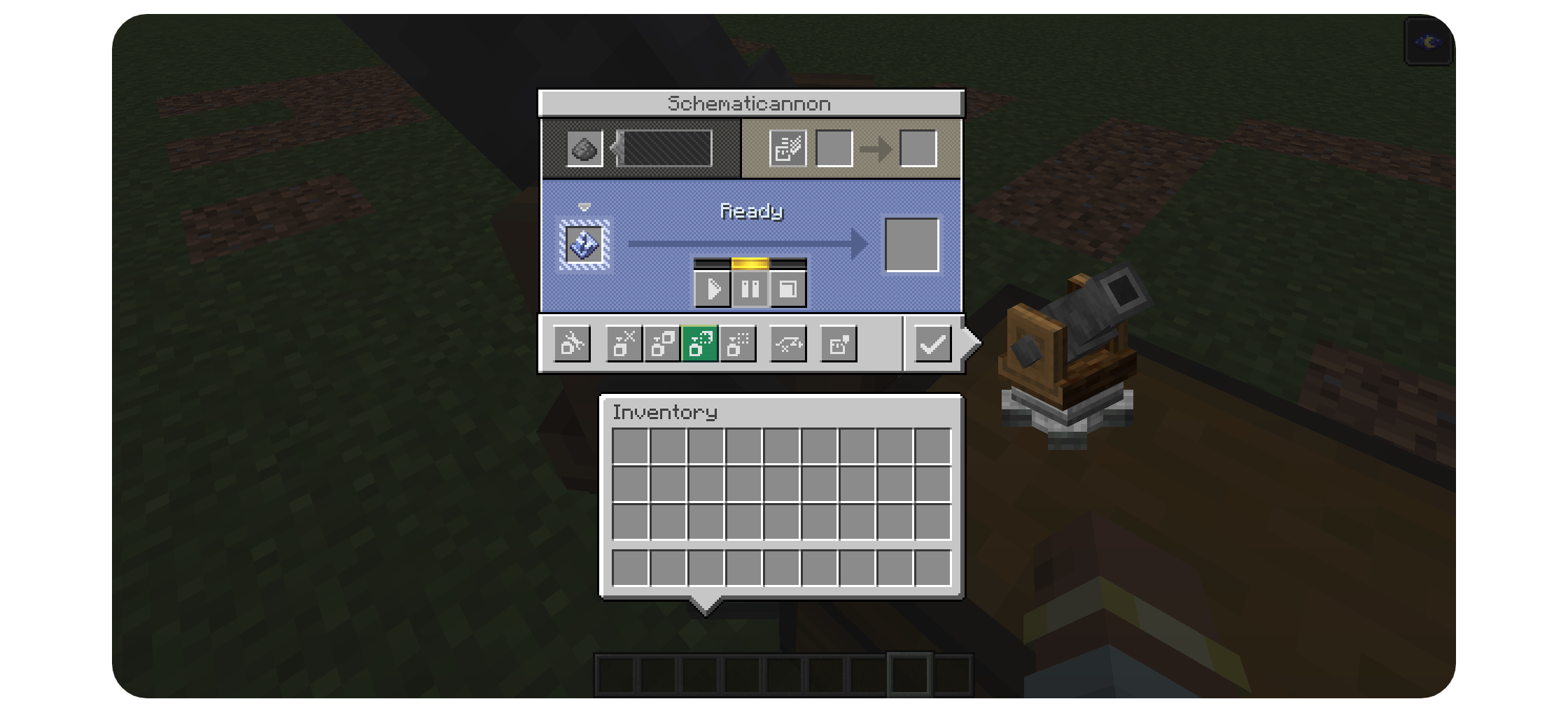
Fire away! All of the Schematic Void blocks will be replaced with Air allowing you to create exact copies of your building.
- Edition: Minecraft Java
- File type: .jar
- Minecraft version listed: 1.21.1
- How to install: Install the matching mod loader (Forge, Fabric or NeoForge) for your Minecraft version. → Download the .jar. → Put it in the .minecraft/mods folder and launch that loader profile.
- Where to get it: Opens on Modrinth — not every file is mirrored on our own servers.
Install steps are the general flow for this file type — How to install Minecraft Java mods & modpacks walks through it step by step.
- Ships as schematicvoid-1.0.0-1.21.1.jar — drop this file into the mods folder
- Download size: 255 KB
- Download link checked 21 Oct 2026 — working
These come from our own check of the pack file, not from the source page.