
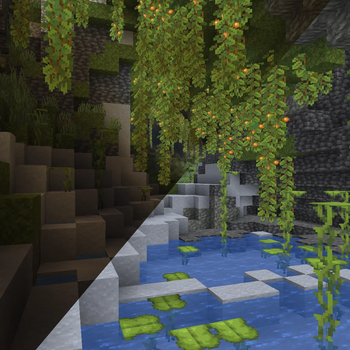

Vision is a lightweight client-side Fabric mod by rollotom2 with Clevora Studios that lets you adjust Minecraft brightness with a simple percentage-based Vision system.
0% represents normal Minecraft brightness, positive values make the game brighter, and negative values make the game darker.

- Percentage-based Vision brightness system
- Default keybind: G
- Arrow Up / Arrow Down brightness adjustment
- Configurable lowest and highest Vision values
- Configurable Vision step value
- Optional smooth Vision transitions
- Configurable transition duration
- Negative Vision value support
- Custom Vision message and message color
- Mod Menu configuration screen
- Client-side only
- ...

- G — Switch between lowest and highest Vision value
- Arrow Up — Increase Vision
- Arrow Down — Decrease Vision
All keybinds can be changed in Minecraft's controls menu.
Vision can be configured through Mod Menu.
You can adjust:
- Current Vision value
- Lowest and highest toggle values
- Vision step value
- Vision message text
- Vision message color
- Message visibility
- Mod enabled state
- ...

- Minecraft: 1.21.11
- Loader: Fabric
- Environment: Client-side

- Fabric API
- Mod Menu
- Cloth Config API
Quick facts
- Edition: Minecraft Java
- File type: .jar
- Minecraft version listed: 1.21.11
- How to install: Install the matching mod loader (Forge, Fabric or NeoForge) for your Minecraft version. → Download the .jar. → Put it in the .minecraft/mods folder and launch that loader profile.
- Where to get it: Opens on Modrinth — not every file is mirrored on our own servers.
Install steps are the general flow for this file type — How to install Minecraft Java mods & modpacks walks through it step by step.
Verified by MCModsHub
- Ships as vision-1.1.2.jar — drop this file into the mods folder
- Download size: 27 KB
- Download link checked 22 Aug 2026 — working
These come from our own check of the pack file, not from the source page.