
DonutSmp Reverse Update
Bring back DonutSMP's classic chest menus. Reverse update re-skins the new dialog UI Friends, Orders, Homes, Settings & more into the clean GUIs you knew…
I don't know my version or loader
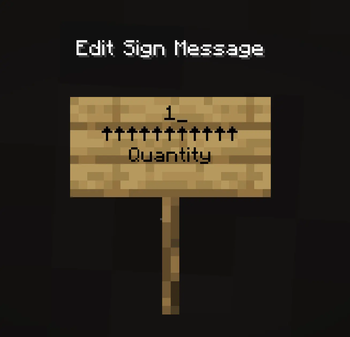
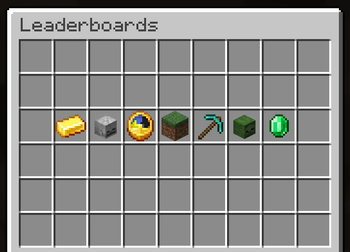
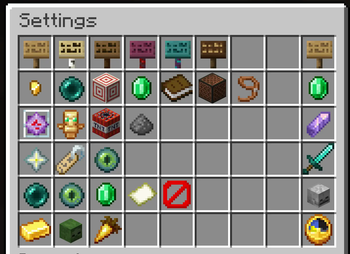
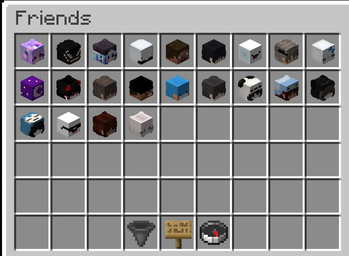
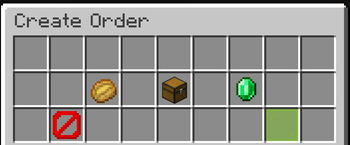
Reverse Update re-skins DonutSMP’s reworked server menus into the tidy double-chest GUIs you already know — with real item icons, player heads, and proper tooltips.
Client-side only: every click still talks to the server exactly as before. Nothing about gameplay changes — it just looks right again.
Features
Main Menu
- Clean 5×2 chest-style icon grid
- Replaces the long button list
- Open with
G
Friends
- Real player heads with skins
- Oak-sign search UI
- Clean glass-pane accept/decline buttons
Orders
Choose Item
Paginated chest GUI
True item icons
Correctly tinted:
- Potions
- Tipped arrows
- Bottles
Search
- Familiar sign editor input
Create Order
Item, quantity, and price on one screen
Single confirm button
Supports:
KMBamount formats
Minimum price enforced automatically
Enchantments
- Selected using enchanted books
- Grouped by enchantment type
Review
- Clean order summary
- Displays item enchantments properly
Homes
Beds for set homes
Your chosen home icons displayed correctly
Black glass for empty slots
Red glass for locked slots
Tidy manage screen with:
- Teleport
- Rename
- Delete
Home renaming uses a sign editor
Settings
- Every option on a single screen
- Thematic icons
- Clear ON/OFF states
Stats & Leaderboards
- Baltop-style player heads
- Relevant stat/value shown directly
Compatibility
- Minecraft:
1.21.6 - 1.21.11 - Mod Loader: Fabric
- Requires: Fabric API
Installation
- Install Fabric Loader
- Install Fabric API
- Drop Reverse Update into your
modsfolder
That’s it — the re-skins apply automatically whenever a supported menu opens.
No setup. No config. No server install required.
Disclaimer
DonutSmp Reverse Update is an unofficial, fan-made mod. It is not affiliated with, endorsed by, or associated with DonutSMP.
This mod only changes how menus look on your own client.
- Edition: Minecraft Java
- File type: .jar
- Minecraft versions listed: 1.21.11, 26.1, 26.1.1
- How to install: Install the matching mod loader (Forge, Fabric or NeoForge) for your Minecraft version. → Download the .jar. → Put it in the .minecraft/mods folder and launch that loader profile.
- Where to get it: Opens on Modrinth — not every file is mirrored on our own servers.
Install steps are the general flow for this file type — How to install Minecraft Java mods & modpacks walks through it step by step.
- Ships as donutgui-1.1.1.jar — drop this file into the mods folder
- Download size: 99 KB
- Download link checked 5 Sept 2026 — working
These come from our own check of the pack file, not from the source page.