
WhenChat
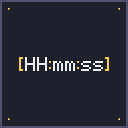
WhenChat is a lightweight, client-side mod that automatically prepends a [HH:mm:ss] timestamp in front of every chat message you receive in Minecraft. Available for Fabric, NeoForge, and Forge.
Ever wondered exactly when that message in chat was sent? Whether you're on a busy multiplayer server, taking screenshots for proof, or just want a quiet reference for the time of day without opening the F3 debug menu — WhenChat has you covered.
Features
- Automatic timestamps — every incoming chat message is tagged with the current time in
[HH:mm:ss]format - Zero configuration — install, launch, done
- Client-side only — works on any server, vanilla or modded, no server-side install needed
- Multi-loader — Fabric, NeoForge, and Forge JARs available for every supported MC version
- Lightweight — a single mixin, no performance impact
- Subtle styling — timestamps are rendered in gray so they don't distract from the actual message
Example
Before:
<Steve> hey, are you online? <Alex> sup
After:
[18:42:07] <Steve> hey, are you online? [18:43:21] <Alex> sup
Supported Versions
| Loader | Minecraft versions |
|---|---|
| Fabric | 1.19, 1.19.1 – 1.19.4, 1.20 – 1.20.6, 1.21 – 1.21.11 (24 versions) |
| NeoForge | 1.20.6, 1.21, 1.21.1, 1.21.3, 1.21.4, 1.21.5, 1.21.8 |
| Forge | 1.20.6, 1.21, 1.21.1, 1.21.3, 1.21.4, 1.21.5 |
More MC versions and loaders coming soon!
Requirements
- Java 17 or newer (Java 21 for MC 1.20.5+ and 1.21.x)
- Fabric Loader 0.14.0+ for Fabric builds
- NeoForge 20.6+ for NeoForge builds
- Forge 50.0+ for Forge builds
Dependencies
- Fabric builds require Fabric API
- NeoForge and Forge builds have no external dependencies
Compatibility
WhenChat only modifies how incoming chat messages are displayed on your client. It does not send or intercept any data to or from the server, and is compatible with any server type (vanilla, Paper, Fabric, NeoForge, Forge, modded, etc.). No server-side install required.
Source & Issues
Open source under the MIT license. Source code, issue tracker, and contributions welcome: 👉 github.com/ErikEdits/WhenChat
If you enjoy the mod, consider leaving a thumbs up on Modrinth — it really helps!
- Edition: Minecraft Java
- File type: .jar
- Minecraft version listed: 1.21.5
- How to install: Install the matching mod loader (Forge, Fabric or NeoForge) for your Minecraft version. → Download the .jar. → Put it in the .minecraft/mods folder and launch that loader profile.
- Where to get it: Opens on Modrinth — not every file is mirrored on our own servers.
Install steps are the general flow for this file type — How to install Minecraft Java mods & modpacks walks through it step by step.
- Ships as whenchat-forge-mc1.21.5.jar — drop this file into the mods folder
- Download size: 6 KB
- Download link checked 7 Sept 2026 — working
These come from our own check of the pack file, not from the source page.
