
Fertilized Dirt
Java mod listed for Minecraft 1.21. Downloads from the MC Java Mods app on Android.
⬇ Download on Modrinth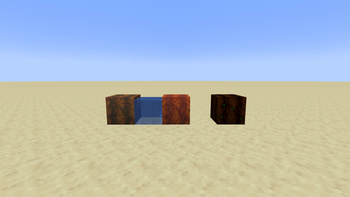
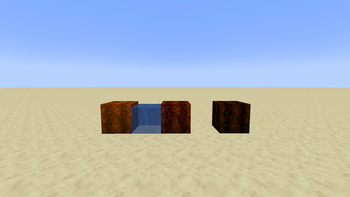
Fertilized Dirt is a small mod that adds three farmland dirt tiers for speeding up crop growth.
FeaturesFertilized Dirt Tier 1: gives plants 50% faster growth.
Fertilized Dirt Tier 2: gives plants 70% faster growth.
Fertilized Dirt Tier 3: gives plants 100% faster growth and does not need water to stay moist.
Fertilized Dirt blocks do not turn back into dirt when jumped on.
Fertilized Dirt blocks do not disappear or turn into normal dirt when there is no water nearby.
Tier 1:
Place 1 Dirt in the center of the crafting table. Place 8 Bone Meal in each of the 8 surrounding slots. Total cost: 64 Bone Meal.
Tier 2:
Place 1 Fertilized Dirt Tier 1 in the center of the crafting table. Place 16 Bone Meal in each of the 8 surrounding slots. Total cost: 128 Bone Meal.
Tier 3:
Place 1 Fertilized Dirt Tier 2 in the center of the crafting table. Place 32 Bone Meal in each of the 8 surrounding slots. Total cost: 256 Bone Meal.
Important Water Note !Tier 1 and Tier 2 need to be wet in order to grow plants. Place water nearby to hydrate them. Without water, stay as Fertilized Dirt, and will not turn into normal dirt, but crops will not grow properly until the block is hydrated again.
Tier 3 is always treated as moist, so crops can grow without nearby water.
How To UsePlace the Fertilized Dirt like farmland, then plant crops on top of it. The block will automatically give extra random growth ticks to the plant above it based on its tier.
Recommended: Install JEI to see the custom recipes in-game.
- Edition: Minecraft Java
- File type: .jar
- Minecraft version listed: 1.21.11
- How to install: Install the matching mod loader (Forge, Fabric or NeoForge) for your Minecraft version. → Download the .jar. → Put it in the .minecraft/mods folder and launch that loader profile.
- Where to get it: Opens on Modrinth — not every file is mirrored on our own servers.
Install steps are the general flow for this file type — How to install Minecraft Java mods & modpacks walks through it step by step.
- Ships as fertilized-1.0.5.jar — drop this file into the mods folder
- Download size: 26 KB
- Download link checked 13 Nov 2026 — working
These come from our own check of the pack file, not from the source page.