
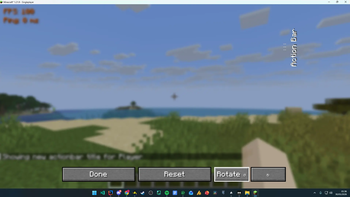
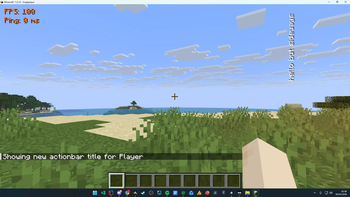
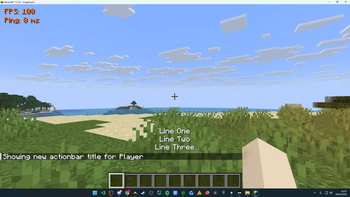
Move Action Bar
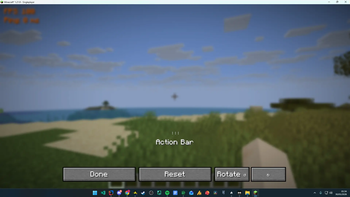
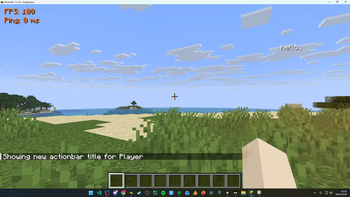
Take control of your HUD. Move Action Bar lets you reposition and rotate Minecraft's action bar (the text that appears above your hotbar) anywhere on your screen.
This mod is a modern recreation of similar action bar positioning concepts, rebuilt and updated for newer Minecraft and Fabric versions with improved features and compatibility.
Features
- Drag & drop positioning - Open the config screen and simply drag the action bar to your preferred spot.
- Free rotation - Rotate the action bar in 15° increments to any angle you like.
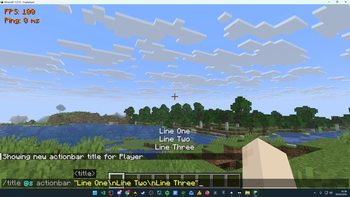
- Multiline support - Action bar messages containing line breaks are rendered cleanly across multiple centered lines (e.g.
/title @s actionbar "Test1\nTest2\nTest3"). - Persistent config - Your position and rotation are saved automatically and restored every time you launch the game.
- Quick access - Open the configuration screen instantly with a keybind (default: Num Lock, fully rebindable).
- One-click reset - Snap everything back to default whenever you want.
How to Use
- Press Num Lock (or your chosen keybind) to open the config screen.
- Drag the "Action Bar" label to reposition it.
- Use the rotate buttons to adjust the angle.
- Hit Done - your settings save automatically.
Compatibility
Client-side only - works on any server, no installation required on the server side. Built for Fabric.
A lightweight, no-fuss mod for players who want their action bar exactly where they want it.
Quick facts
- Edition: Minecraft Java
- File type: .jar
- Minecraft versions listed: 1.21.9, 1.21.10, 1.21.11
- How to install: Install the matching mod loader (Forge, Fabric or NeoForge) for your Minecraft version. → Download the .jar. → Put it in the .minecraft/mods folder and launch that loader profile.
- Where to get it: Opens on Modrinth — not every file is mirrored on our own servers.
Install steps are the general flow for this file type — How to install Minecraft Java mods & modpacks walks through it step by step.
Verified by MCModsHub
- Ships as moveactionbar-1.0.0.jar — drop this file into the mods folder
- Download size: 20 KB
- Download link checked 23 Aug 2026 — working
These come from our own check of the pack file, not from the source page.