
Rift Anchoring
A Chunk Loader Mod Keep your chunks loaded — upgrade a Respawn Anchor with an obsidian base to maintain a 5x5 chunk area
⬇ Download on ModrinthRift Anchoring
Rift Anchoring is a Minecraft NeoForge 1.21.1 mod that enables permanent chunk loading through two multiblock structures: the Rift Respawn Anchor (core loader) and the Rift Lodestone (expansion loader), complete with visual effects and full configuration support.
Features
Rift Respawn Anchor (Core Loader)
- 3×3 Obsidian Base + Respawn Anchor — Build a solid 3×3 obsidian platform with a Respawn Anchor on top of the center block
- Chunk Loading — Right-click the anchor with Glowstone to activate chunk loading (consumes glowstone, drains energy over time). Use Infinite Glowstone for permanent loading (no energy drain)
- Infinite Glowstone Crafting (configurable method):
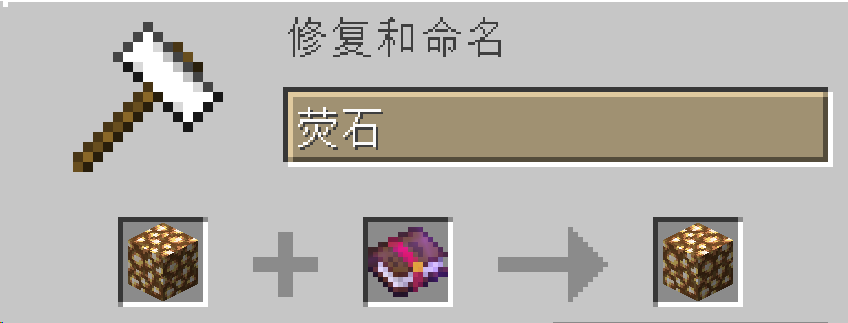
- Anvil: Glowstone + Enchanted Book (costs 5 XP levels)
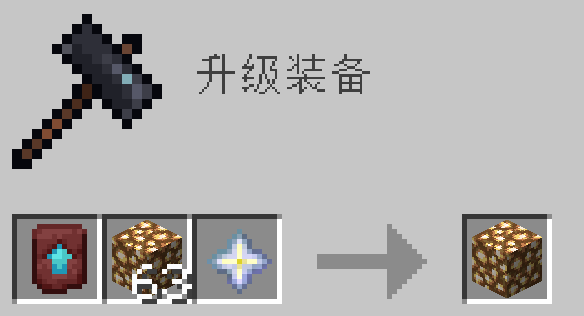
- Smithing Table: Glowstone + Nether Star + Netherite Upgrade Template
- Both: Both recipes available (default)
- No Respawn Point — Respawn Anchors inside a valid multiblock structure cannot set the player's spawn point
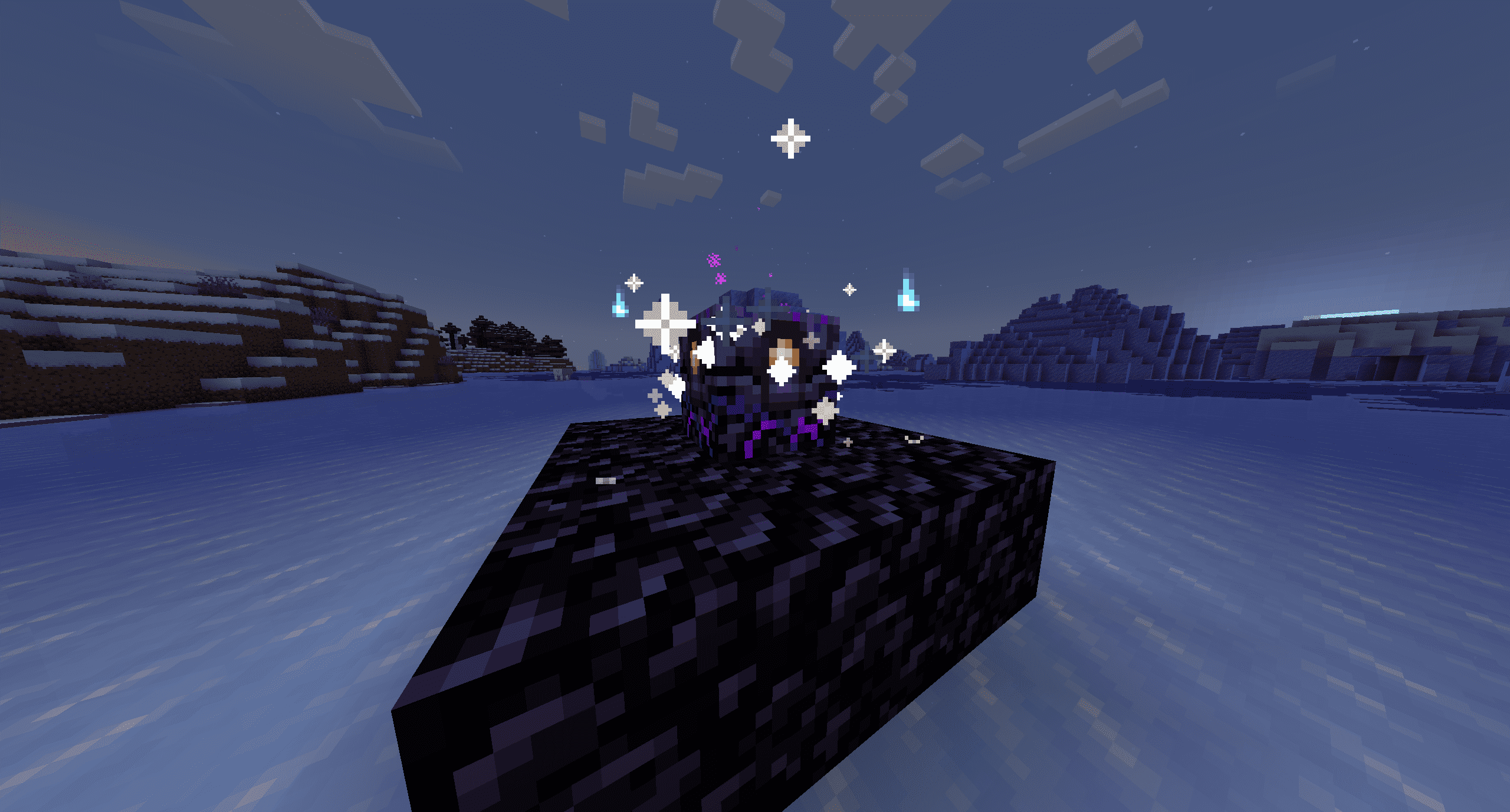
- Persistent Visual Feedback — Continuous particle effects while the anchor is active
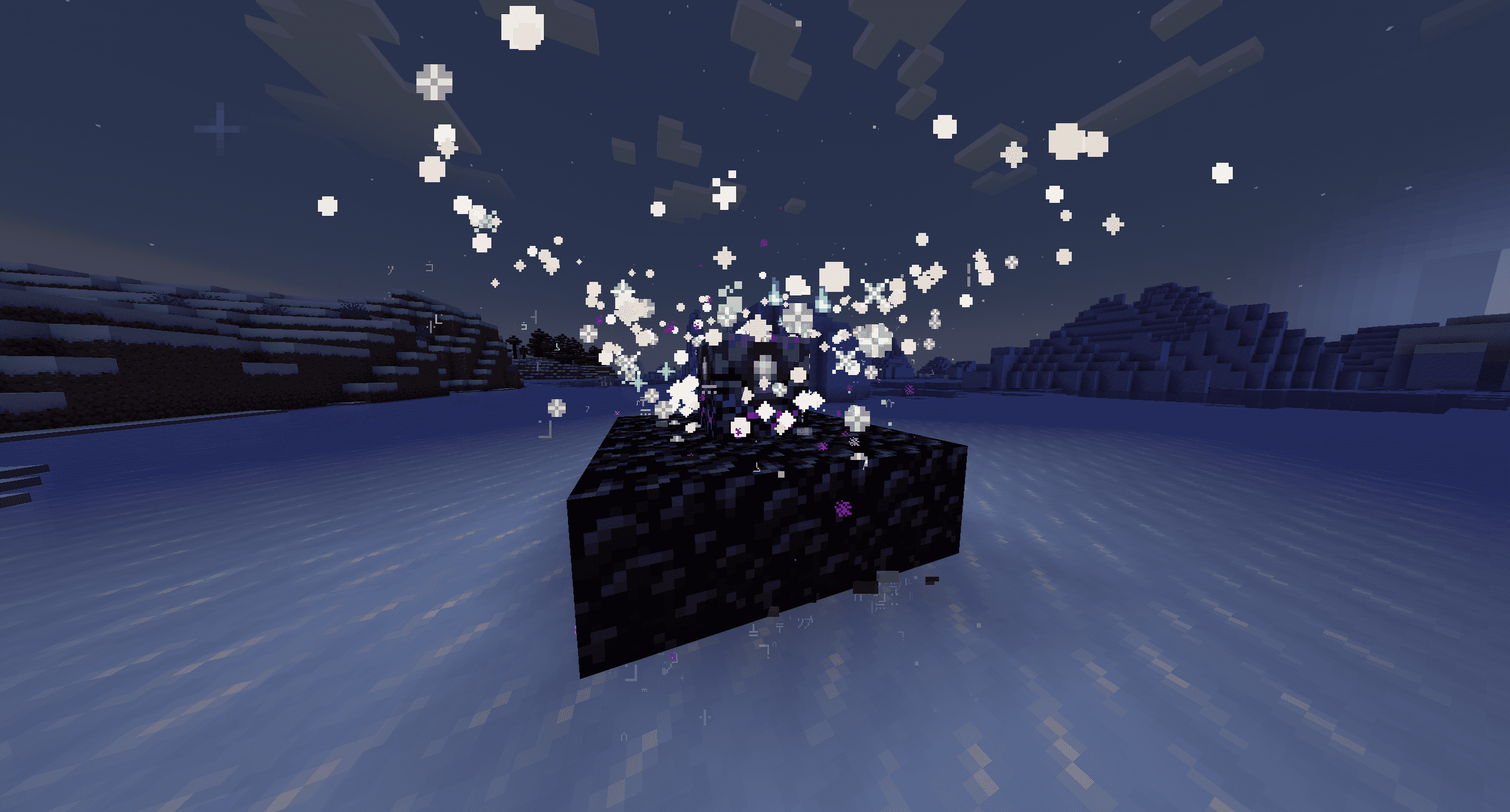
- Structure Break Punishment — If the obsidian base is broken, energy rapidly drains and particles intensify
- Configurable Energy Drain — Energy interval configurable (default: 1 hour per charge level)
Rift Lodestone (Expansion Loader)
- Extends Chunk Loading — Must be placed in a chunk adjacent (sharing an edge or corner) to a chunk already force-loaded by an active Rift Respawn Anchor
- 3×3 Obsidian Base + Lodestone — Same structure pattern as the anchor, but with a Lodestone
- Auto-activation — Activates automatically when the structure is correct, with particle effects and sound
- New: Iron Ingot Recipe — Backports the Minecraft 1.21.5 lodestone recipe (8 iron ingots + 1 chiseled stone bricks). Vanilla netherite recipe is also available
- Anchor Guide Compass Binding:
- First, upgrade Glowstone to Infinite Glowstone (see crafting above)
- In an Anvil, combine Infinite Glowstone + Enchanted Book → transforms the glowstone
- Hold the upgraded glowstone and right-click the Rift Respawn Anchor to activate it
- Craft a regular Recovery Compass (vanilla)
- Right-click an active Rift Lodestone while holding the Recovery Compass → compass is consumed and a bound Anchor Guide Compass is created
- The Anchor Guide Compass always points to its bound lodestone and shows coordinates/distance in its tooltip
- Expansion Limits: Each Rift Respawn Anchor supports up to 25 Rift Lodestones within a 5×5 chunk radius (including its own chunk)
- Break Punishment — Destroying a lodestone immediately releases its chunk; all Anchor Guide Compasses bound to it become unbound
Chunk Debug Wand
- Right-click any block — Displays chunk loading status, force load level, and nearby loaded chunks
- Right-click an active Rift Respawn Anchor — Shows anchor details (energy, infinite mode, remaining time)
- Right-click an active Rift Lodestone — Shows bound parent anchor (if any) and linked compass count
Requirements
| Requirement | Version |
|---|---|
| Minecraft | 1.21.1 |
| NeoForge | 21.1.222+ |
| Java | 21 |
Installation
- Install NeoForge 21.1.222+ for Minecraft 1.21.1
- Download the latest
.jarfrom the Releases page - Place the JAR into your
.minecraft/mods/folder - Launch the game
Usage Guide
Rift Respawn Anchor
- Build a 3×3 obsidian platform on the ground
- Place a Respawn Anchor on top of the center block
- Hold Glowstone and right-click the anchor → activates chunk loading (consumes energy over time)
- For permanent chunk loading (no energy drain), craft Infinite Glowstone first (see crafting section)
- Particle effects appear above the anchor while it's active
- Breaking the obsidian base stops chunk loading and triggers drain punishment
Rift Lodestone
- Ensure you have an active Rift Respawn Anchor loading its own chunk
- Find a neighboring chunk (touching the anchor's chunk by edge or corner)
- Build a 3×3 obsidian platform and place a Lodestone at the center → structure auto-activates
- Craft a Recovery Compass (vanilla item)
- Hold the Recovery Compass and right-click the active Rift Lodestone → compass is consumed, an Anchor Guide Compass is given
- The Anchor Guide Compass always points to the lodestone and shows its coordinates
Infinite Glowstone Crafting
Method 1 — Anvil (costs 5 XP levels):
Place Glowstone + Enchanted Book in an anvil.
Method 2 — Smithing Table (no XP cost):
Place Glowstone + Nether Star + Netherite Upgrade Smithing Template in a smithing table.
Breaking a Rift Lodestone
- Its chunk immediately stops being force-loaded
- All Anchor Guide Compasses bound to that lodestone become unbound (item lore resets)
- A shattering sound and particle burst plays
📸 Screenshots
Configuration
The configuration file is located at .minecraft/config/rift-anchoring-common.toml:
# Energy consumption interval in seconds (default: 3600 = 1 hour per charge level)
energyIntervalSeconds = 3600

# Infinite Glowstone crafting method: "anvil", "smithing", or "both" (default: both)
infiniteGlowstoneMethod = "both"

# Lodestone crafting recipe: "iron" (1.21.5 iron recipe), "netherite" (vanilla), or "both" (default: both)
lodestoneRecipe = "both"

# Maximum number of Rift Lodestones per Rift Respawn Anchor (default: 25, max: 25)
maxLodestonesPerAnchor = 25

# Enable detailed debug log output for rift lodestone operations (default: false)
enableLodestoneDebugLog = false

[debug]
# Enable the Chunk Debug Wand item (default: true)
enableDebugWand = true
License
This project is licensed under the GPL-3.0 License.
Credits
- NeoForge Team
- Minecraft Community
- an angel
- Edition: Minecraft Java
- File type: .jar
- Minecraft version listed: 1.21.1
- How to install: Install the matching mod loader (Forge, Fabric or NeoForge) for your Minecraft version. → Download the .jar. → Put it in the .minecraft/mods folder and launch that loader profile.
- Where to get it: Opens on Modrinth — not every file is mirrored on our own servers.
Install steps are the general flow for this file type — How to install Minecraft Java mods & modpacks walks through it step by step.
- Ships as rift_anchoring-1.2.1.jar — drop this file into the mods folder
- Download size: 198 KB
- Download link checked 23 Aug 2026 — working
These come from our own check of the pack file, not from the source page.