
BordersOnXaeroMap
A simple addon for the Xaero's World Map, which adds drawing visual chunk-based zones on the map for everyone.
⬇ Download on Modrinth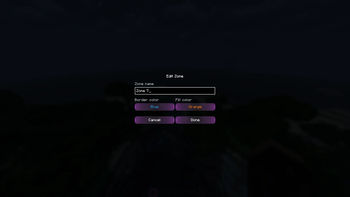





A simple open source addon for the Xaero's World Map, which adds drawing visual chunk-based zones on the map for everyone.
IMPORTANT
The mod is currently in alpha, and at the moment it only works locally. It is expected to have a LOT of fundamental changes internally.
Don't expect a savefile to be inter-version compatible as this is a working prototype - there'll be breaking changes soon.
Don't expect support for other Minecraft versions and mod loaders until it is somewhat finished for1.21.1 NeoForge.

✨ Features
- Obviously, integration with the Xaero's World Map
- Toggle all zones (local only) (not being saved on the map closure currently)
- Click on a zone to make it active. Click on any empty spot to clear active zone
- Draw mode (draw a new zone if no active zone is selected or add/erase to/from currently active one). Hold
LMBto add,Shift + LMBto erase - Edit zone (rename, change border and fill appearance with a palette of 14 predefined colors). The menu could be accessed by the toolbar button and by double-clicking on a zone
- Delete zone
- [Planned] Multiplayer support (local only currently)
- [Planned] Private and public zones (the exact concept is WIP)
🔗 Dependencies
- Xaero's World Map (only on a client)
📫 Contacts
If you have any questions or suggestions, you could open an issue on GitHub or contact me in Discord (@immorrtalz) or Telegram (@immorrtalz)
⚖️ License
Except where otherwise stated, the content of this repository is provided under the GNU GPLv3 license.
Not associated with or approved by Mojang or Microsoft.
P. S. The mod screenshots might have been done with my resourcepack on, so buttons and other UI elements might have non-vanilla look
- Edition: Minecraft Java
- File type: .jar
- Minecraft version listed: 1.21.1
- How to install: Install the matching mod loader (Forge, Fabric or NeoForge) for your Minecraft version. → Download the .jar. → Put it in the .minecraft/mods folder and launch that loader profile.
- Where to get it: Opens on Modrinth — not every file is mirrored on our own servers.
Install steps are the general flow for this file type — How to install Minecraft Java mods & modpacks walks through it step by step.
- Ships as bordersonxaeromap-0.1.2a_neoforge_1.21.1.jar — drop this file into the mods folder
- Download size: 70 KB
- Download link checked 6 Sept 2026 — working
These come from our own check of the pack file, not from the source page.