
Anime angel
Java mod listed for Minecraft 1.21. Downloads from the MC Java Mods app on Android.
Adds a beautiful, spawnable Anime Angel to your world! Tame them with a Golden Apple as a loyal companion, or defeat them to obtain an Enchanted Golden…
⬇ Download on Modrinth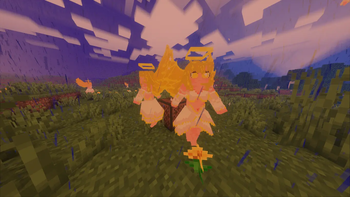

💫 Anime Angel by Anoosh 💫
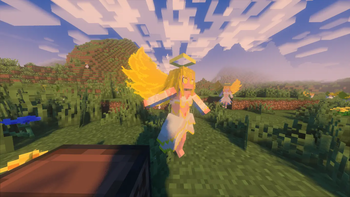
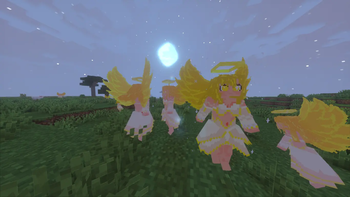
Bring a touch of divine beauty and anime aesthetics to your Minecraft world! Anime Angel by Anoosh introduces a majestic, glowing celestial entity that naturally spawns throughout your world. Whether you seek a loyal companion or a high-risk, high-reward challenge, this angel will completely change your survival experience.
✨ Features ✨
🪽 Natural Spawning: Anime Angels appear naturally across the overworld in Plains, Forest, Flower Forest, and Meadow biomes. They spawn in two variants — the classic Anime Angel and the fiery Flame Variant — adding a magical, fantasy atmosphere to your gameplay.
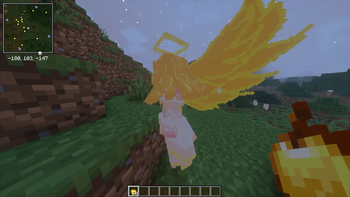
🍎 Golden Bond: Defeating an Anime Angel rewards you with a Golden Apple. Use that same Golden Apple to tame her and turn her into your loyal celestial ally who fights by your side.
🎶 Rhythmic Dancing: Place a jukebox nearby and play a music disc — if the Anime Angel is close enough, she will start dancing for 820 Minecraft ticks, bringing life, motion, and style to your base.
⚔️ Dynamic Animations: Includes smooth walking, idle, attack, and dance animations powered by GeckoLib, delivering a fluid, anime-inspired experience.
🌈 Stylized Visuals: Beautifully crafted 3D pixel-art model with glowing details, angelic wings, and a distinct visual identity for both the normal and flame variants.
🛠️ Installation & Support 🛠️
1️⃣ Download and install the required library mod (see Requirements below).
2️⃣ Download the correct version of Anime Angel by Anoosh for your Mod Loader (Forge/Fabric/NeoForge).
3️⃣ Drop both .jar files into your Minecraft mods folder.
4️⃣ Launch the game and explore the overworld to encounter your first Anime Angel!
⛔ Requirements (🚨 VERY IMPORTANT 🚨) ⛔
To ensure the models and animations for Anime Angel work properly and do not cause crashes, you must install the following dependency:
Make sure you download the version of GeckoLib that exactly matches your Minecraft version and mod loader.
- Edition: Minecraft Java
- File type: .jar
- Minecraft version listed: 1.21.1
- How to install: Install the matching mod loader (Forge, Fabric or NeoForge) for your Minecraft version. → Download the .jar. → Put it in the .minecraft/mods folder and launch that loader profile.
- Where to get it: Opens on Modrinth — not every file is mirrored on our own servers.
Install steps are the general flow for this file type — How to install Minecraft Java mods & modpacks walks through it step by step.
- Ships as anime_angel-1.0.0-neoforge-1.21.1.jar — drop this file into the mods folder
- Download size: 92 KB
- Download link checked 18 Oct 2026 — working
These come from our own check of the pack file, not from the source page.