
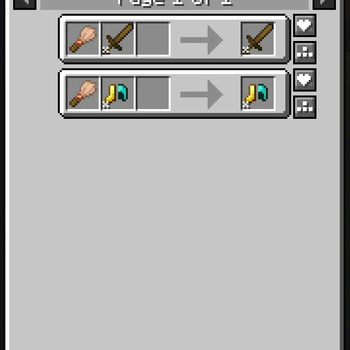


Using this mod you can remove any unwanted trims from your armor returning the ingredient to the slot you first placed it.
Works with any trimmable armor (& tool) types.
For Modpack Developers:
{
  "type": "clean_trims:brush_trim_uncrafting",
  "template": {
    "item": "minecraft:brush"
  },
  "durability_multiplier": 1
}
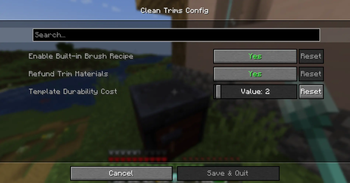
This recipe is included in the mod, it can be disabled in the config, you can use this same layout to add different items to remove trims from the armor/tool.
These items can have a durability which is reduced by the amount in the config.
Planned Content:
- Recipe to have additional field of durability multiplier.
- Config option of receiving trim template back
Tested with:
Tool Trims Mod
Elytra Trims (Banner Patterns Cannot Be Removed)
Colorful Trims
Quick facts
- Edition: Minecraft Java
- File type: .jar
- Minecraft versions listed: 1.21.1, 1.21.2, 1.21.3
- How to install: Install the matching mod loader (Forge, Fabric or NeoForge) for your Minecraft version. → Download the .jar. → Put it in the .minecraft/mods folder and launch that loader profile.
- Where to get it: Opens on Modrinth — not every file is mirrored on our own servers.
Install steps are the general flow for this file type — How to install Minecraft Java mods & modpacks walks through it step by step.
Verified by MCModsHub
- Ships as clean_trims-1.2.jar — drop this file into the mods folder
- Download size: 22 KB
- Download link checked 7 Sept 2026 — working
These come from our own check of the pack file, not from the source page.