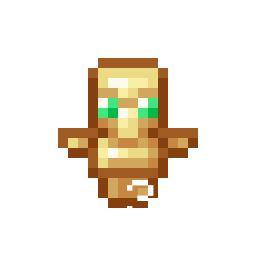
Totem Display — Never Miss Your Safety Net!
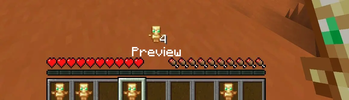
Totem Display is a lightweight, client-side cosmetic and utility mod for Fabric[cite: 1]. It adds a clean, customizable indicator to your heads-up display (HUD), showing you at a glance whether you have a Totem of Undying equipped or ready in your inventory[cite: 1].
No more opening your inventory mid-combat or panicking during intense PvP/PvE situations just to check if you are protected.
✨ Features
- Real-Time Totem Tracking: Displays a handy icon on your screen so you always know your survival status.
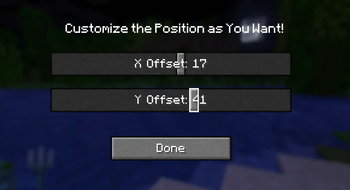
- Fully Configurable: Don't like where the icon is? The mod includes a built-in configuration screen to adjust the display to fit your personal UI preferences[cite: 1].
- Seamless Mod Menu Integration: Access the settings screen effortlessly directly from your in-game mod list[cite: 1].
- 100% Client-Side: This mod runs entirely on your client[cite: 1]. You can join any vanilla multiplayer server, Realms, or anarchy server without needing the mod installed on the server side.
🛠 Technical Specifications & Requirements
| Detail | Specification |
|---|---|
| Mod Loader | Fabric |
| Supported Game Versions | 1.21.4, 1.21.8, 1.21.11 |
| Environment | Client-side only |
| Required Mods | Fabric API |
| Optional Mods | Mod Menu (Highly recommended to access the in-game config screen)[cite: 1] |
💡 Why download Totem Display?
In Minecraft, a split second can mean the difference between keeping your hard-earned gear or losing everything. Totem Display gives you the peace of mind you need during raids, boss fights, or dangerous exploration by keeping your totem status visible at all times without cluttering your screen.
- Edition: Minecraft Java
- File type: .jar
- Minecraft version listed: 1.21.4
- How to install: Install the matching mod loader (Forge, Fabric or NeoForge) for your Minecraft version. → Download the .jar. → Put it in the .minecraft/mods folder and launch that loader profile.
- Where to get it: Opens on Modrinth — not every file is mirrored on our own servers.
Install steps are the general flow for this file type — How to install Minecraft Java mods & modpacks walks through it step by step.
- Ships as TotemDisplay-1.0.0.jar — drop this file into the mods folder
- Download size: 12 KB
- Download link checked 11 Sept 2026 — working
These come from our own check of the pack file, not from the source page.