
No Fire Overlay Plus
This is a very simple mod that removes the fire and lava overlay from your screen when you're on fire or in lava so you can see clearly in lava keybinds…
⬇ Download on Modrinth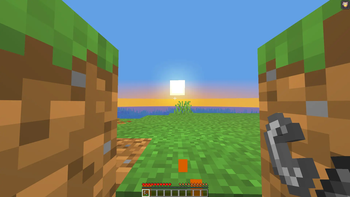
🔥 No Fire Overlay: Reborn Tired of not seeing anything when you're on fire or in lava? This mod completely removes the fire and lava screen overlay.
✨ Features
Removes the fire screen overlay Removes the lava screen overlay Toggle on/off with a keybind (default: K) Keybind is fully rebindable in Minecraft's keybind manager
💡 Recommended Pair this mod with No Fog for the best experience in the Nether — no overlay, no fog, full visibility.
📦 Installation Requires Fabric Loader and Fabric API
- Edition: Minecraft Java
- File type: .jar
- Minecraft version listed: 1.21.11
- How to install: Install the matching mod loader (Forge, Fabric or NeoForge) for your Minecraft version. → Download the .jar. → Put it in the .minecraft/mods folder and launch that loader profile.
- Where to get it: Opens on Modrinth — not every file is mirrored on our own servers.
Install steps are the general flow for this file type — How to install Minecraft Java mods & modpacks walks through it step by step.
- Ships as no-fire-and-lava-overlay-1.21.11.jar — drop this file into the mods folder
- Download size: 10 KB
- Download link checked 30 Aug 2026 — working
These come from our own check of the pack file, not from the source page.