
Magic Pockets
Java mod listed for Minecraft 1.21. Downloads from the MC Java Mods app on Android.
Inventory Management Mod. increases base inventory, adds new enchantment, itemstack config, and storage system
⬇ Download on Modrinth
1.1 update showcase:
adds an extra row to the survival inventory:
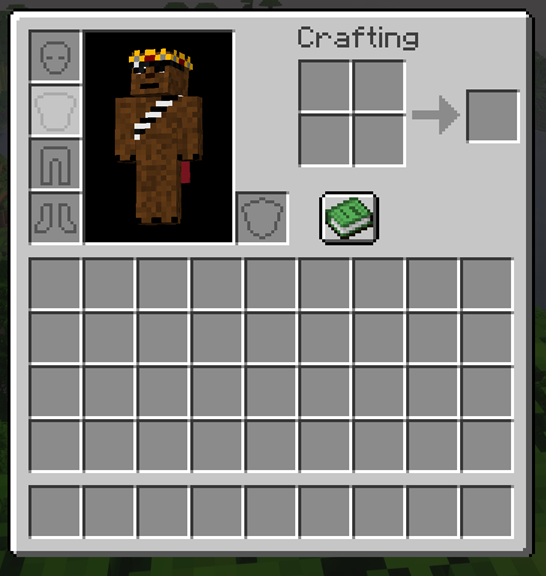
*the modpack compatability version removes this specific feature because it is not added into any modded menus because of the way that the inventory is created (mojang hardcoded all of it). if you're not having this issue, use the main release.
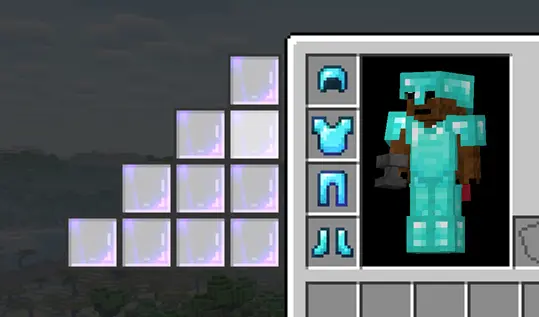
Magic Pockets Enchantment adds an additional slot per level of armor for a max of 16.
it can be enchanted at the enchanting table and found through the loot table
new storage conduit system:
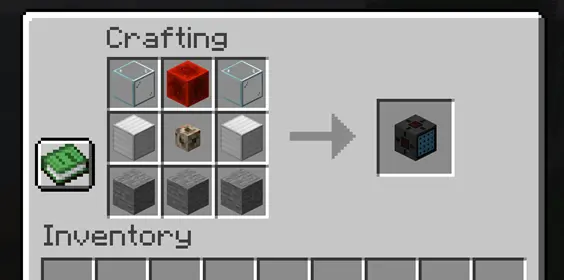
Storage Conduit:
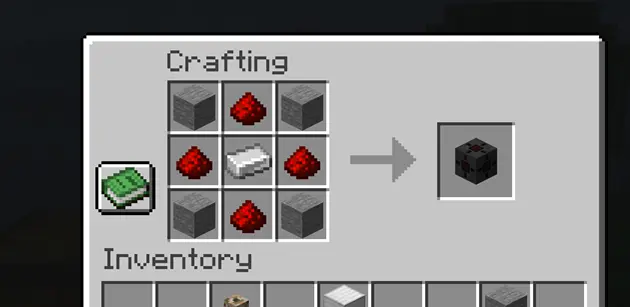
Storage Conduit Connector:
simple assembly of system:
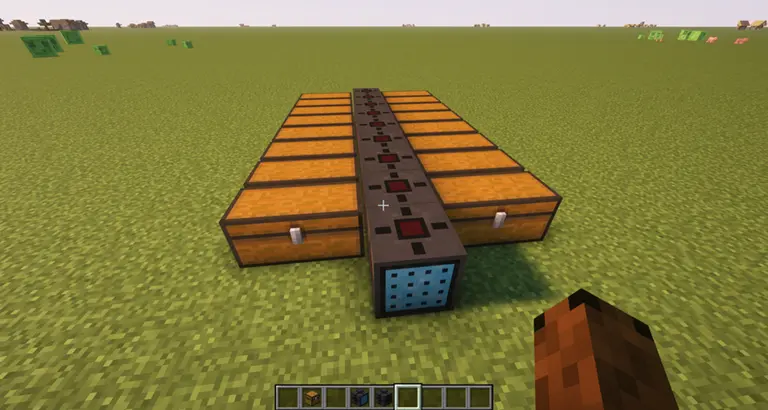
Storage connectors will pick up any adjacent inventories and connect to one of the 5 sides of the conduit block (except the front), maximum of 20 connectors for each system
conduit interface:
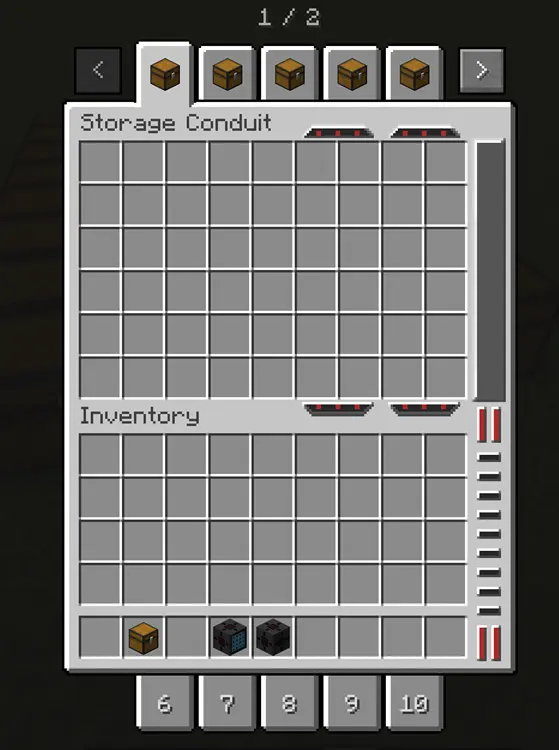
right click on tab to rename tooltip, and right click with item to set the tab icon (can be any item)
config to change max itemstack:
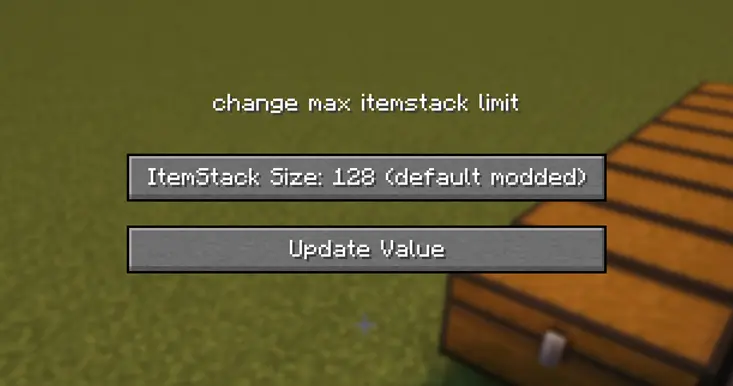
values are 64 (default), 128 (default modded), 256, 512, 999, and 1 (challenge mode)
IF YOU ARE A MOD DEVELOPER AND WANT TO MAKE YOUR MOD MENUS COMPATIBLE WITH THIS MOD'S EXPANDED INVENTORY, HERE IS A GUIDE TO HELP YOU DO THAT: mod compatabiliity doc
original video:
- Edition: Minecraft Java
- File type: .jar
- Minecraft version listed: 1.21.1
- How to install: Install the matching mod loader (Forge, Fabric or NeoForge) for your Minecraft version. → Download the .jar. → Put it in the .minecraft/mods folder and launch that loader profile.
- Where to get it: Opens on Modrinth — not every file is mirrored on our own servers.
Install steps are the general flow for this file type — How to install Minecraft Java mods & modpacks walks through it step by step.
- Ships as pocketsmod-1.1.1.jar — drop this file into the mods folder
- Download size: 232 KB
- Download link checked 3 Oct 2026 — working
These come from our own check of the pack file, not from the source page.