
CustomCapes
Java mod listed for Minecraft 1.21. Downloads from the MC Java Mods app on Android.
# Custom Capes Ever wanted a cape that's truly your own? With **Custom Capes**, you can design, edit, animate, and wear completely custom capes directly…
⬇ Download on Modrinth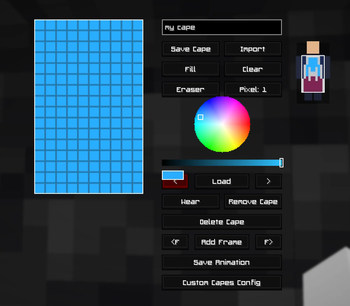
Report Bugs Here -> https://hexi-blue.github.io/Hexi/?v=3
Custom Capes
Ever wanted a cape that's truly your own? With Custom Capes, you can design, edit, animate, and wear completely custom capes directly inside Minecraft. No external editors, no complicated setup—just install the mod alongside Fabric API and start creating.
Whether you're personalizing your singleplayer experience or creating a unique look for multiplayer, Custom Capes gives you all the tools you need to make your character stand out.
Unlimited Creativity
Custom Capes has evolved beyond the original 16-color palette.
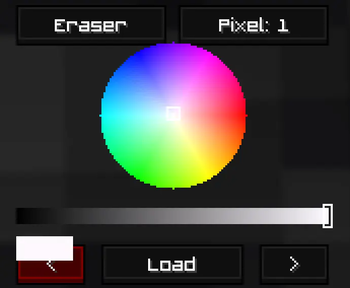
16 Million+ Colors
Choose from over 16 million colors to create detailed artwork, gradients, logos, and pixel art. Your creativity is no longer limited by a small selection of preset colors.
In-Game Cape Editor
Create and edit capes without ever leaving Minecraft.
Features
- Draw and edit capes directly in-game
- Real-time cape preview while editing
- Advanced pixel-art tools
- No external websites required
- No file uploading or exporting
Simply press C at any time to open the editor.
Custom Animations
Bring your capes to life with frame-by-frame animation support.
Create animated effects such as:
- Waving capes
- Glowing patterns
- Pulsing designs
- Fully custom animations
Preview animations instantly before saving your work.
Cape Wardrobe
Save and manage all of your creations in one place.
The wardrobe system allows you to:
- Save multiple cape designs
- Load previous creations instantly
- Match capes to different skins
- Switch styles whenever you want
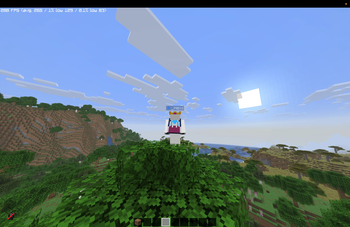
Wear Your Cape In-Game
Once you've created your cape, equip it and wear it while playing.
Note: Custom Capes are currently client-side only and are visible through the mod client.
Intuitive Interface
Custom Capes is designed to be simple for beginners while providing powerful tools for experienced creators.
- Easy-to-use interface
- Lightweight performance
- Powerful editing tools
- Instant previews
- Everything accessible directly from Minecraft
Controls
Open Editor & Wardrobe
C — Opens the Custom Capes editor and wardrobe menu from anywhere in-game.
Installation
- Install Fabric Loader.
- Install Fabric API.
- Install Custom Capes.
- Launch Minecraft.
- Press C and start creating.
No accounts, no external editors, and no complicated setup required.
- Edition: Minecraft Java
- File type: .jar
- Minecraft version listed: 1.21.11
- How to install: Install the matching mod loader (Forge, Fabric or NeoForge) for your Minecraft version. → Download the .jar. → Put it in the .minecraft/mods folder and launch that loader profile.
- Where to get it: Opens on Modrinth — not every file is mirrored on our own servers.
Install steps are the general flow for this file type — How to install Minecraft Java mods & modpacks walks through it step by step.
- Ships as CustomCapes-1.1.0.jar — drop this file into the mods folder
- Download size: 60 KB
- Download link checked 15 Oct 2026 — working
These come from our own check of the pack file, not from the source page.