
Serverbound
Java mod listed for Minecraft 1.21. Downloads from the MC Java Mods app on Android.
⬇ Download on Modrinth
What this mod does
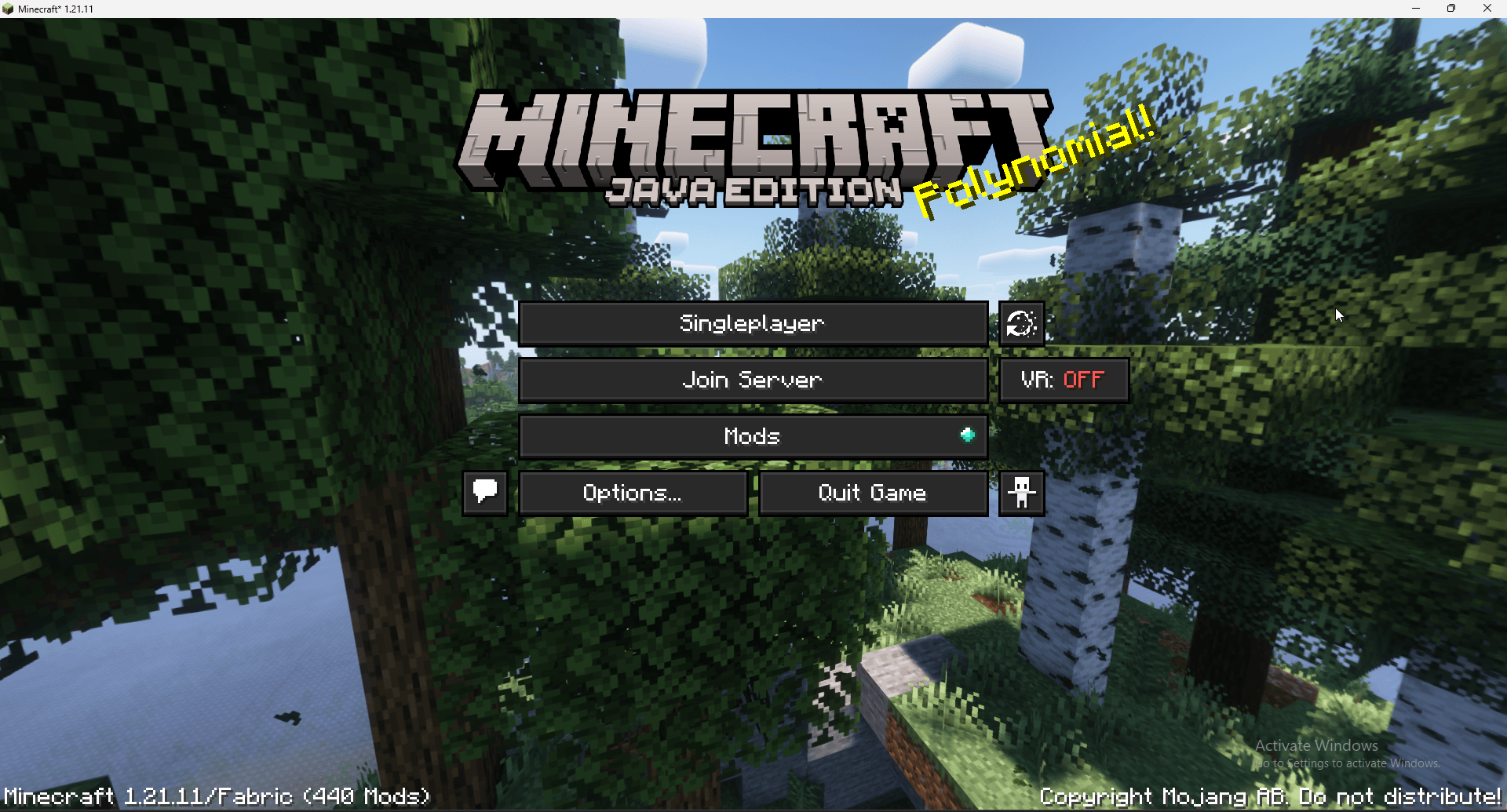
Replaces the Multiplayer button with a customizable Join Server button
Automatically connects players to the server you configure
Lets you hide or show title‑screen buttons (Singleplayer, Realms, Multiplayer)
Ensures your server settings are included when exporting the modpack
Requires no client setup — players just install the modpack and click Join Server
Configuration
When the game is launched for the first time, the mod creates a file:
Code
/mods/servermodpacklink.properties This file contains all customizable settings. Because it lives inside the mods folder, the configuration is always exported with the modpack.
Default configuration: Code button.label=Join Server server.address=server.itzblaze2x.eu server.name=Blaze Server title.hide_multiplayer_button=true title.hide_realms_button=true title.hide_singleplayer_button=false title.replace_multiplayer_button=true You can freely change:
The button text
The server IP / hostname
The displayed server name
Which title‑screen buttons are visible
Whether the Multiplayer button is replaced or hidden
Example
A title screen with the Multiplayer button replaced by a Join Server button:
Ideal use cases Public modpacks with an official server
Community servers that want frictionless onboarding
Modpacks for friends who don’t want to enter IPs manually
Launcher‑based modpacks that should always connect to the same server
- Edition: Minecraft Java
- File type: .jar
- Minecraft version listed: 1.21.1
- How to install: Install the matching mod loader (Forge, Fabric or NeoForge) for your Minecraft version. → Download the .jar. → Put it in the .minecraft/mods folder and launch that loader profile.
- Where to get it: Opens on Modrinth — not every file is mirrored on our own servers.
Install steps are the general flow for this file type — How to install Minecraft Java mods & modpacks walks through it step by step.
- Ships as serverbound-neoforge-1.21.1-21.1.2.3.jar — drop this file into the mods folder
- Download size: 10 KB
- Download link checked 21 Oct 2026 — working
These come from our own check of the pack file, not from the source page.