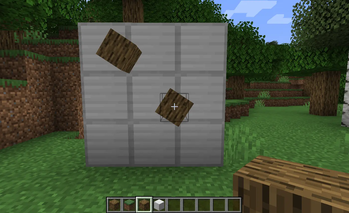
Easily and conveniently resize and rotate blocks (including their block entity renderers and collision boxes) with a single interface.
This is a library mod for Minecraft Forge 1.20.1. Have your Block implement IScalableBlock and/or IRotatableBlock, and it automatically gets scaled/rotated model rendering, BER rendering, and VoxelShape collision, no per-block mixin registration required.
Features
- One interface, everything scaled: implement
IScalableBlock, return anSBSPropconfig, done. - One interface, everything rotated: implement
IRotatableBlock, return anSBSRPropconfig, and blocks rotate around any axis at any angle. - Block model rendering: BakedQuad vertices transformed via
BakedModelproxy at model bake time, ensuring compatibility with rendering replacers like Embeddium & Oculus. - Block entity rendering: BERs (chests, signs, etc.) scale and rotate together with their parent block via Mixin injection into
BlockEntityRenderDispatcher. - Collision box scaling & translation: VoxelShape automatically transformed when
scaleShapeis enabled; intelligently translated to match rotated model center. - Compound transforms: blocks can implement both interfaces — rotation is applied first, then scaling.
- Configurable pivot: scale and rotate around any anchor point within the block.
- Zero configuration: no mixin config, no JSON, no data-gen. Pure API.
Usage
public class MyBlock extends Block implements IScalableBlock, IRotatableBlock {

    @Override
    public SBSProp getScaleConfig(BlockState state) {
        // Scale to 50% around the block center, including collision
        return new SBSProp(0.5f, 0.5f, 0.5f, 0.5f, 0.5f, 0.5f, true);
    }

    @Override
    public SBSRProp getRotationConfig(BlockState state) {
        // Rotate 45° around Y axis, centered on the block
        return new SBSRProp(45f, Direction.Axis.Y, 0.5f, 0.5f, 0.5f);
    }

    @Override
    public VoxelShape getShape(BlockState state,
                               BlockGetter level,
                               BlockPos pos,
                               CollisionContext ctx) {
        VoxelShape rotatedShape = getTranslatedShape(state, level, pos, ctx,
                                                     super.getShape(state, level, pos, ctx));
        return getScaledShape(state, level, pos, ctx, rotatedShape);
    }
}
SBSProp Parameters
| Field | Description |
|---|---|
scaleX / Y / Z |
Scale multiplier per axis (1.0 = original) |
pivotX / Y / Z |
Anchor point in block coordinates (0~1, 0.5 = center) |
scaleShape |
Whether to also scale the collision VoxelShape |
SBSRProp Parameters
| Field | Description |
|---|---|
degree |
Rotation angle in degrees |
axis |
Rotation axis (Direction.Axis.X / Y / Z) |
pivotX / Y / Z |
Anchor point in block coordinates (0~1, 0.5 = center) |
Compatible
This mod is designed to be compatible with Embeddium & Oculus. Any incompatibility is welcome to feedback.
Feedback
If you have issues/pr to submit, please first send a brief description about the issue to 3485874663@qq.com, you will be redirected to a gitea website with username & password. You can continue your issues/pr there.
- Edition: Minecraft Java
- File type: .jar
- Minecraft version listed: 1.20.1
- How to install: Install the matching mod loader (Forge, Fabric or NeoForge) for your Minecraft version. → Download the .jar. → Put it in the .minecraft/mods folder and launch that loader profile.
- Where to get it: Opens on Modrinth — not every file is mirrored on our own servers.
Install steps are the general flow for this file type — How to install Minecraft Java mods & modpacks walks through it step by step.
- Ships as sbs-0.2-Rotate.jar — drop this file into the mods folder
- Download size: 25 KB
- Download link checked 22 Aug 2026 — working
These come from our own check of the pack file, not from the source page.