
Pookie Mod
Java mod listed for Minecraft 1.21. Downloads from the MC Java Mods app on Android.
⬇ Download on Modrinth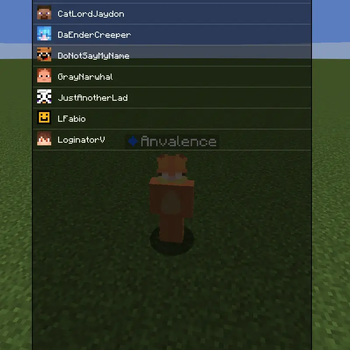
Pookie Mod
A lightweight anti friendly fire mod for PvP and anarchy. Mark players as pookies and it stops you from accidentally hitting them in combat.
What it does
Swinging a weapon at a pookie cancels the attack before it leaves your client. Bare hands, blocks, pearls, snowballs, and food still work, so boosting is fine. It also protects their pets (wolves, cats, horses, llamas) by owner UUID, with its own toggle. The pookie list is global across every server and singleplayer world.
Adding pookies
Three ways: look at someone and press the keybind (default semicolon) to toggle, type /pookie add NAME (tab-completes online players, falls back to a Mojang lookup for offline ones), or use the GUI via /pookie gui or Mod Menu.
The keybind has an optional hold-to-confirm timer. While holding, the target glows in your chosen color (depth-aware, won't shine through walls), with a sound and flash on commit. A second keybind opens the GUI, unbound by default.
Commands
/pookie add NAME- add a pookie/pookie remove NAME- remove a pookie/pookie list- chat list with heads, click to remove/pookie clear- remove all (click to confirm)/pookie clear online- remove only pookies on the current server/pookie gui- open the screen/pookie help- list commands
What counts as a weapon
Any item with an attack damage value is blocked against pookies. In 1.21.11 that means swords, axes, tridents, maces, hoes, and also pickaxes and shovels since vanilla gives them attack damage too. Modded weapons get blocked automatically with no item list needed. To hit a pookie on purpose, switch to bare hands or a non-weapon item, or toggle the mod off.
Settings
Master toggle, pet protection, clear confirmations, look-at tolerance, hold-to-add and hold-to-remove timers and colors, flash duration, and last-seen cache window (default one week).
Notes
Client-only, so the server never knows it exists. It only blocks your own attacks, not other players hitting your pookies. No projectile blocking, crystal protection, nametag coloring, waypoints, or alerts.
Requirements
Minecraft 1.21.11, Fabric Loader, Fabric API, Java 21+
Keywords: anti friendly fire, friends list, PvP, anarchy, teammate protection, pet protection, client-side Fabric mod.
- Edition: Minecraft Java
- File type: .jar
- Minecraft version listed: 1.21.11
- How to install: Install the matching mod loader (Forge, Fabric or NeoForge) for your Minecraft version. → Download the .jar. → Put it in the .minecraft/mods folder and launch that loader profile.
- Where to get it: Opens on Modrinth — not every file is mirrored on our own servers.
Install steps are the general flow for this file type — How to install Minecraft Java mods & modpacks walks through it step by step.
- Ships as pookie-1.0.0.jar — drop this file into the mods folder
- Download size: 74 KB
- Download link checked 19 Oct 2026 — working
These come from our own check of the pack file, not from the source page.