
ModsJava
Create: Simple storage recipes
Java mod listed for Minecraft 1.21. Downloads from the MC Java Mods app on Android.
⬇ Download on Modrinth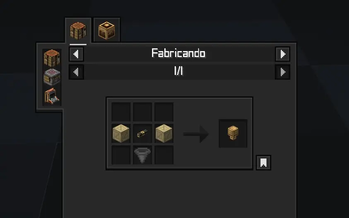
🔍 About
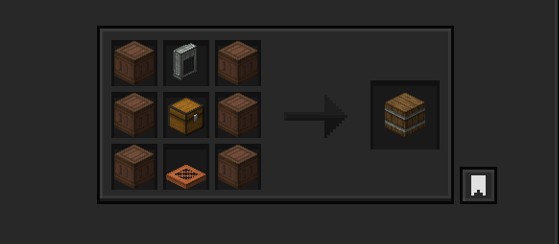
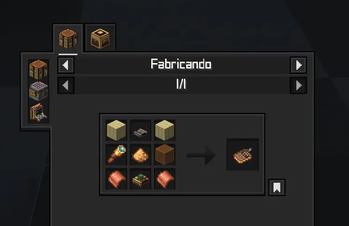
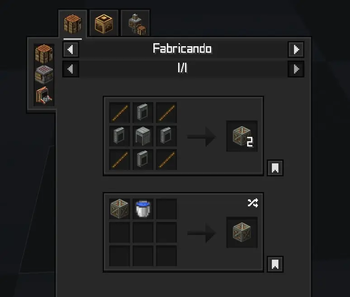
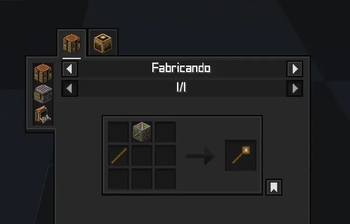
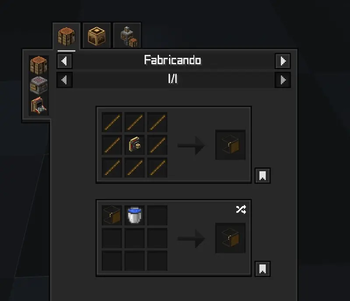
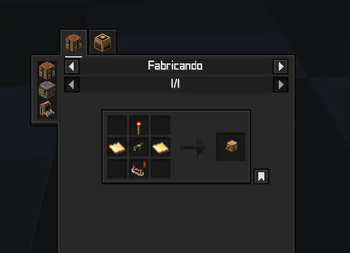
This datapack changes the recipes of Tom's simple storage to fit with and use Create mod.
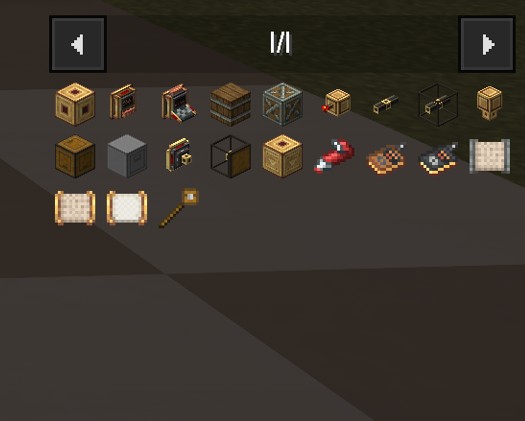
Made to go alongside Create: simple storage texturepack

The new recipes might be very expensive; that could change in the future.
Tip: Use Just Enough Items(JEI) To View The Recipe In-Game
Check out the gallery to get an idea.
⚙️ Supported Version
neoforge 1.21.x
create 6.0+
Tom's simple storage 2.0+
🧩 Installation Guide
Just place it in your datapack folder.
But for those who don't know how to do it:
- Go to where you have Minecraft installed.
- Find the saves folder.
- You'll see folders with the names of your worlds; choose the one you want to use the datapack on.
- Place the file in the datapacks folder.
Something like this: C:\User\ .minecraft\saves\new_world\datapacks
Just leave it there, done!



Quick facts
- Edition: Minecraft Java
- File type: .jar
- Minecraft versions listed: 1.21, 1.21.1
- How to install: Install the matching mod loader (Forge, Fabric or NeoForge) for your Minecraft version. → Download the .jar. → Put it in the .minecraft/mods folder and launch that loader profile.
- Where to get it: Opens on Modrinth — not every file is mirrored on our own servers.
Install steps are the general flow for this file type — How to install Minecraft Java mods & modpacks walks through it step by step.
File checked by MCModsHub
- Downloads as Create_Simple_Storage_Recipes 1.21.1.zip
- Download size: 55 KB
- Download link checked 10 Oct 2026 — working
These come from our own check of the pack file, not from the source page.