
6alphasix.jar (cancelled)
Java mod listed for Minecraft 1.20. File opened and checked on 14 Oct 2026; downloads from the MC Java Mods app on Android.
⬇ Download on Modrinth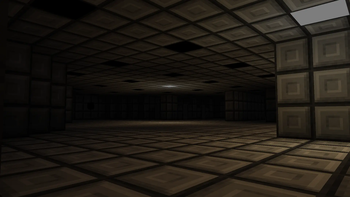
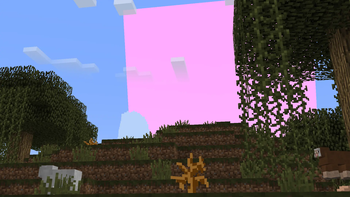
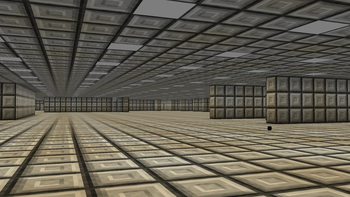
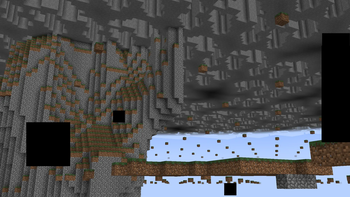
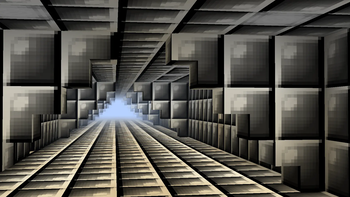

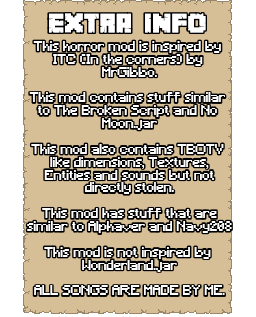
6alphasix.jar is a horror mod that adds Scary entities, events and dimensions. This mod will slowly corrupt your world. The mod tries to create a unsettling environment. With the old Minecraft fog, old caves, old pre 1.14 look and dimensions. The Feeling of being watched. As if something is watching from the fog.
6alphasix is a slow burn mod BUT it does start with a few events that only happen once at a certain time.
The corruption will slowly take over the world. The void entities will take over. This mod can not mess with your pc.
Things you need to know before playing
- This mod will grief your builds (don't add it to important worlds)
- This mod will place structures
- This mod can bring you to different dimensions
- This mod can kick you from the game (when killed by certain entities)
- This mod can show custom error popups on the screen
- This mod works fine with biome mods (Not terrain mods)
- Do not play with shaders that change the moon and sun texture
- Do not play on different world types like amplified, large biomes, single biome because the changed terrain generation will make giant caves to bedrock generate
- You need GECKOLIB for this mod
- To use the config you need CONFIGURED
Content in the mod Dimensions:
- Limbo
- Zerovoid
- Flatlands
- Suburbs
- Deltaware
- err.house
- err.level.1
- err.level.2
- err.level.3
- err.level.4
- err.level.5
- Hallways
- Nullscapes
- Nowhere
- Stonelands
Entities:
- Anomaly
- Blurred
- Void (Fake Creeper)
- Zero
- Demise
- Disguise
- Fusion
- Dread
- Wrath
- Fate
- Glory
- Dread
- Fury
- Eye
- Fake player
- Fear
- Grace
- I'm Watching
- Infection
- Smiler
- Shade
- Watching.err
- Watching.err.1
- Watching.err.2
- Shooter
- Spheroid
- Wraithwire
- Watching Steve
- Star
Frequently asked questions
How do I use the config?
- Use the CONFIGURED mod.
How do I talk to Stellar?
- Use forge version 47.4.10 or use /ask
How do I go to the dimensions?
- Waiting or craft a dimension tp device (you get a paper with the recipe when you boot up the world for the first time).
How do I disable the warning screen?
- Config.
- Edition: Minecraft Java
- File type: .jar
- Minecraft version listed: 1.20.1
- How to install: Install the matching mod loader (Forge, Fabric or NeoForge) for your Minecraft version. → Download the .jar. → Put it in the .minecraft/mods folder and launch that loader profile.
- Where to get it: Opens on Modrinth — not every file is mirrored on our own servers.
Install steps are the general flow for this file type — How to install Minecraft Java mods & modpacks walks through it step by step.
- Ships as alphasix-1.0.0-forge-1.20.1.jar — drop this file into the mods folder
- Download size: 134.1 MB
- Download link checked 9 Oct 2026 — working
These come from our own check of the pack file, not from the source page.