
OmniScape
Java mod listed for Minecraft 1.21. Downloads from the MC Java Mods app on Android.
OmniScape is an advanced AI-powered Minecraft mod/client that enhances gameplay with smart assistance, automation, navigation systems, waypoint…
⬇ Download on Modrinth
OmniScape Introduction
Built with a modular architecture, OmniScape combines:
🤖 AI Assistance
🧭 Smart Navigation
📍 Waypoints
⚡ Utility Commands
🔊 Narrator Features
🎮 Gameplay Enhancements
📊 Session Tracking
🧠 Context-Aware Systems
Whether you're exploring, surviving, building, or automating tasks, OmniScape acts like your intelligent in-game companion.
✨ Features
🤖 AI Assistant
Smart gameplay help
Context-aware responses
Dynamic interaction system
AI-powered utilities
🧭 Navigation & Pathfinding
Baritone integration
Auto navigation
Route assistance
Waypoint support
📍 Waypoint System
Save locations
Quick navigation
Coordinate management
Exploration support
⚡ Commands
AI commands
Crafting helpers
Coordinate tools
Utility commands
Waypoint commands
🔊 Narrator Mode
Accessibility improvements
Immersive narration
Interactive gameplay feedback
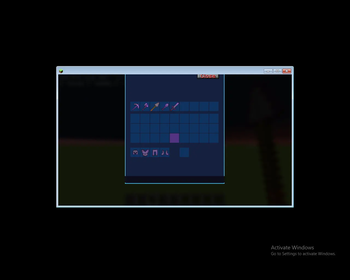
🎨 Custom GUI
Enhanced interfaces
Enchantment screens
Cleaner user interaction
📊 Session Tracking
Gameplay analytics
Session monitoring
Smart data systems
**🧩 Dependencies
Required Minecraft Fabric Loader Fabric API Optional Baritone **
📦 Installation Fabric Installation Install Fabric Loader Install Fabric API Put OmniScape into your mods folder Launch Minecraft 💜 Why OmniScape?
Unlike normal utility mods, OmniScape focuses on combining:
Artificial Intelligence Automation Smart Gameplay Assistance Navigation Systems Advanced Utilities
into one futuristic Minecraft experience.
🔥 Planned Features
🎤 Voice Commands
🗺️ AI Exploration
⚔️ Combat Assistant
📦 Inventory AI
🌐 Multiplayer AI Features
🎨 Modern Animated HUD
🏁 Taglines
"OmniScape — The AI-Powered Minecraft Experience"
"Smarter Exploration. Smarter Survival."
"Your Personal AI Companion Inside Minecraft"
- Edition: Minecraft Java
- File type: .jar
- Minecraft version listed: 1.21.11
- How to install: Install the matching mod loader (Forge, Fabric or NeoForge) for your Minecraft version. → Download the .jar. → Put it in the .minecraft/mods folder and launch that loader profile.
- Where to get it: Opens on Modrinth — not every file is mirrored on our own servers.
Install steps are the general flow for this file type — How to install Minecraft Java mods & modpacks walks through it step by step.
- Ships as omniscapes-1.0.0.jar — drop this file into the mods folder
- Download size: 66 KB
- Download link checked 24 Oct 2026 — working
These come from our own check of the pack file, not from the source page.