
ModsJava
Sound Muter
Java mod listed for Minecraft 1.21. Downloads from the MC Java Mods app on Android.
Adjust or mute any sound in Minecraft, from vamilla effects to modded audio. This tool gives you individual control over every audio source.
⬇ Download on Modrinth
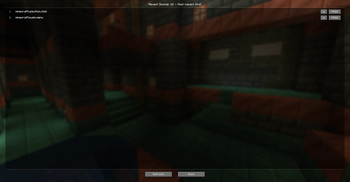
Sound Muter
Click the note button on the ESC menu to open the mod's interface. From there, you can mute or change the volume of any sound in the game.
Volume Control
You can add sounds to the main screen and configure each one individually.
- 0% to 200% volume by default
- If 200% is not enough, type any number into the text field on the right (e.g., 300) and the slider expands its range to 300%
Buttons
- Add sound: opens a list of every sound available in the game
- Recent sounds: opens a list of sounds that just played. If you hear something annoying, find it in the recent list and send it to the main screen to tweak it
- Settings: opens interface options. Here, you can drag the note button to any position on the ESC screen or reset it to default.
- Back: closes the Sound Muter menu. (WOW O-O)
Quick facts
- Edition: Minecraft Java
- File type: .jar
- Minecraft version listed: 1.21.1
- How to install: Install the matching mod loader (Forge, Fabric or NeoForge) for your Minecraft version. → Download the .jar. → Put it in the .minecraft/mods folder and launch that loader profile.
- Where to get it: Opens on Modrinth — not every file is mirrored on our own servers.
Install steps are the general flow for this file type — How to install Minecraft Java mods & modpacks walks through it step by step.
File checked by MCModsHub
- Ships as soundmuter-1.0.0.jar — drop this file into the mods folder
- Download size: 4.8 MB
- Download link checked 23 Oct 2026 — working
These come from our own check of the pack file, not from the source page.