Languages
Glideplate
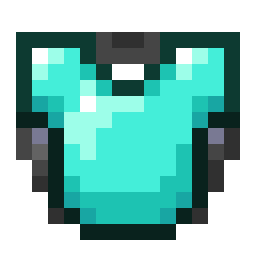
Glideplate is a Fabric mod that lets players combine a chestplate with an elytra, then gives the resulting item proper Glideplate visuals.
Place a chestplate in the left anvil slot and an elytra in the right slot. The output keeps the chestplate as armor, adds gliding support, and carries item data that identifies it as a Glideplate.
When installed on the client, Glideplate also improves the appearance of marked chestplates: the item model shows an elytra under the chestplate, and equipped Glideplates render with elytra wings.
Features
- Supports leather, copper, chainmail, iron, golden, diamond and netherite chestplates
- Combines only in one direction: chestplate on the left, elytra on the right
- Keeps the chestplate's durability, enchantments, trims and other item data
- Ignores the elytra's durability, damage and enchantments
- Updates marked chestplate item models with an elytra-and-chestplate appearance
- Keeps normal chestplates rendering normally
- Shows elytra wings when a marked chestplate is equipped
- Adds localized item names and tooltip text with English fallback text
- Costs no XP and does not add anvil prior-work penalty
- Works on dedicated servers
Usage
Use an anvil:
- Put a supported chestplate in the left slot.
- Put an elytra in the right slot.
- Take the Glideplate output.
The output item remains a chestplate, but it can also be used for elytra gliding.
Compatibility
Glideplate can be installed on servers, clients, or both.
Install it on the server to enable anvil crafting and gameplay support. Players do not need the mod installed to join, but without the mod on their client, Glideplates will render like regular chestplates.
Install it on the client to see enhanced Glideplate item models and equipped elytra wings.
Supported Versions
- Minecraft 26.1.2
- Fabric Loader 0.19.2+
- Fabric API 0.150.0+
- Java 25
License
MIT
- Edition: Minecraft Java
- File type: .jar
- Minecraft version listed: 26.1.2
- How to install: Install the matching mod loader (Forge, Fabric or NeoForge) for your Minecraft version. → Download the .jar. → Put it in the .minecraft/mods folder and launch that loader profile.
- Where to get it: Opens on Modrinth — not every file is mirrored on our own servers.
Install steps are the general flow for this file type — How to install Minecraft Java mods & modpacks walks through it step by step.
- Ships as glideplate-1.1.2.jar — drop this file into the mods folder
- Download size: 25 KB
- Download link checked 9 Sept 2026 — working
These come from our own check of the pack file, not from the source page.