
Quick Stack Inventory
Java mod listed for Minecraft 1.21. Downloads from the MC Java Mods app on Android.
Quickly sort all of the items in your inventory into nearby inventories with the press of a button. *Compatible with Sable Sub-Levels*
⬇ Download on Modrinth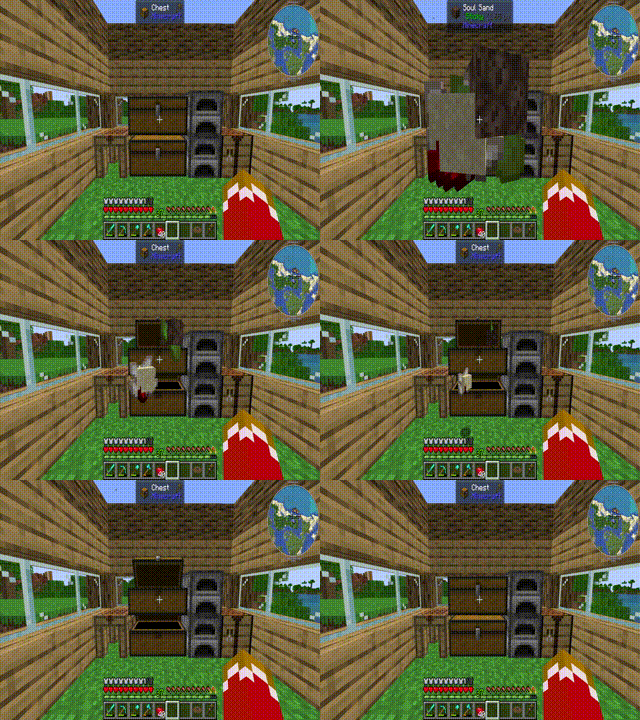
Quick Stack Inventory
I am pleased to present Quick Stack Inventory! A Terraria-inspired mod that lets you sort your inventory into nearby containers with a single keypress. Ignores hotbar and attachment slots.
Features:
Quick Stack (default: V): Searches a configurable radius around the player for valid containers and moves matching items from your inventory into them. Items are only moved if there is available space.
Misc Inventories (assign with: V + Right Click): Low-priority containers that receive overflow and unsorted items during a dump.
Dump Inventory (default: Shift + V): Sorts your inventory into nearby containers, then sends all remaining and overflow items into your assigned misc inventories.
Config:
radius — Scan radius in blocks (default: 8, max: 16)
min_slots — Minimum slots a container must have to be eligible (default: 9, excludes furnaces and brewing stands)
button_offset_x / button_offset_y — Pixel position of the Quick Stack button in the inventory screen
Compatibility:
This mod uses NeoForge's IItemHandler capability system, meaning it is compatible with any modded storage block that implements it — including Sophisticated Storage. Containers with fewer slots than the min_slots threshold (such as furnaces and brewing stands) are automatically excluded. This is fully configurable in the config file.
If you encounter a mod conflict or unexpected behavior, please report it in the GitHub issues (https://github.com/jacgoldberg/Inventory-Quick-Stack/issues) or leave a comment!
- Edition: Minecraft Java
- File type: .jar
- Minecraft version listed: 1.21.1
- How to install: Install the matching mod loader (Forge, Fabric or NeoForge) for your Minecraft version. → Download the .jar. → Put it in the .minecraft/mods folder and launch that loader profile.
- Where to get it: Opens on Modrinth — not every file is mirrored on our own servers.
Install steps are the general flow for this file type — How to install Minecraft Java mods & modpacks walks through it step by step.
- Ships as quickstack-1.2.0.jar — drop this file into the mods folder
- Download size: 32 KB
- Download link checked 17 Oct 2026 — working
These come from our own check of the pack file, not from the source page.